2
7. CF Card (CF) 2-19
Specifications
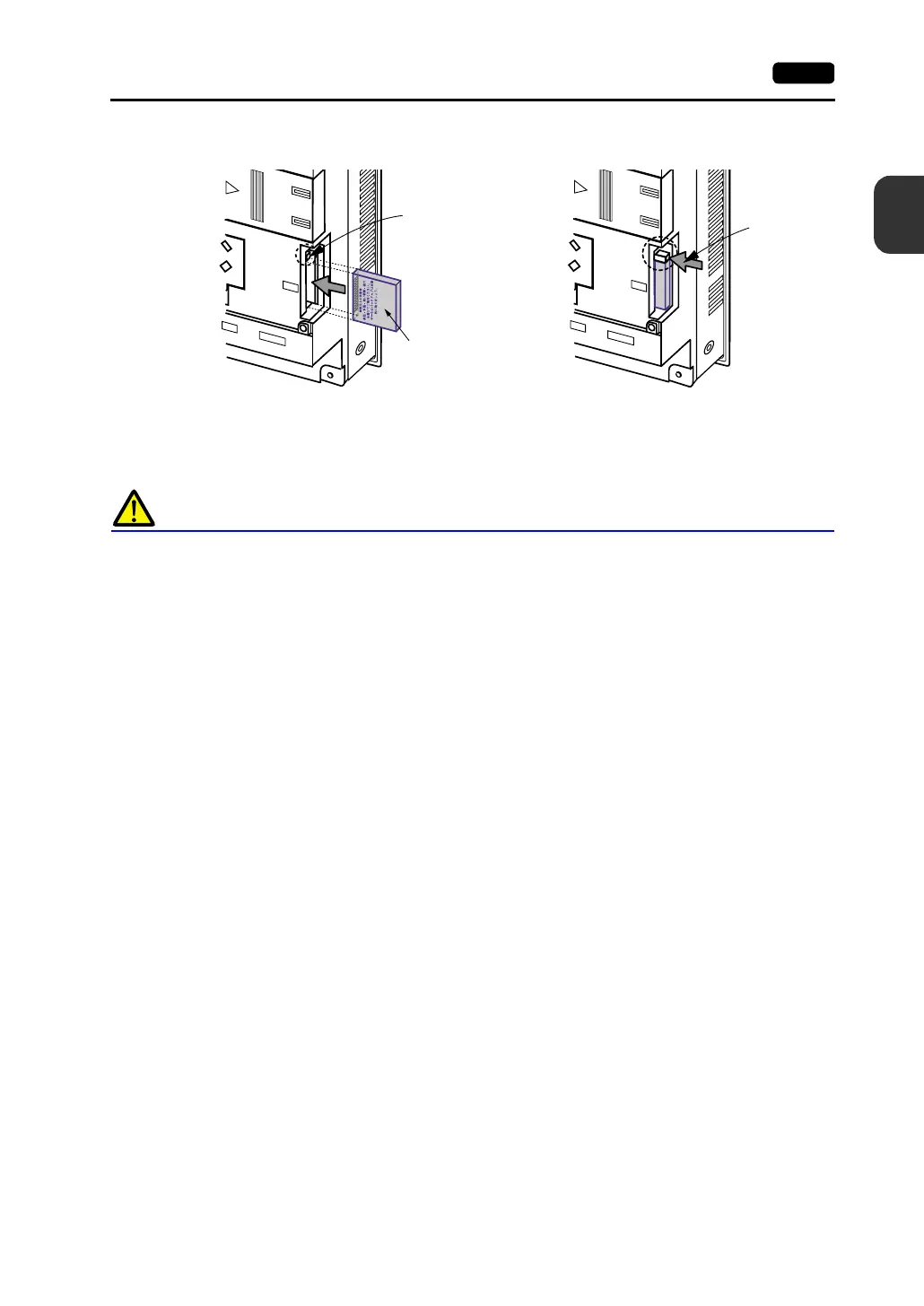
1. Insert the card securely into the interface with the card backside outwards viewed from the rear of
the unit as shown below.
2. To remove the card, press the eject button. The card pops out.
Notes on Handling the CF Card
1. MONITOUCH can recognize a CF card in the FAT file system. It cannot recognize a
FAT32-formatted CF card.
2. Do not insert or remove the CF card during access. Doing so may destroy data on the CF card.
The CF card can be inserted or removed safely when the Main Menu screen is displayed. Before
mounting or removing the CF card, be sure to check that the CF card is not being accessed.
Doing so may destroy data on the CF card or cause CF card failure.
However, if the [Card Menu] switch is pressed on the Main Menu screen and the CF card
operation screen is displayed, it is not possible to insert or remove the CF card.
3. Do not turn the power off or on during access to the CF card.
4. Make a backup copy of the CF card at regular intervals.
5. If there should be a disk error and you cannot read/write data, you can scan the disk in Windows to
restore the disk data.
If not restored, initialize the CF card. Note that the data in the CF card will be completely deleted
by initialization. (For more information on scanning the disk or operating Windows, refer to the
Windows manual.)
6. The number of writing times per CF card is limited (approx. 300,000 times).
Consequently, frequent writing at short intervals may shorten service life of the CF card. To use
the CF card for saving sampling data, check the setting for sampling time. Also, avoid repeated
writing using a CYCLE macro command.
MJ2
PRINTER
CF
MJ2
PRINTER
CF
3.
Card backside
When the card is
inserted, the eject
button pops out.



 To Next Page