3
2. Power Supply Cable Connection 3-3
Installation
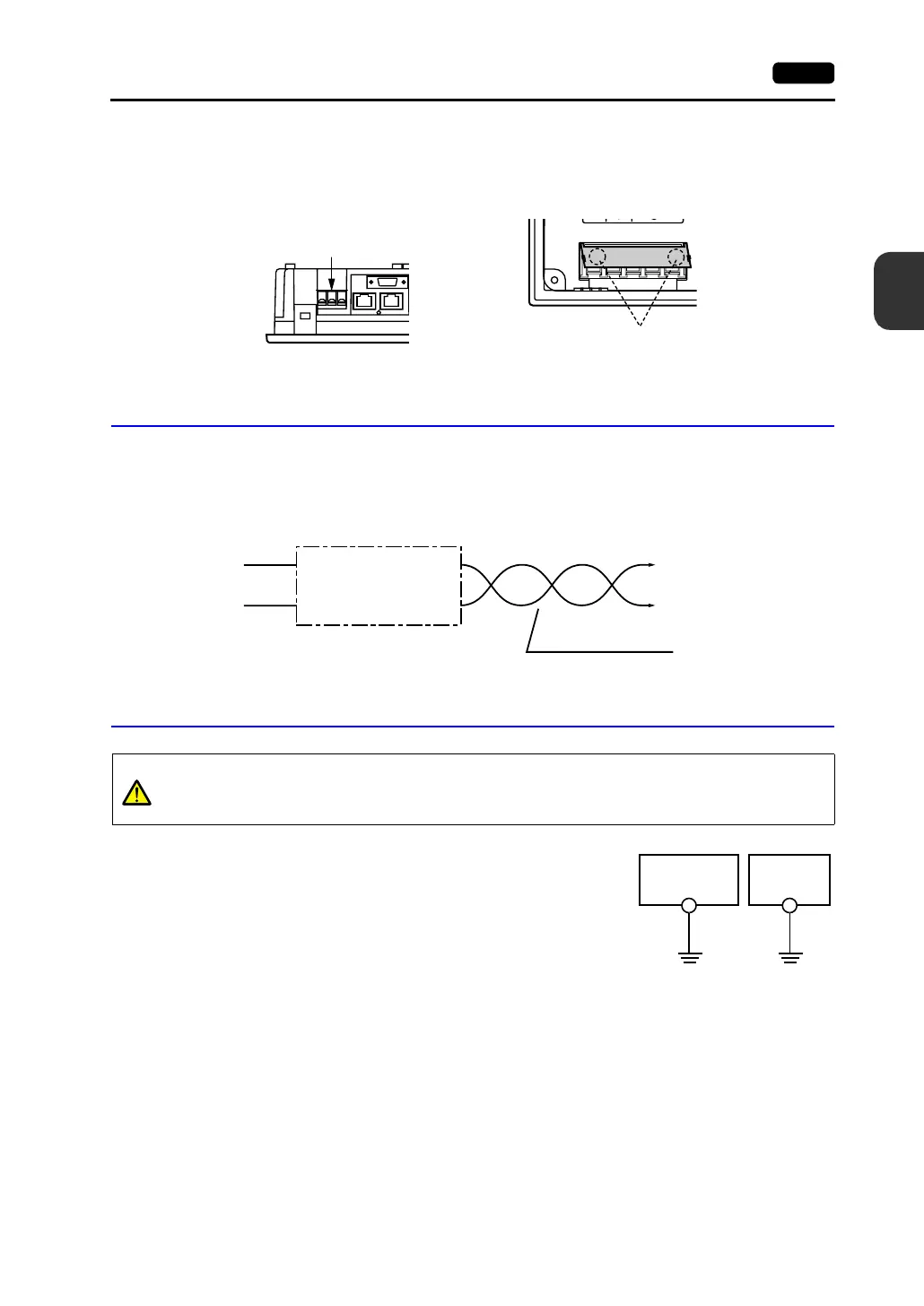
• Be sure to attach the terminal cover to the terminal block.
Notes on Usage of 100-240 VAC Specifications
• Generally, an isolating transformer improves noise resistance. However, if the display unit is far
away from the secondary port of the transformer and noise gets mixed in, an isolating transformer
becomes unnecessary.
• If any power voltage fluctuation caused by noise is expected, it is recommended that a voltage
stabilizer (effective in noise resistance) be used.
Grounding
• An independent earth pole must be used for MONITOUCH.
• Use a cable which has a nominal cross section of more than
2mm
2
for grounding.
• Set the grounding point near the MONITOUCH to shorten the
distance of grounding cables.
* When the V7 unit is attached to the mounting panel, the
fixtures and frame grounds (FG) are connected. To
detach the FG terminal from the ground, attach the
insulating sheet to the fixtures and the mounting panel for
insulation.
- For V708/V708i:
Attach the terminal cover (supplied)
to the terminal block.
- For V710/V710i/V712/V712i:
When closing the terminal cover, hold one
end of the cover as shown below.
Terminal cover
Press either end.
Power supply
Insulation transformer or
Stabilized transformer
To V710/V710i/V712/V712i
1.25 mm
2
Twist the cables.
CAUTION
Be sure to establish a ground of MONITOUCH.
(The level of grounding resistance should be less than 100Ω.)
V7 unit
Other
equipment



 To Next Page