6-8 2. Main Menu Screen
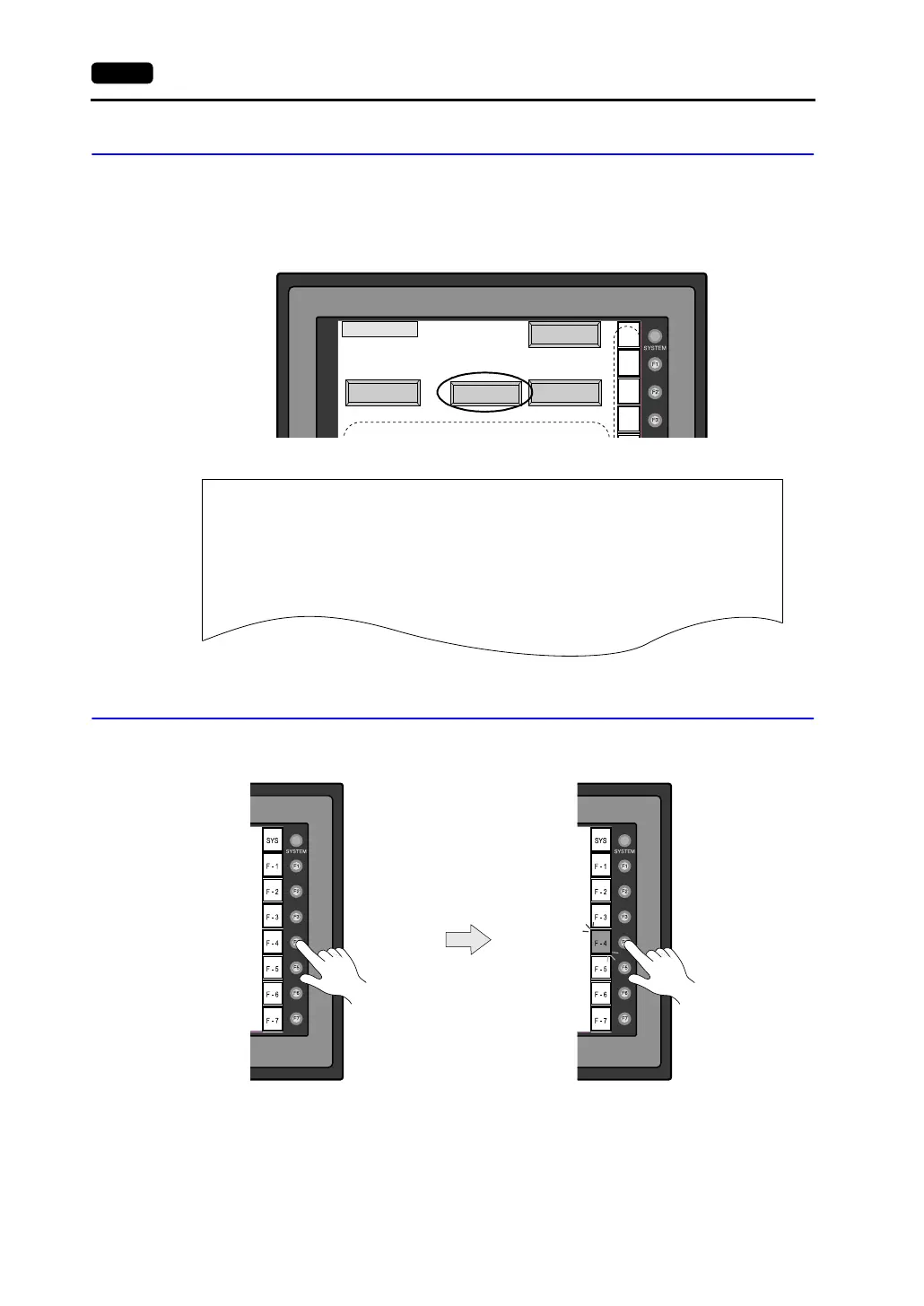
1-2. Print Check
Check that the V7 series transmits the signals to the printer correctly.
1. Connect the V7 unit to the printer.
2. Press the [Printer Check] switch. The test is successful when a test page is printed out without
problem.
Example:
1-3. SYSTEM & Function Switch Test
Check operations of eight switches provided vertically on the right side of the V7 panel.
Press the switch, and check that the lamp on the screen lights up while the switch is held down.
Main Menu
SYS
F - 1
F - 2
F - 3
Printer Check
Ext. I/O Check
Switch Check
S
-
I/O Test
!"#$%&@ 0123456789 ABCDEFGHIJKLMNO
!"#$%&@ 0123456789 ABCDEFGHIJKLMNO
!"#$%&@ 0123456789 ABCDEFGHIJKLMNO
!"#$%&@ 0123456789 ABCDEFGHIJKLMNO
!"#$%&@ 0123456789 ABCDEFGHIJKLMNO
!"#$%&@ 0123456789 ABCDEFGHIJKLMNO
!"#$%&@ 0123456789 ABCDEFGHIJKLMNO



 To Next Page