6-2 1. Operational Procedures
Initial Screen
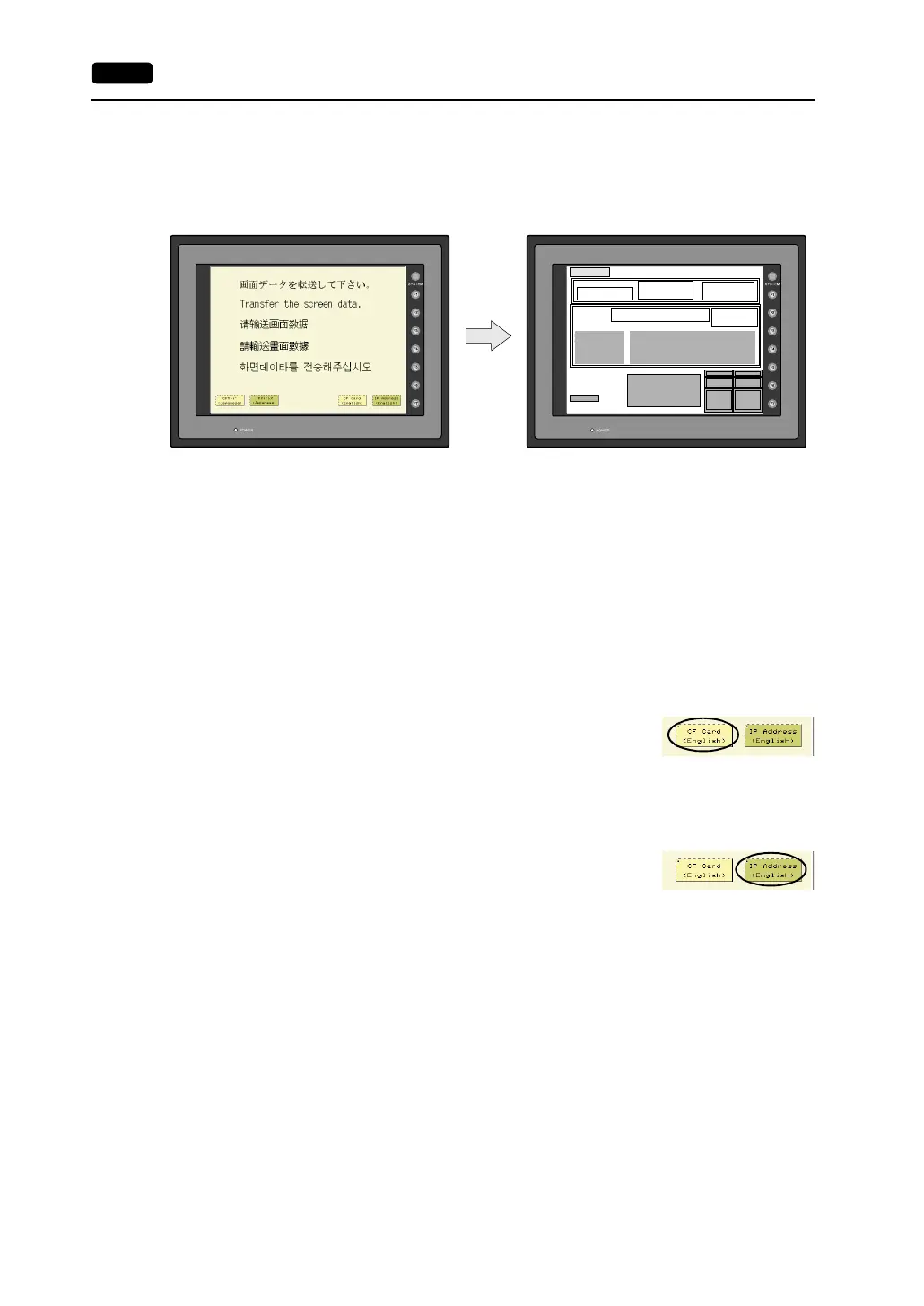
When the power of MONITOUCH is turned on for the first time, the Main Menu screen shown below on
the left is displayed.
Transferring Screen Data for the First Time
There are four methods for transferring screen data for the first time.
1. Transferring screen data via the V6-CP cable
Transfer screen data from the computer while the initial screen is displayed.
2. Transferring screen data using the CF card or the memory card and the card recorder (CREC)
1) Connect the personal computer with the card recorder and save screen data on the memory
card.
2) Insert the CF card into the V7 series or connect the card recorder and insert the memory card
into the card recorder (CREC).
3) Press the [CF Card (English)] switch. The “Card Menu” screen is
displayed.
4) Follow the instructions as described in “Card Menu Screen” (page
6-11) and transfer screen data.
3. Transferring screen data via Ethernet
1) Press the [IP Address (English)] switch.
2) The “Ethernet” screen is displayed.
Follow the instructions as described in “Ethernet” (page 6-23) and
set the IP address.
Press the [Setting Finished] switch. The initial screen is displayed again.
3) Transfer screen data from the computer via Ethernet.
4. Auto-uploading screen data from the CF card to the V7 series
1) Transfer screen data from the computer to a CF card.
2) Turn the V7 unit off. Set the DIPSW1 on the unit to the ON position, and insert the CF card.
3) Turn the unit on. The screen data is automatically uploaded from the CF card to the V7 series.
2002-4 -1 07:23:30
SYSTEM PROG. VER. 1.000
FONT
VER.1.300 / 1.000 / 1.000
ENGLISH
I/F DRV VER.1.240
MELSEC QnH Q
CPU Port
Editor:MJ1
Connection :
Signal Level :
PLC Stat. No. :
Multi-Link
RS232C
0
Baud Rate :
Data Length :
Stop Bit :
Parity :
Send Delay :
19200
8
1
Odd
2
0msec
Main Menu V710iTD
System Information
PLC Type : MITSUBISHIQnH(Q) series CPU
Comment :
Screen Data
Information
Size : 5783552
SRAM/Clock
Extension
RGB
Adjustment
Ethernet
Card
Menu
I/O Test
Error :
Time-Out :
Retry :
Stop
1.00 sec
3
Multi-Link2
Own Stat. No. : 1
Total: 2
Retry : 10
Baud Rate : 115200
Multi-Link2
Own Stat. No. :
Total :
Retry :
Baud Rate :
1
2
10
115200
PORT : 10000
MAC : 050FF000035
Ethernet Information
Trans.Speed :
Stat. No. :
10BASE-T
192.168.1.68
Initial screen displayed when power is turned on
for the first time
Main Menu screen after transferring screen data



 To Next Page