6-14 2. Main Menu Screen
2-2. Transferring Screen Data from a CF Card
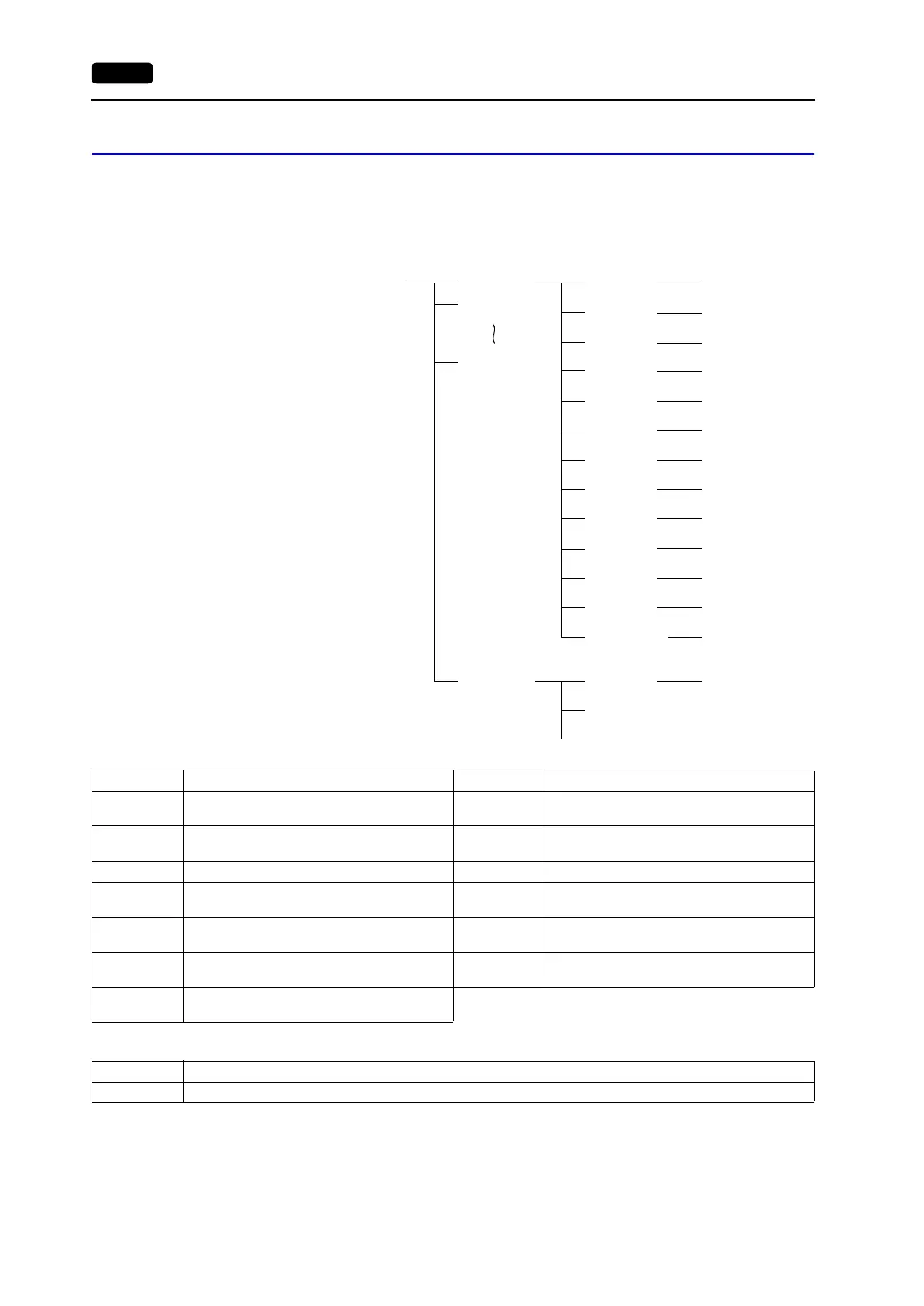
CF Card Folder Configuration
Folders in the CF card are configured as shown below.
DAT0000 (access folder)
DSPDEF (screen data auto upload folder)
(Other folders are the same as access folders.)
DSP
CARD
SRAM
MEMO
RECIPE
SAMPLE
HDCOPY
BITMAP
JPEG
SNAP
WAV
FONT
WEBSERV
AAAAAAAA
BBBBBBBB
FFFFFFFF
DSPDEF
DSP
*1 *2
DSP0000.BIN
MCMHEAD.BIN
MCMxxxx.BIN
SRM0000.BIN
MEMxxxx.BIN
xxxxxxxx.CSV
BMPxxxx.BIN
VDxxxx.JPG
WAxxxx.WAV
DSPDEF.BIN
xxxx.FTD
*3
SMPxxxx.BIN
SMPxxxx.CSV
HDxxxx.JPG
HDxxxx.BIN
xxxx.JPG
JPxxxx.JPG
xxxxxxxx.SHT
xxxxxxxx.HTM
xxxxxxxx.TXT
RECxxxx.CSV
CF card
Folder Name Folder Name File Name
Same as access folders
*1 These are access folders set by the V-SFT editor.
Any folder name within eight 1-byte characters
can be given.
*2 These folders are automatically created when
access folders are created. The folder name
cannot be changed.
*3 The folder name for screen data auto uploading
cannot be changed.
Folder Name Contents Folder Name Contents
BITMAP
Saves pattern data (bitmap data) to reduce
the screen data capacity.
RECIPE Reads and writes recipe data.
CARD
Writes recipe data from the V7 series using
the V6-compatible memory manager function.
SAMPLE
Saves history data of the data logging
function.
DSP Reads and writes screen data. SNAP Saves video snap images.
FONT
Saves Gothic fonts or language data to
reduce the screen data capacity.
SRAM Saves backup data of SRAM.
HDCOPY
Writes hard copy images in the JPEG file
format from the V7 (V708 only: BIN file).
WAV
Saves WAV files for sound output to reduce
the screen data capacity.
JPEG
Saves JPEG files for display on the screen
(except for V708C).
WEBSERV
Saves files to be accessed from the Web
browser.
MEMO
Saves memo pad data drawn with the V7
series.
Folder Name Contents
DSP Automatically reads screen data in this folder when the CF card is inserted in the unit after the DIP switch is set.



 To Next Page