41
Operation
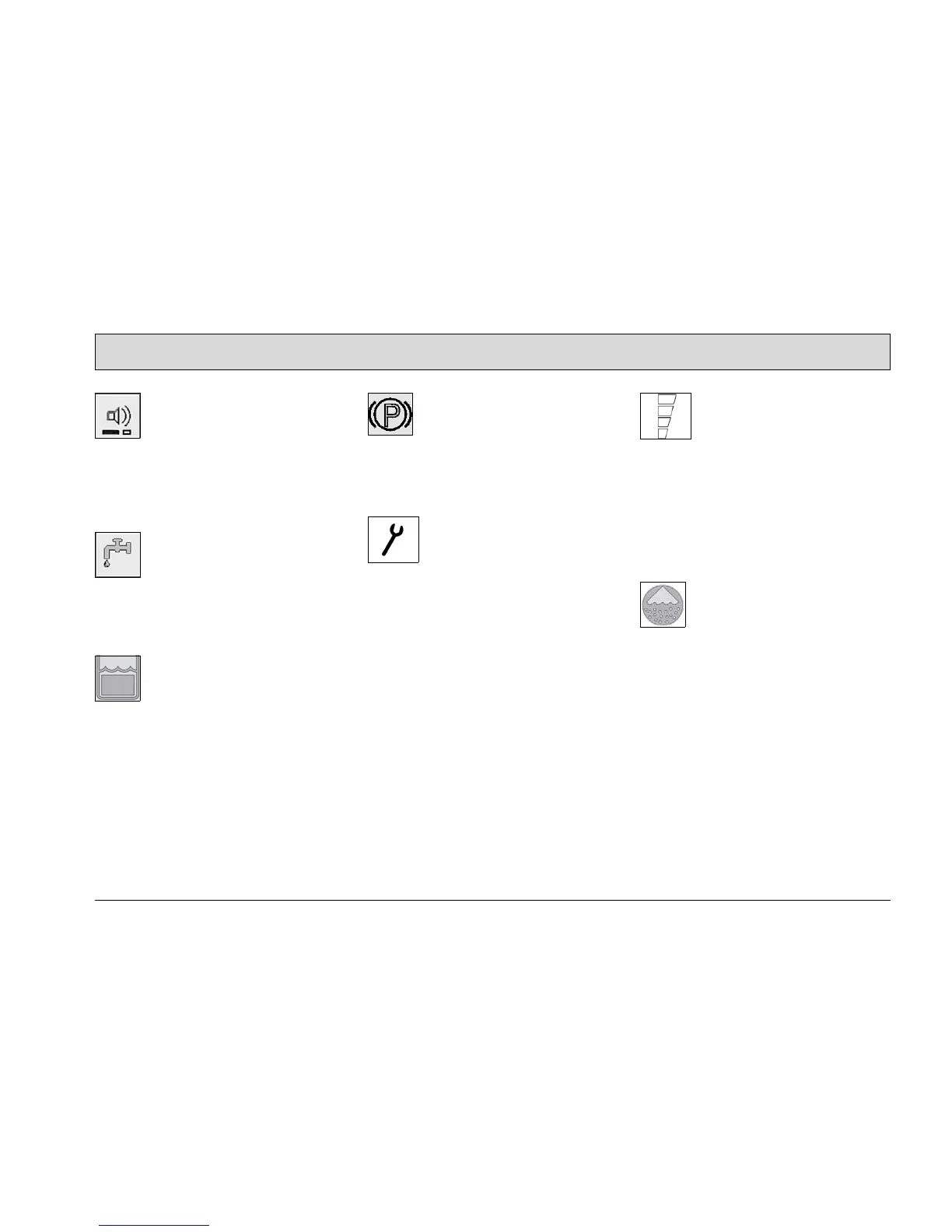
Icon, silent kit (option) (Fig. 20/1)
The icon appears when the option has
been activated. The right-hand, lower
bar goes out when the function is
switched on via the button.
Icon, clean water dosage (Fig. 20/2)
The icon appears when the clean water
supply button has been actuated and
the brush head is lowered.
Icon, waste water tank full (Fig. 20/3)
The icon appears when the waste water
tank is full. Emptying the waste water
tank, refer to Section 2.3.3.
Icon, parking brake (Fig. 20/4)
The icon appears when the driving di-
rection selection switch is in its neutral
position and driving has been stopped.
Icon, service indicator (Fig. 20/5)
The service indicator lights up when an
error has occurred in the system and
the cleaning or driving process has
been interrupted. In addition to the ser-
vice indicator, a four-digit service code
appears in the display of the operating
hour counter.
Please note down the service code and
notify the authorized Hako dealer re-
sponsible for you.
Icon, charge status indicator
(Fig. 20/6)
After switching the vehicle on, the
charge status indicator appears in the
display. The current battery charge sta-
tus is indicated during operation. For
further information, refer to Section
2.3.7.
Icon, chemical dosage (option)
(Fig. 20/7)
The icon appears when the chemical
dosage (option) is switched on.




 To Next Page