8 FOR MORE INFO REFERENCE OIM MANUAL P/N FSG–MNL–00210
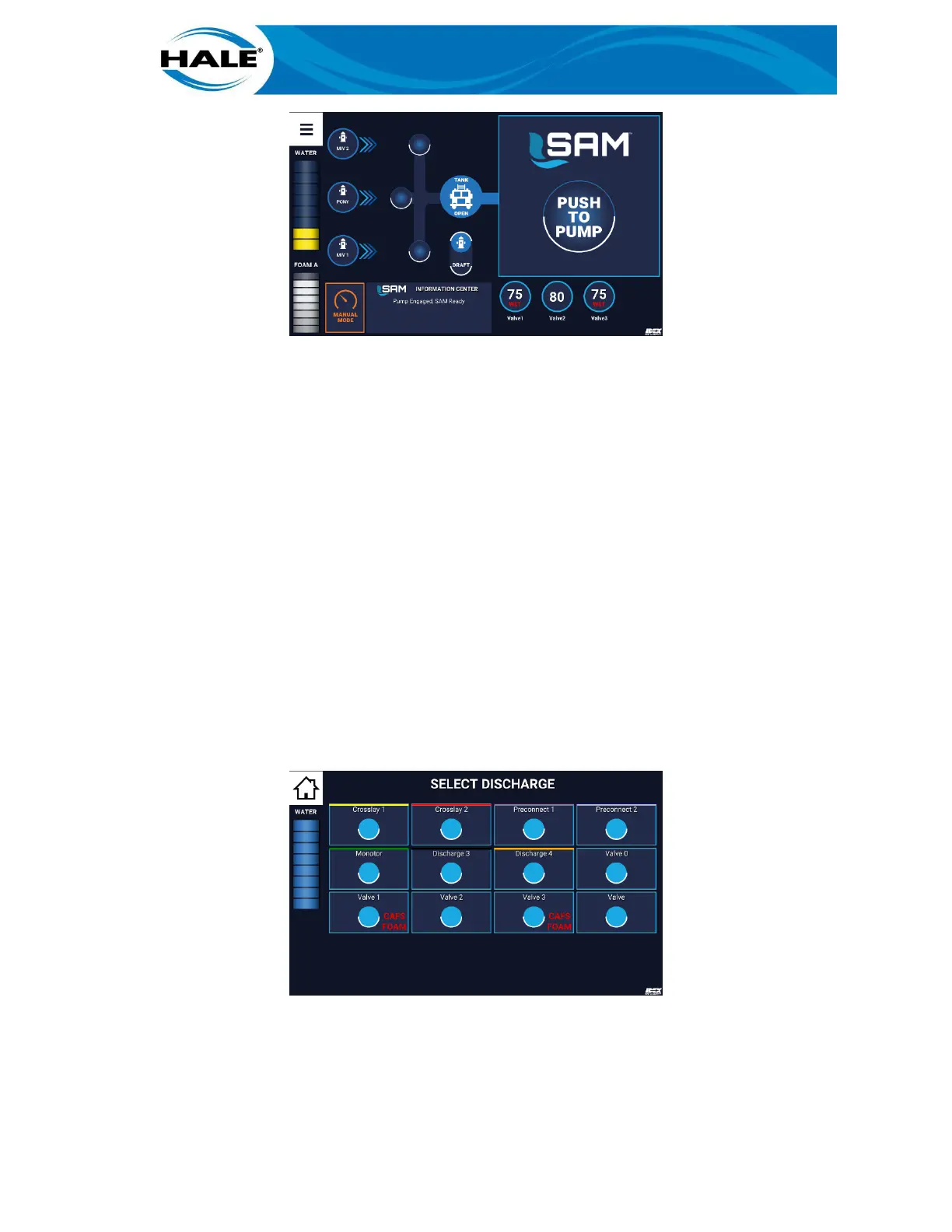
Figure 11. Activating A CAFS Quickset
C. Drag Quickset to target (PUSH TO PUMP or ADD LINE).
D. Release Quickset (remove finger from screen).
The SmartCAFS system powers on and opens air valve and activates preset #1. The associated concentra-
tion of air and foam solution is discharged.
Any operation of the CAFS system (beyond launching the preset from the SAM Control Center) must be per-
formed from the SmartCAFS Control Display, reference UV SmartCAFS Installation and Operation Manual
(P/N FSG-MNL-00157).
3.2 Activating A CAFS Preset
To activate a CAFS ready preset, perform the following.
A. If equipped, set ADT, MDT, or MST Selector to desired foam source.
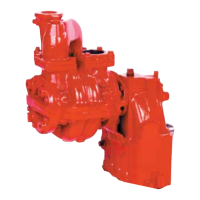
B. Touch PUSH TO PUMP (or ADD LINE) target, to display SELECT DISCHARGE screen. See Fig-
ure 12.
C. Touch desired discharge (valve) bubble. (All CAFS available discharges are labeled with the
following words: CAFS FOAM.) Valve X screen (discharge valve control screen) displays. See
Figure 13.
Figure 12. Selecting A CAFS Capable Discharge
D. Touch desired CAFS preset bubble. (All CAFS available discharges are labeled with one of the
following words: DRY, MED, or WET and are located to the left of the widget.) See Figure 13.



 To Next Page