4 FOR MORE INFO REFERENCE OIM MANUAL P/N FSG–MNL–00210
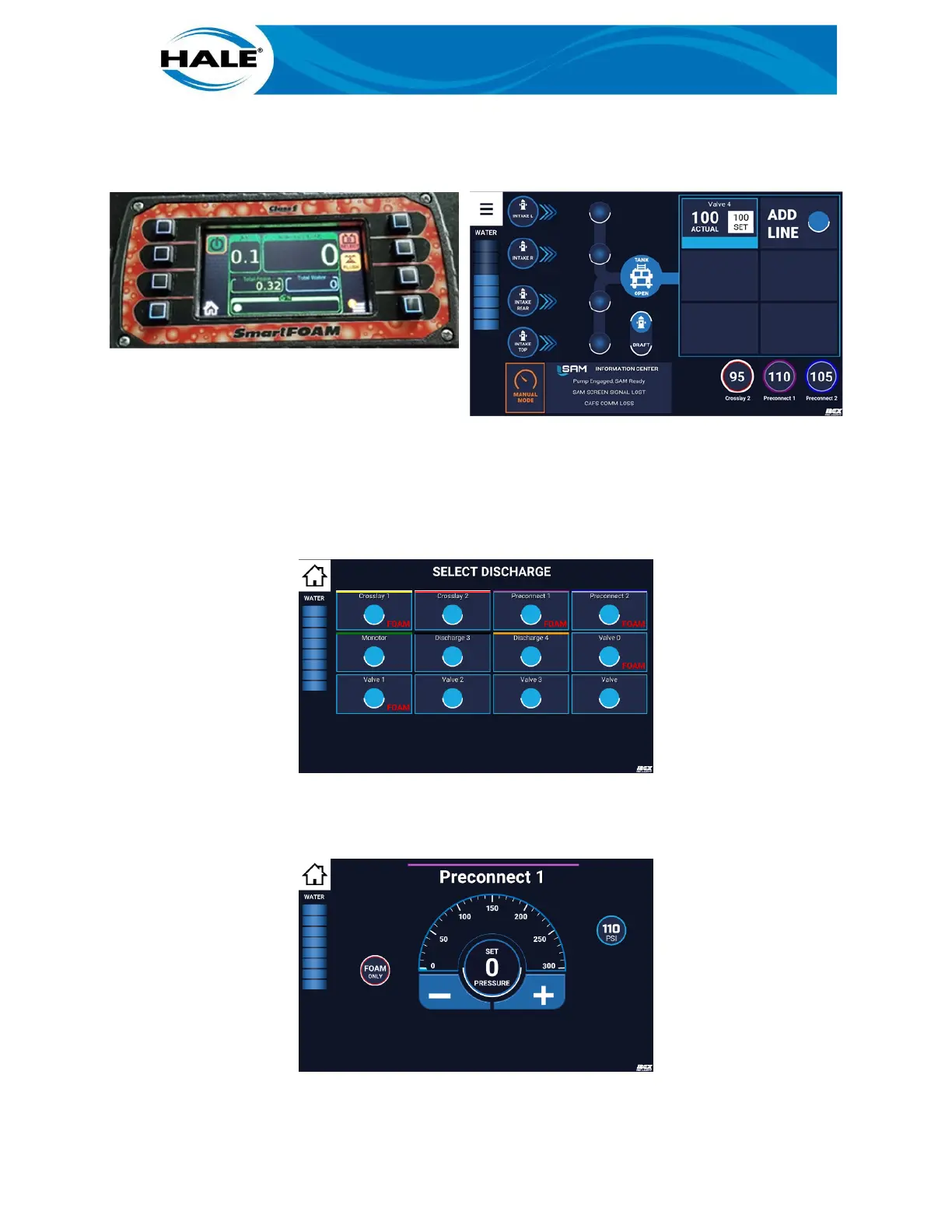
The SmartFOAM system powers on and activates preset #1. The associated concentration of foam solution
is discharged supplying foam to all foam capable discharges. Figure 3 shows the SmartFOAM display with an
example preset 1 running and the SAM Control Center Quickset active.
Figure 3. SmartFOAM With SAM Quickset Activated
2.4 Activating A SAM FOAM Preset
To use SAM to activate FOAM on a non-Quickset discharge (a FOAM preset), perform the following.
A. Touch PUSH TO PUMP (or ADD LINE) target, to display SELECT DISCHARGE screen. See Fig-
ure 4.
Figure 4. Selecting A Foam Capable Discharge
B. Touch desired discharge (valve) bubble. (All foam available discharges are labeled with the
word FOAM.) Valve X screen displays (discharge valve control screen, see Figure 5).
Figure 5. Activating A Foam Preset



 To Next Page