FOR MORE INFO REFERENCE OIM MANUAL P/N FSG–MNL–00210 9
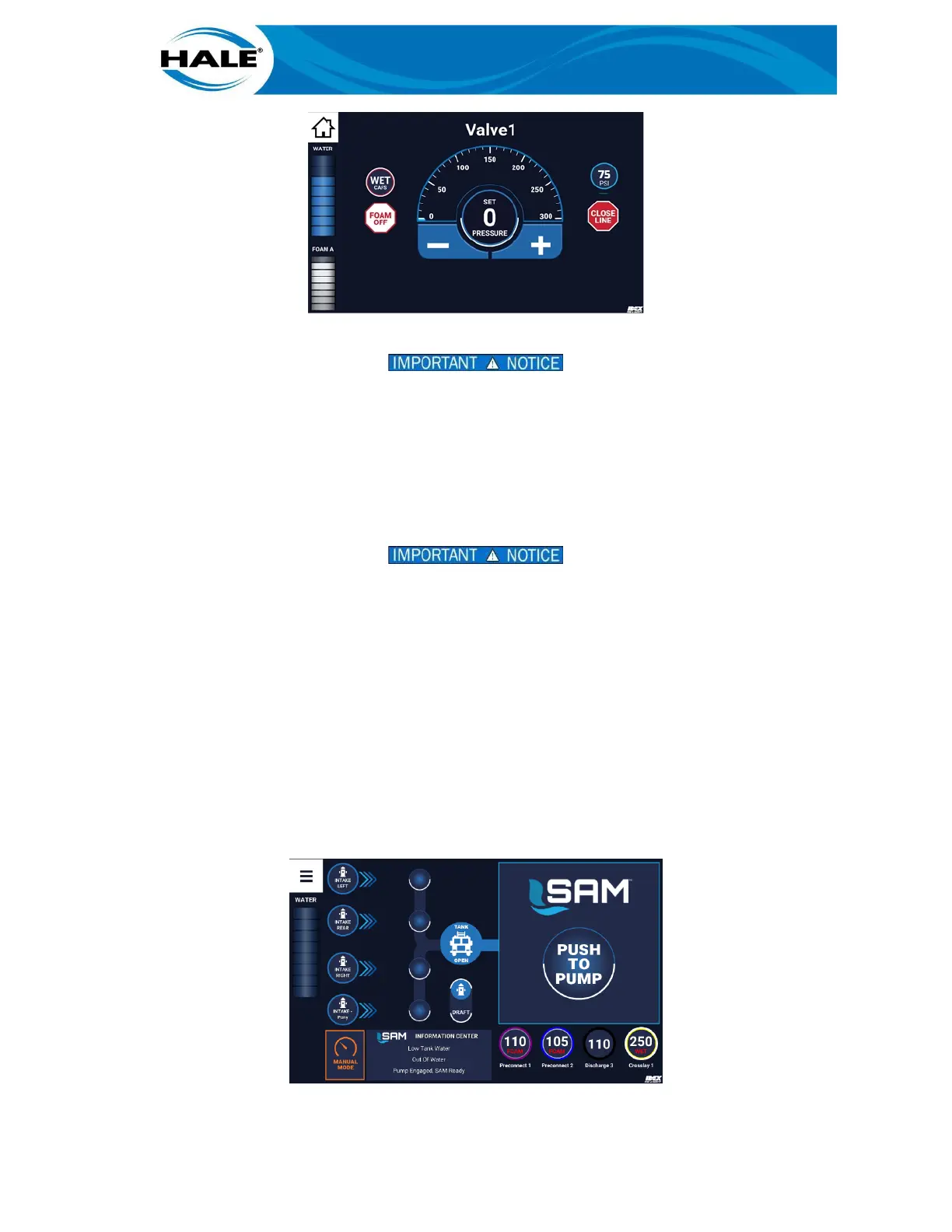
Figure 13. Activating A CAFS Preset
FROM THE VALVE X SCREEN (DISCHARGE VALVE CONTROL SCREEN), THE OPERATOR MAY SELECT
WATER ONLY, FOAM ONLY, OR CAFS. TO SELECT WATER ONLY, SWIPE THE PSI PRESET BALLOON
(RIGHT-HAND SIDE OF THE SCREEN) TO THE TARGET. TO SELECT FOAM ONLY, SWIPE THE FOAM
ONLY BALLOON TO THE TARGET. TO SELECT CAFS, SWIPE THE (WET, MED, OR DRY) CAFS BAL-
LOON TO THE TARGET.
E. Drag bubble to target (SET PRESSURE).
F. Release bubble (remove finger from screen).
IF THE DISCHARGE DOES NOT ACTIVATE VERIFY THE CAFS SYSTEM PRESETS (PRESET 1 FOR CAFS,
PRESET 7 FOR FOAM ONLY ON THE SMARTCAFS DISPLAY) CONFIGURATION MATCHES THE SAM
CONFIGURATION. (SAM WILL ONLY ACTIVATE MATCHING CONFIGURATIONS – WET, MED, OR DRY.)
IF THE CONFIGURATIONS DO NOT MATCH, OPERATE SAM MANUALLY TO OPEN THE VALVE USING
THE SAM CONTROL CENTER. THEN OPERATE THE CAFS SYSTEM FROM THE SMARTCAFS DISPLAY.
The SmartCAFS system powers on and opens the air valve for that discharge and activates preset #1. The
associated air and foam solution are discharged.
Operate CAFS from the SmartCAFS Control Display from this point, reference UV SmartCAFS Installation and
Operation Manual (P/N FSG-MNL-00157).
3.3 Activating A CAFS FOAM ONLY Quickset
A CAFS FOAM ONLY (see the NOTE in paragraph 3, page 7) Quickset is activated the same way a CAFS ready
Quickset (see paragraph 3.1, page 7), however the Quickset/discharge is labeled with the word FOAM (see
Figure 14).
Figure 14. Activating A CAFS FOAM ONLY Quickset



 To Next Page