PIANO / ENSEMBLE Voice Sections 19
t Using ProChord
TRY THIS:
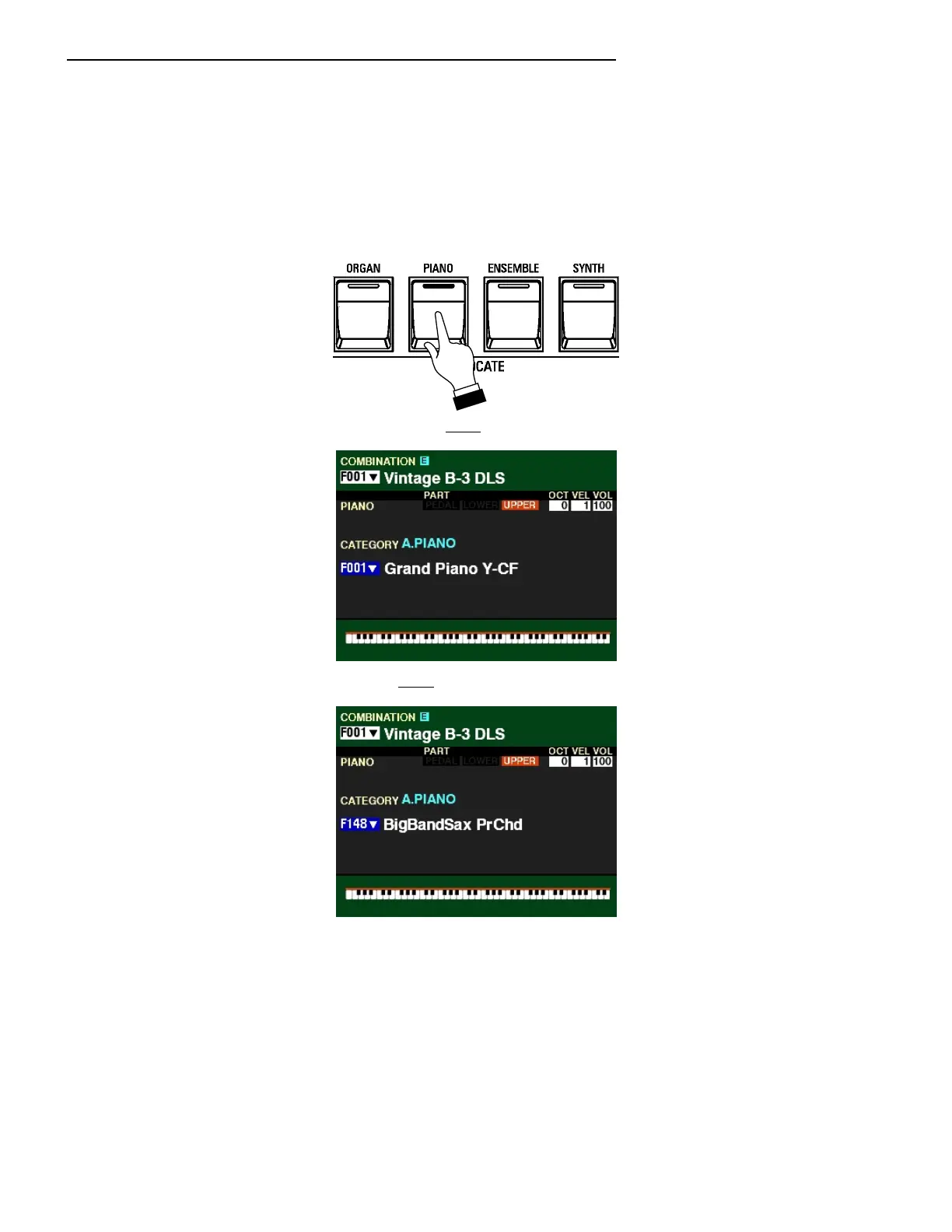
1. Make sure all the ALLOCATE buttons are “OFF” (LED not lit) and that “F001" is showing at the
very top of the display.
2. Press the PIANO ALLOCATE button “ON.”
3. Press the DIRECTION “q” button once. The Voice Name should be highlighted.
4. Turn the VALUE knob until F148 shows as the Patch Number.
5. Turn the SPLIT button “ON.”
6. Play a chord on the LOWER Part and hold the keys down. You will not hear any sound.
7. While holding the keys down, play a single-note melody on the UPPER Part. You will hear the
melody note plus a complex harmony pattern underneath the melody based on the chord you
play. The Harmony will always be appropriate no matter what chord or melody you play.
8. Play a chord progression of your choice, and continue to play a melody on the UPPER Part.
You will hear the harmony change in response to the chords you are playing on the LOWER
Part.



 To Next Page