PIANO / ENSEMBLE Voice Sections20
The instructions on the previous page apply to all of the PIANO / ENSEMBLE Patches with ProChord. Each
ProChord Patch will consist of a melody note plus a different harmony pattern. For example, the
BigBandSax Patch has a 5-part open-harmony pattern, while the HP OldTime Patch has a 4-part closed
harmony pattern. There are 17 harmony patterns in all, including also 2- and 3-part patterns.
Feel free to experiment with the different ProChord choices; however, remember:
1. The harmony will ONLY sound if SPLIT is enabled and notes are pressed and held on the
LOWER Part while the melody is played.
2. Play ONLY single-note melodies on the UPPER Part.
NOTE: Although several PIANO / ENSEMBLE Patches utilize ProChord (indicated by Pcd or PrChd in the
Patch Name), ProChord can be added to any PIANO or ENSEMBLE Patch via the FUNCTION Mode
Parameters. This is described starting on page 218.
NOTE: When a ProChord Patch is selected, the UPPER Part becomes monophonic - if a chord is played with
the right hand only one key will play. Therefore, when using ProChord play a single-note melody.
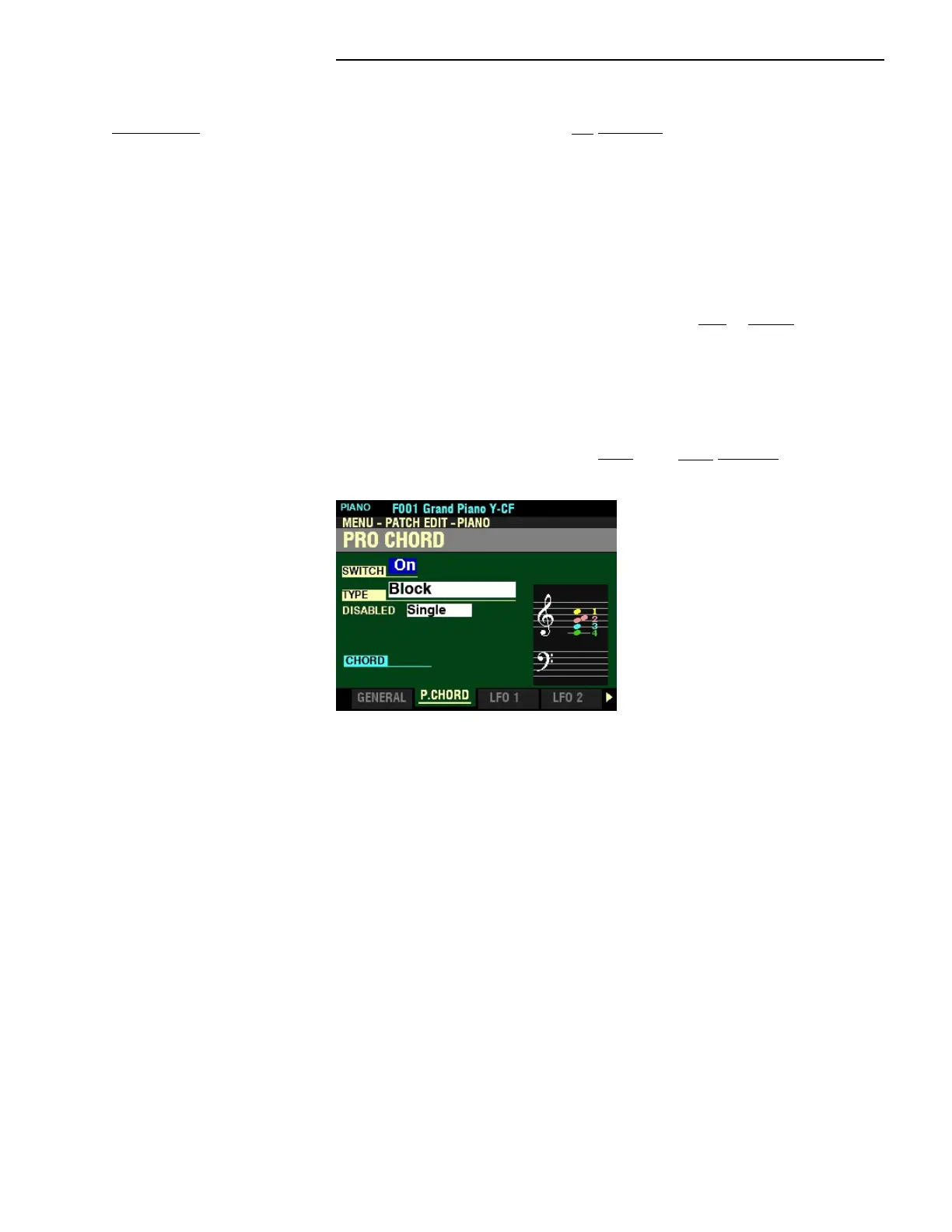
From the screen shown on page 213, press the PAGE “u” button once. The PRO CHORD Page
should now display.
The box to the right of “SWITCH” should be highlighted.
t PRO CHORD
This FUNCTION Mode Page allows you to reproduce complex harmonies by playing a single-note melody
with the right hand and chords with the left hand. The four Components provide both the Melody and
Harmony notes in different configurations depending on the specific ProChord Type or harmony pattern
selected.
NOTE: The keyboard must be “SPLIT” (SPLIT button “ON,”) in order to utilize the ProChord feature.
NOTE: The ProChord feature works on the UPPER Part only.



 To Next Page