PIANO / ENSEMBLE Voice Sections 71
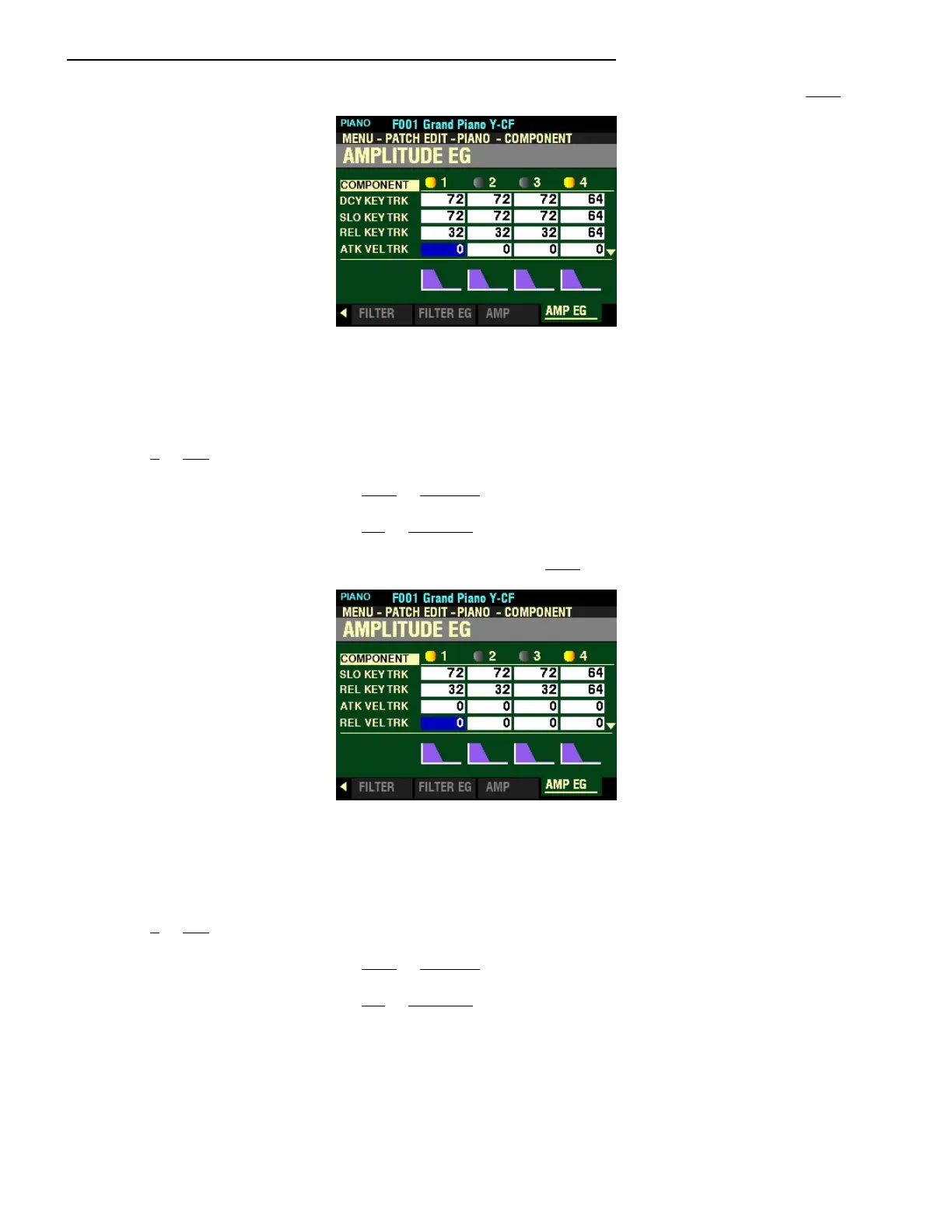
From the screen shown at the bottom of the previous page, press the DIRECTION “q” button once.
The box to the right of “ATK VEL TRK” should be highlighted.
ATTACK VELOCITY TRACK
This Parameter allows you to adjust the Attach Rate of the Amplitude EG by key velocity. You can select
from 0 to 127. A higher value will result in a slower Attack.
Turn the VALUE knob to the right to increase the Attack Rate.
Turn the VALUE knob to the left to decrease the Attack Rate.
From the above screen, press the DIRECTION “q” button once.
The box to the right of “REL VEL TRK” should be highlighted.
RELEASE RATE KEY TRACK
This Parameter allows you to adjust the Release Rate of the Amplitude EG by key velocity. You can select
from 0 to 127. A higher velocity will result in a longer Release.
Turn the VALUE knob to the right to increase the Release Time.
Turn the VALUE knob to the left to decrease the Release Time.
NOTE: The Velocity Parameter in the COMBINATION Edit Menu must be “ON” (values 1 ~ 4) in order to hear
the effect of Velocity Tracking.



 To Next Page