HASLER Getting Started Section 1
06/2003 WJ20 Page 1 - 1
Installation Tips
Your WJ20 should be installed on a flat horizontal surface
adjacent to easily accessible power and telephone line
outlets.
Allow sufficient free space as follows:
• above the machine to enable opening of the covers.
• at the rear of the machine for cooling.
The power plug on this equipment is intended to serve as the
device for isolation of the power supply; where possible it is
advisable to connect to a switched power outlet.
Do not connect your WJ20 Postage Meter to the power outlet
until you have attached the accessories.
Installation Tips 1-1
Connections To The Unit 1-1
To Startup And Process An Item 1-2
To Lock The Unit 1-4
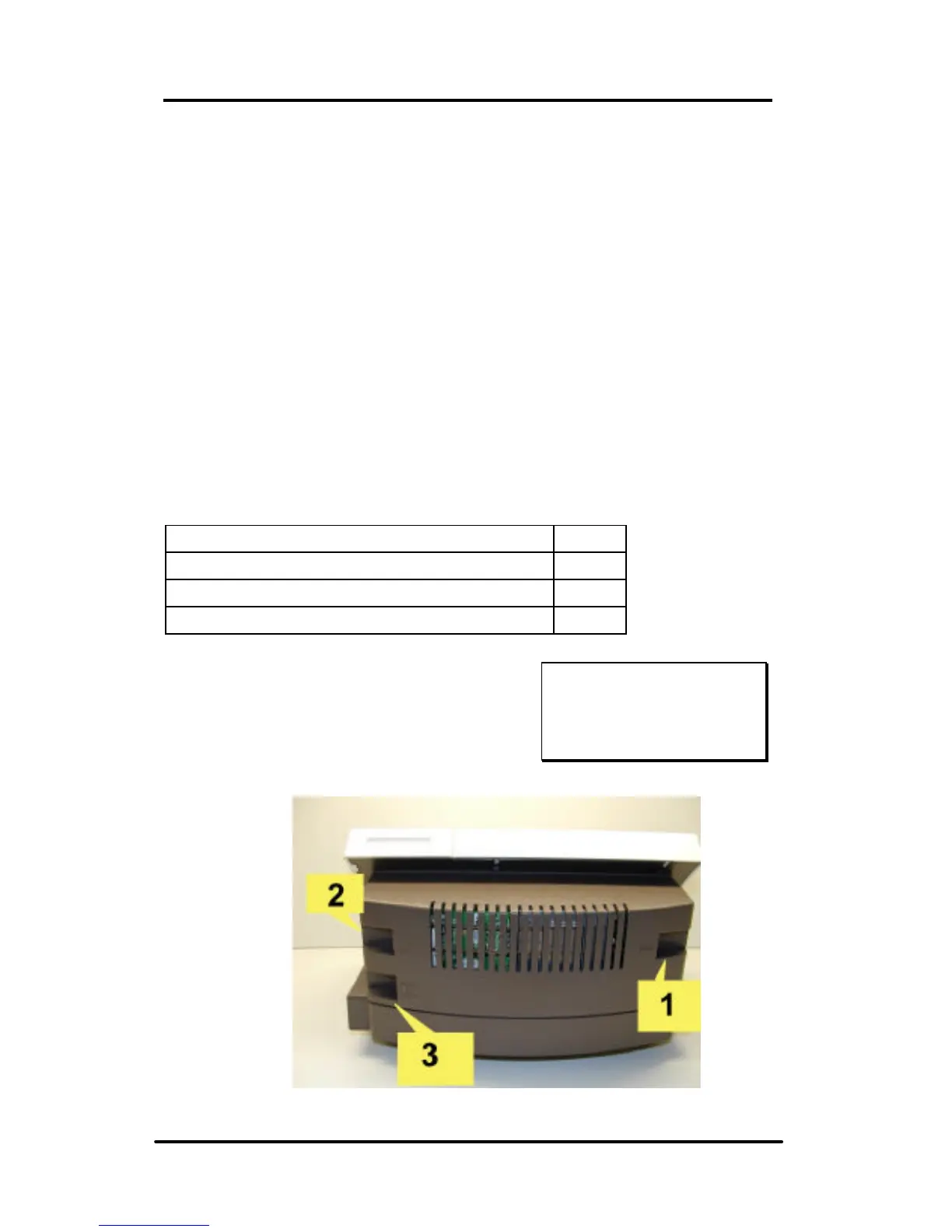
Connections To The Unit
The WJ20 has 3 connection ports:
(1) Power adapter,
(2) Modem (phone line)
(3) Optional weigh-scale
Unit - Back View
Ink Cartridge
installation is covered
in Section 9.



 To Next Page