HASLER Print Quality Section 9
Page 9 - 2 WJ20 06/2003
CARTRIDGE
< TEST PRINT >
INSERT ITEM
ALIGNMENT
_
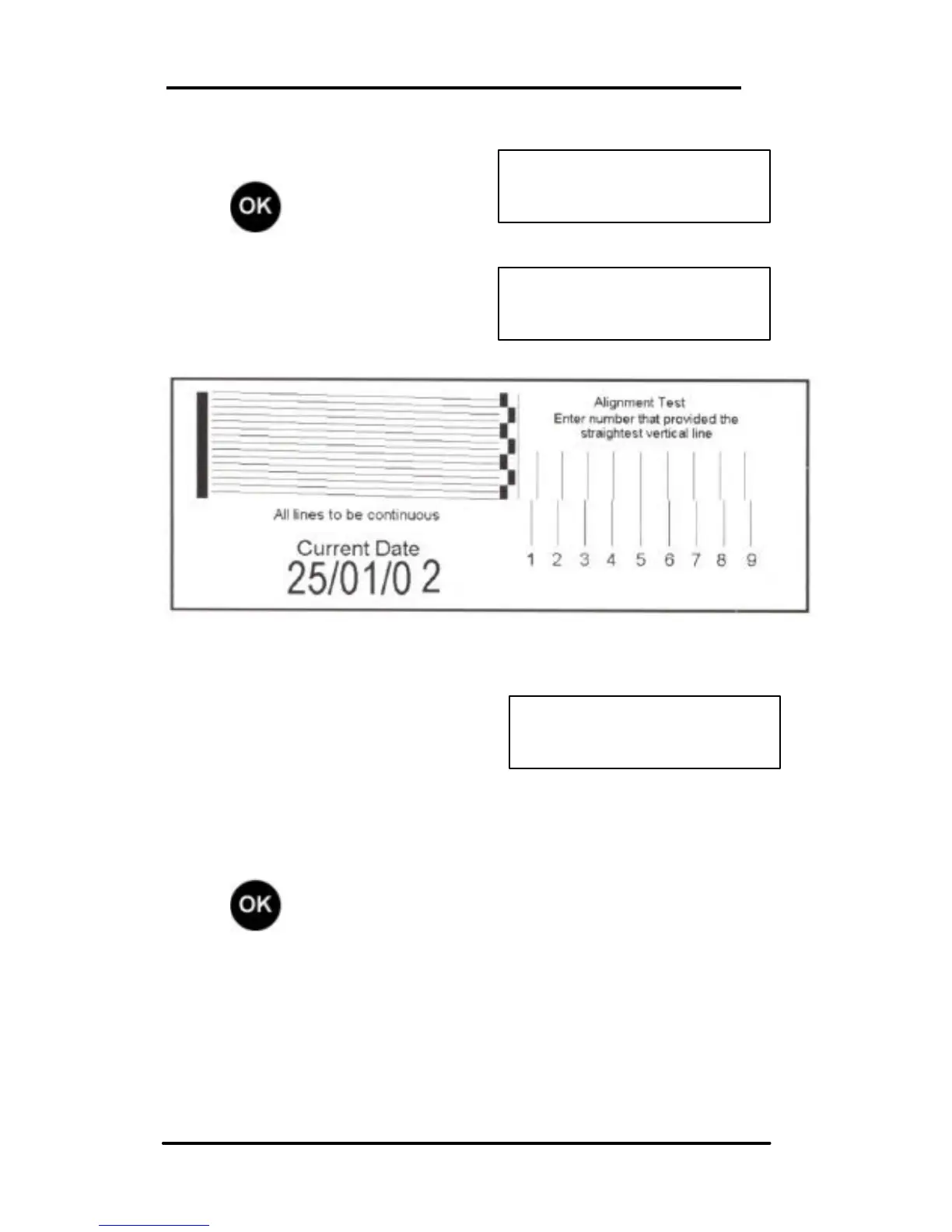
Next, scroll (< >) to Test Print:
Press to confirm.
Insert a blank envelope or card
into the machine to make a test
print.
The display prompts to set the
alignment:
Enter the number that provides the straightest vertical line (for
the example above - line 5).
Press to return to Ready mode.
Note: All horizontal lines in the test print must be clear and
present. If horizontal lines are still missing, repeat the
cleaning and test print process a second and/or third time, if
this process fails to restore print quality, fit a new ink
cartridge.



 To Next Page