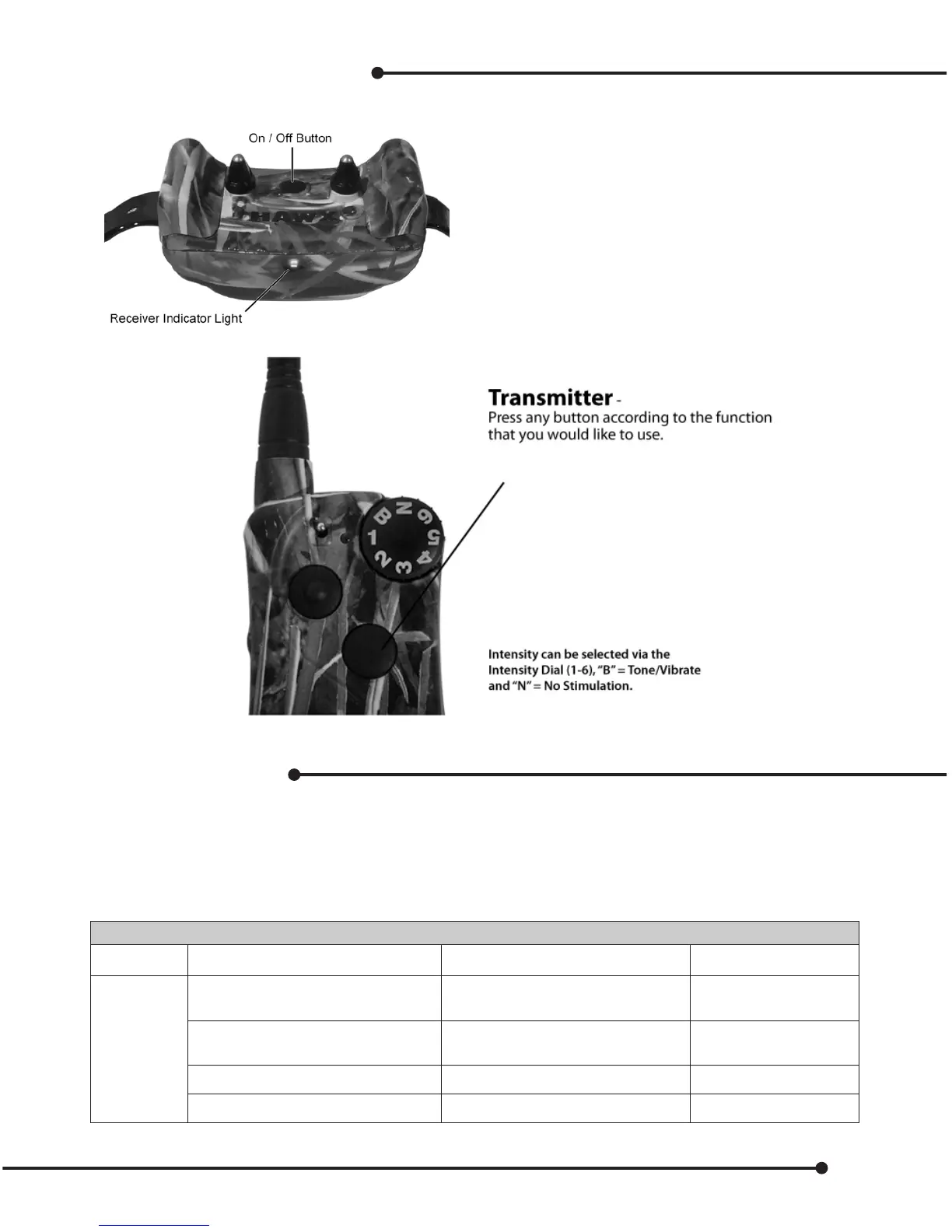
Operation (Training Mode)
To turn collar receiver ON:
Press, then wait for two conrming
tones, and release the Power Button.
The light will ash periodically.
To turn collar receiver OFF:
Press, wait for the one long conrming
tone and release the power button.
Light will stop ashing.
LED Indicator Chart
The following chart indicates what the transmitter will do when certain buttons are pressed in relation to
setting mode selections, programming, and charging, in both Dog & Gun mode, as well as training mode.
Note – Low battery is indicated by any light going red. Re-charge your unit.
Transmitter Indication LED
Mode Operation LED Color LED Status
Train
Charging Red
ÁDVKHVHYHU\
VHFRQGV
0RGH6HOHFWLRQ Green
ÁDVKHVWKHRI
PRGHVHOHFWHG
%XWWRQSUHVVHG Green ÁDVKHVRQFH
%XWWRQSUHVVHG Red ÁDVKHVRQFH
11


 To Next Page