31
Stock Mounted Units
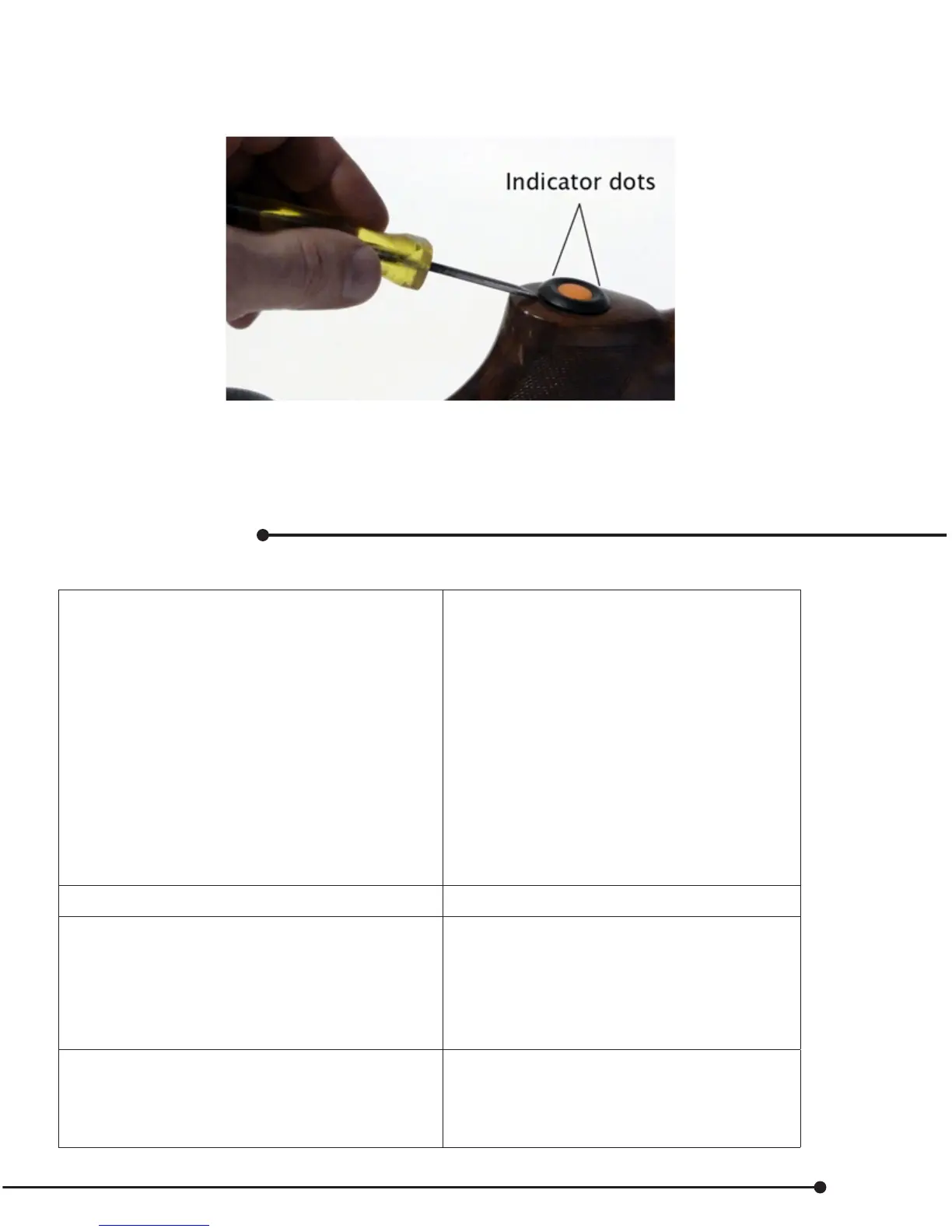
If a unit is already installed, the battery can be replaced by removing the Top bezel from the body.
Note – The bottom of the case may stay in the stock.
• The two dots on the bezel indicate where the tabs are
• Insert slot screw driver and press as shown above in gure 1
• Gently move bezel up
• The button case may stay in the holder.
Troubleshooting
Table 7. Problems & Solutions
The dog is not responding when the
Transmitter button is pressed
• Check the see if the e-collar is turned on
• If the battery is low, put it back on charger
• Increase the intensity level of stimulation
• Many factors can aect the operating range.
Make sure the units are still within operating
range.
• Make sure the e-collar is properly tted on
the dog.
• If the contact points are too short for the
dog’s coat type, use the small PC wings.
• If debris or contaminants are interfering with
electrical stimulation, clean the receiver and
contact point area.
The e-collar will not turn on
• Make sure the e-collar is charged.
The Master Transmitter is not
communicating with the e-collar
• Make sure the e-collar is turned on.
• Verify that the Master Transmitter is paired
with the e-collar.
• You may have accidentally switched the
Master Transmitter with another Hawx
system.
The DG is not communicating with the e-collar
• Observe if the indicator lights ash on the
master transmitter and then the e-collar.
• Replace battery; it may be low.
• Verify that the DG is paired with the Master
Transmitter.


 To Next Page