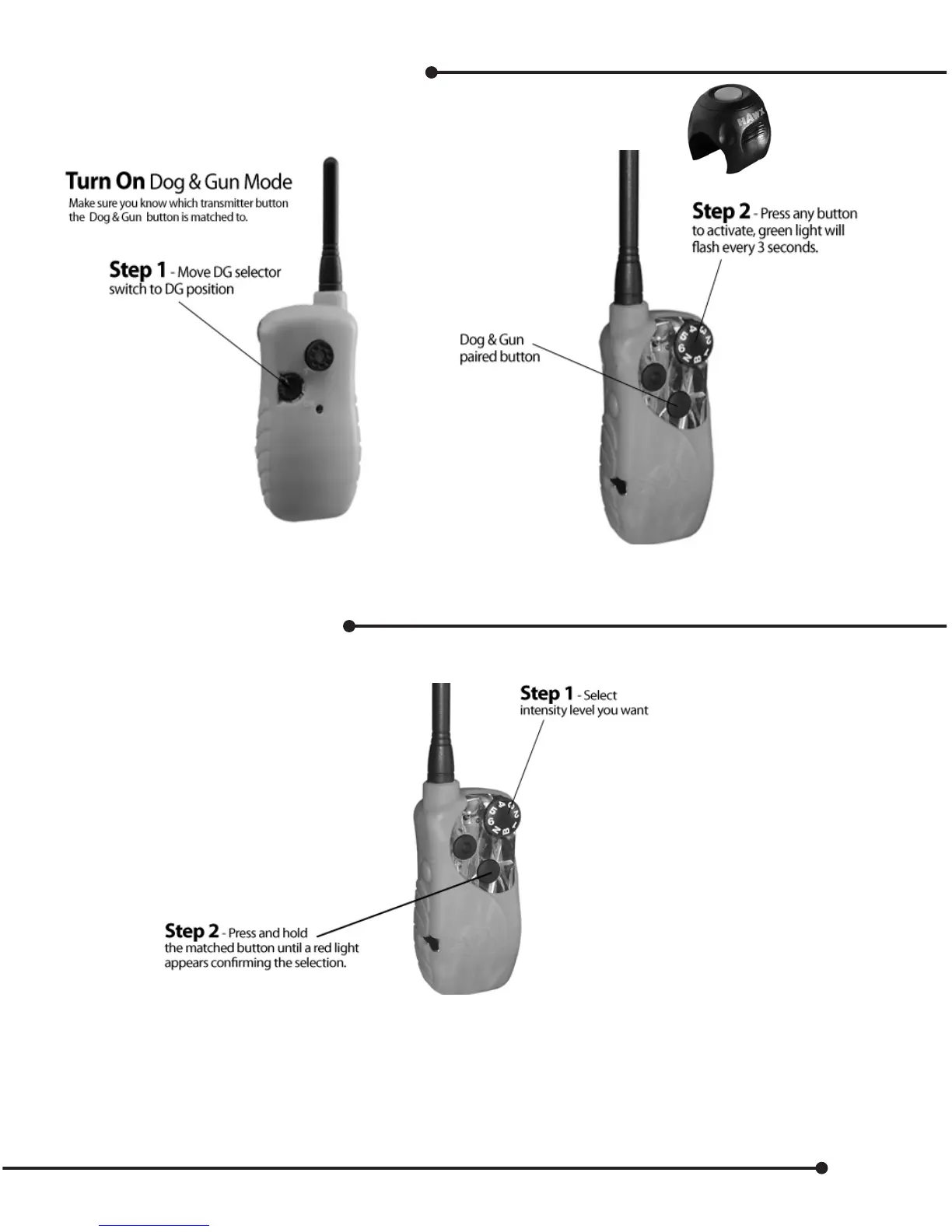
Operation of Dog & Gun Button
In Hunter mode the Dog & Gun button is paired to the Lower button - Momentary.
Turn O when not in use, move selector back to Training (T) mode to save power.
Set or Change Intensity
The factory default Dog & Gun button is paired on the momentary button (lower button)
Note -
You can change intensity levels at any time by repeating the instructions above.
You can move back and forth from training to Dog & Gun mode and the DG button will remember the
stimulation level. Do not forget when moving into Dog & Gun mode, you must press any button to activate,
and the lights will ash green.
However, if you’ve selected another mode, with dierent key functions, then the Dog & Gun function may change.
5


 To Next Page