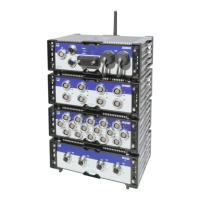
Connecting individual QuantumX modules
Quantum
X
I3031-14.0 HBM: public 65
Advantage of this connection structure: The other mod
ules remain active if the Ethernet cable is broken.
7.2.4 Connecting one or more QuantumX modules
to the PC
Modules can be connected to a standard PC via Ethernet
(up to 100 m), via FireWire (electrically, up to 5 m, opti
cally up to 300 m), or via EtherCAT.
The following must be noted for TCP/IP communication
via Ethernet:
S We recommend that you retain the default setting
(DHCP/APIPA), so that the software can find the
modules that are in the network, or directly connec
ted. You can, of course, also parameterize the mod
ules with a fixed, static IP address. This also applies
to the PC or notebook. Advantage: this allows note
books in particular to be quickly and automatically in
tegrated without reconfiguration into the company
network (DHCP). But direct operation between the
notebook and the modules (peer2peer) is also very
quick, using automatic addressing (APIPA).
S The Ethernet network adapter of the PC or modules
can also be manually configured with a specific IP
address and subnet mask, of course.
The following must be noted for direct IPoverFireWire
via FireWire connection:
S FireWire adapter addressing (e.g. expressCard/34 or
PCIexpress) at the PC or data logger end uses a pre
viously installed Windows device driver from HBM,
and cannot be modified. The modules are automatic
ally addressed (plugandplay and USB), and are
available immediately.



 To Next Page