©HBS Bolzenschweiss-Systeme GmbH & Co. KG
All rights reserved – Reprinting, in whole or in part, only with the approval of the manufacturer
11.1 Connecting the Welding Gun to the Stud Welding Unit
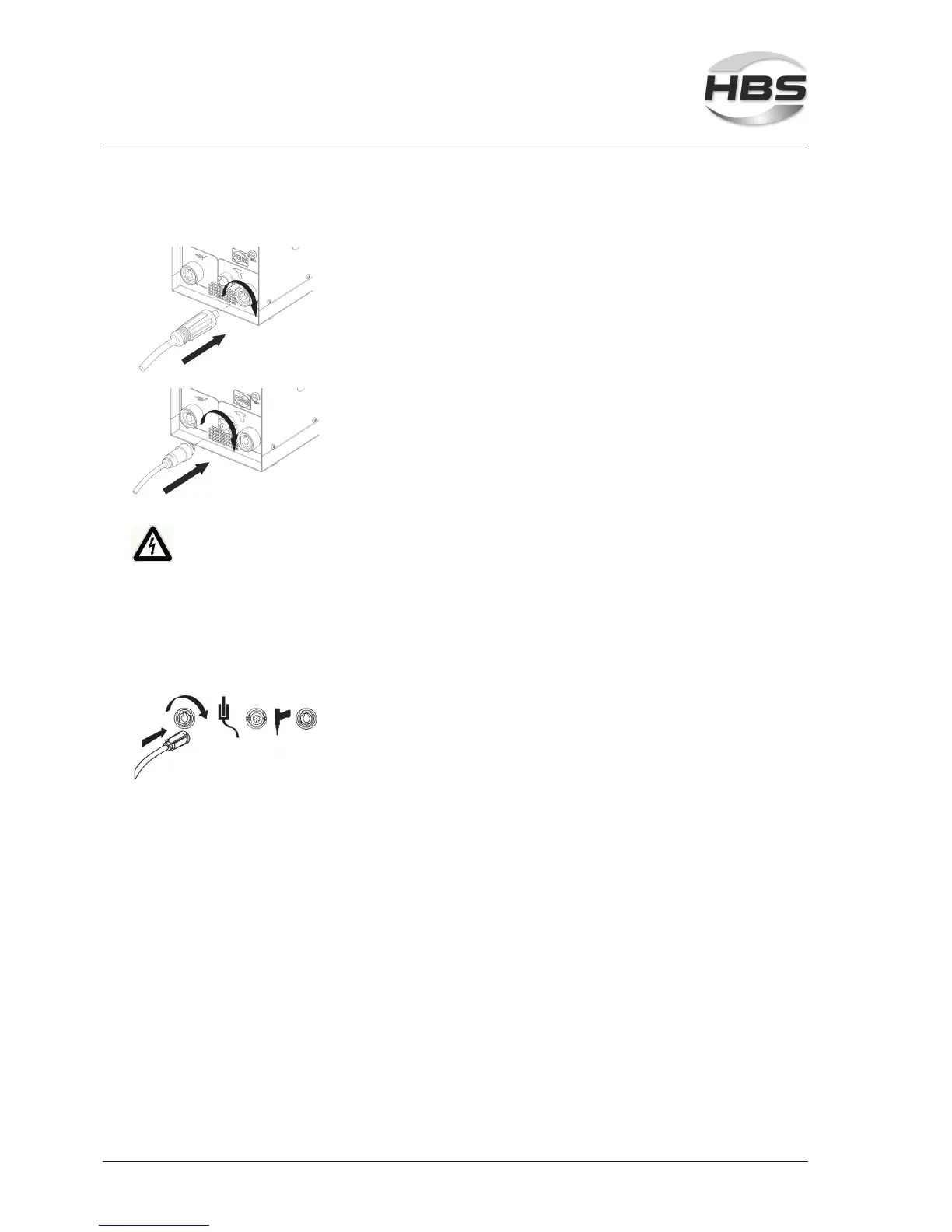
Connect the welding current cable
Only now plug the welding current cable into the correspon-
ding socket of the stud welding unit.
Press in the plug and turn it rmly clockwise (to the right).
Connect the control cable
Plug the control cable into the corresponding socket of the
stud welding unit.
Twist the retaining nut of the control cable connector clock-
wise.
Only loosely made connections will result in damage to the plug con-
nectors.
Therefore always check that the plug connector is rmly inserted.
This prevents a poor contact and hence overheating of the plug connectors.
11.2 Connecting the Ground Cable
Connect the ground cable
Plug the ground cable into the corresponding socket of the
stud welding unit.
Press in the plug and turn it rmly clockwise (to the right).



 To Next Page