18
Expression Pedal Assignment
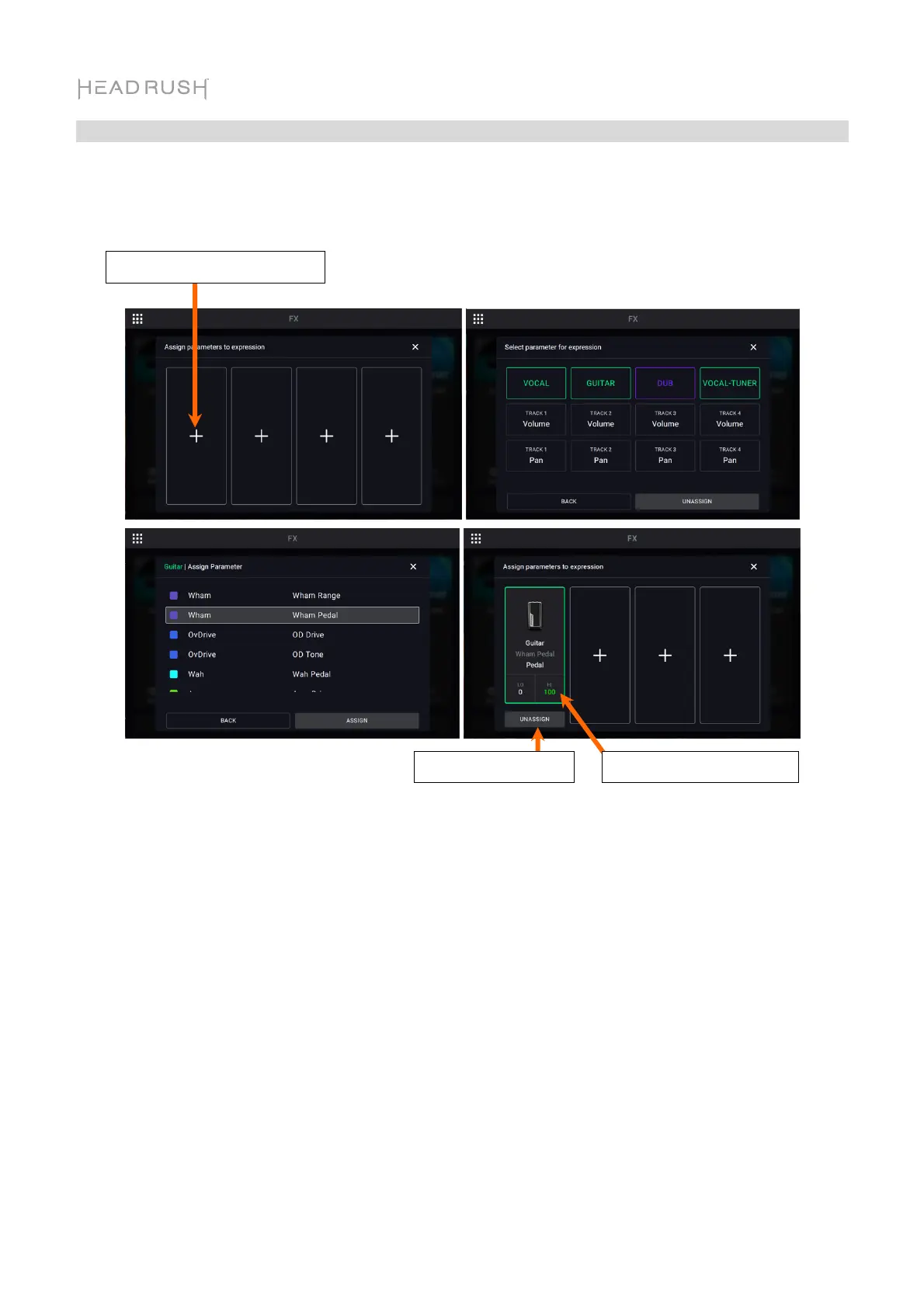
In the Expression menu, you can assign up to 4 parameters, volume or panning controls to your
connected expression pedal.
To assign a parameter to the expression pedal, tap the + sign in an empty slot, and then select
an FX Rack, looper track volume or looper track panning parameter to assign.
To change the range of the assigned parameter, tap the Range button. Tap the LO or HI % for
the parameter, and then use the encoder to adjust the value.
Change Parameter Range
Assign Expression Parameter
Unassign Parameter



 To Next Page