40
MIDI Clock Send
HeadRush Looperboard can send MIDI clock and MIDI start/stop messages to an external MIDI
device (e.g., a drum machine) while recording, overdubbing, and playing your loops in Fixed, Sync
and Serial-Sync modes.
HeadRush Looperboard can also send MIDI clock from a device connected to the traditional 5-pin
MIDI Output, or from a class compliant device connected to the USB Type-A Ports on the rear
panel.
You can enable or disable the MIDI Clock Sync feature, as well as set the MIDI Clock Destination, in
the Global Settings menu.
Tip: Sending MIDI Clock works best when using properly cut loops. Loops that are miscut or have
odd or uncommon bar lengths may not work properly or cause unexpected results.
Global Settings
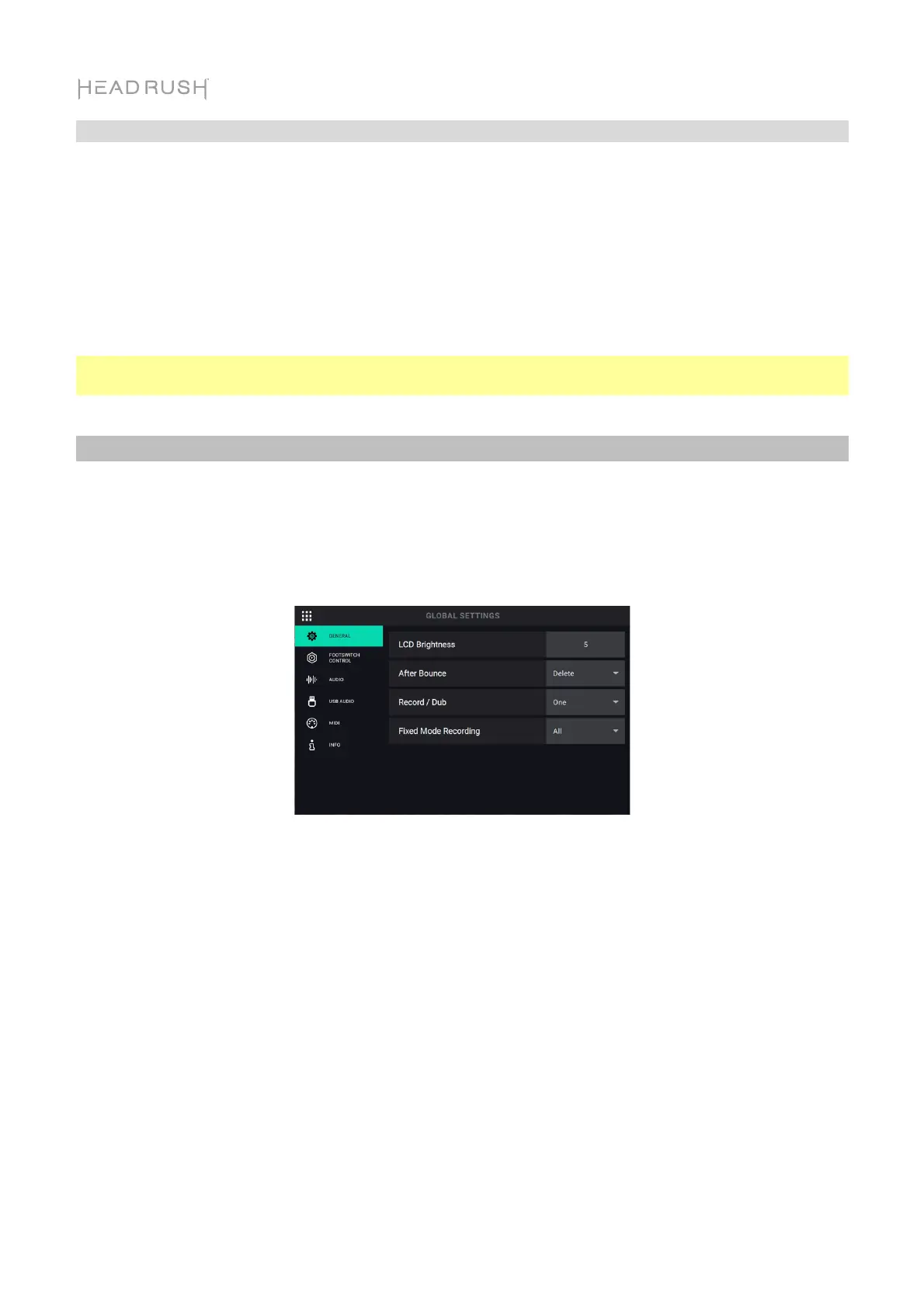
Use the Global Settings page to configure HeadRush Looperboard’s overall settings, including
settings that affect all loops.
To show the Global Settings, tap the Navigation Menu icon in the top-left corner of the
touchscreen, and then tap the Global Settings icon.
General Tab:
LCD Brightness: This setting determines the brightness of HeadRush Looperboard’s
touchscreen. Tap the field and turn the encoder clockwise to increase the brightness. Turn the
encoder counter-clockwise to decrease the brightness.
After Bounce: This setting determines what happens to the source tracks after a bounce has
been performed. Set this to Delete to remove the source tracks after a bounce. Set this to
Keep to retain the source tracks after a bounce.
Record/Dub: This setting determines how many tracks that HeadRush Looperboard can record
or overdub at a time. Set this to One if you would like to reduce the amount of footswitch
presses when building a loop. Set this to Multi if you would like to be able to record or overdub
more than one track at once.
Fixed Mode Recording: This setting determines how looper track playback is triggered after all
tracks have been stopped in Fixed mode. When set to All, pressing a •Rec/Play/Dub
footswitch for one track will cause that track to begin recording or overdubbing and all other
looper tracks to play back. When set to Solo, pressing a •Rec/Play/Dub footswitch for a track
will cause only that track to begin recording or overdubbing.



 To Next Page