24
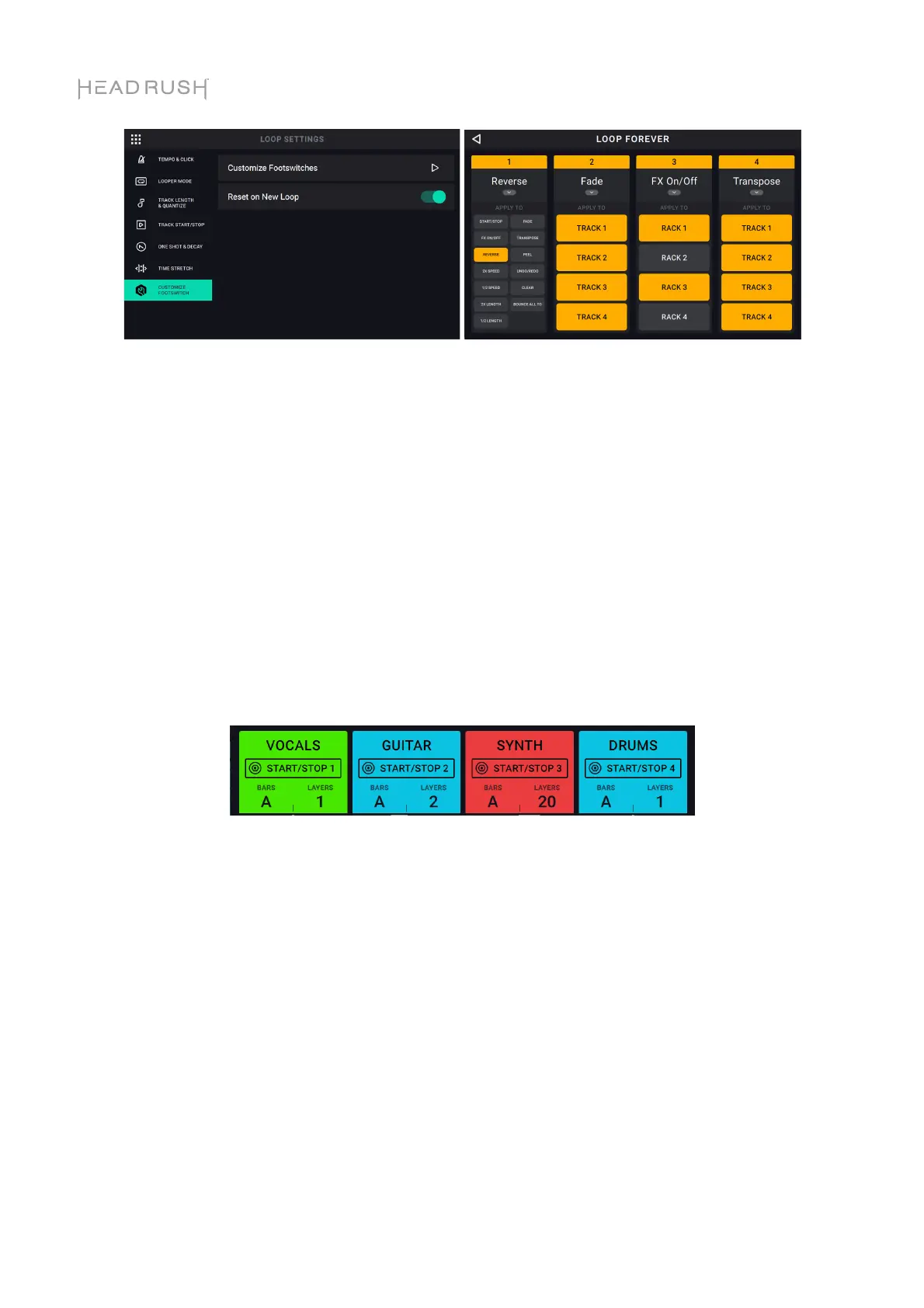
Customize Footswitch Tab:
Tap the arrow next to Customize Footswitches to customize the •Stop/-Undo footswitches for
each for the four looper tracks to perform other looper functions, thus reducing the amount of
footswitch presses needed to access your favorite HeadRush Looperboard functions.
You can customize each track •Stop/-Undo footswitch to perform the function for one looper track
or multiple looper tracks. Similarly, if you are using the FX ON/OFF function, you can set the
footswitch to enable/bypass one FX rack, or multiple FX racks.
Once you have entered the customization page:
• You can select the footswitch’s function by tapping the downward arrow.
• Then, you can select which tracks the footswitch should affect by tapping the four boxes labeled
TRACK or RACK 1-4.
After you’re done customizing the footswitch, the current function of the switch will show up in the
track information boxes that are shown on the Timeline and Mixer pages.
Some additional important notes:
When this feature is enabled, the •Rec/Play/Dub footswitch for each track functions as normal, but
you can also perform start/stop functions:
• When the track already contains audio, you will now be able to start the looper track by pressing
the •Rec/Play/Dub footswitch when the track is stopped.
• If the track does not contain audio, then the track will start to Record once you press the
•Rec/Play/Dub footswitch.
• You will be able to stop the looper track by double tapping the •Rec/Play/Dub footswitch when
the looper track is playing.
• If you want the function of each track’s start/stop footswitch to return to their original
functionality when you create a new loop, make sure to change the RESET ON NEW LOOP
setting to ON.
• If you want your customized footswitches from your current loop to carry over when you create a
new loop, make sure to change the RESET ON NEW LOOP setting to OFF.



 To Next Page