13
Alarm Setting
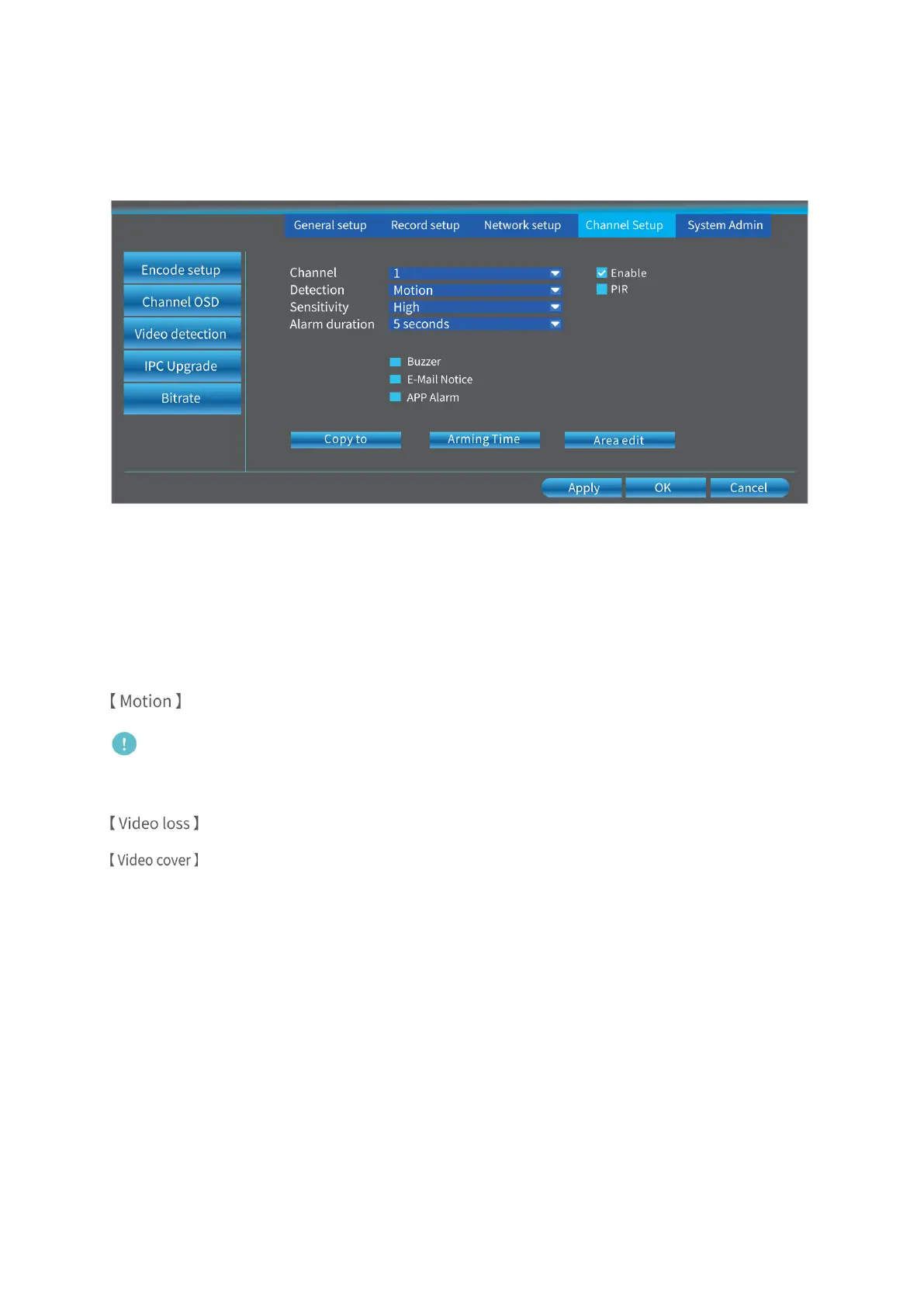
Right click on the main interface, then go to System Setup > Channel Setup > Video
detection to set alarms for channels.
Channel:
Select a channel from 1 to 8.
Detection:
Select the alarm(s) for the channel(s).
: This option is enabled by default and will be triggered when motion detected.
Note:
Enabling this option is necessary for Motion Recording.
: This option will be triggered when the camera gets lost or disconnected.
: The area you select will become black without image to protect your privacy.
Sensitivity:
Set the sensitivity for the Motion detection, which ranges from 0 to 100 and the default
setting is 50.
Alarm duration:
Set the duration for Buzzer.
Buzzer:
Check the box, and the camera will buzzer when the selected option of Detection is
triggered.



 To Next Page