17
Other Functions on the Menu Bar
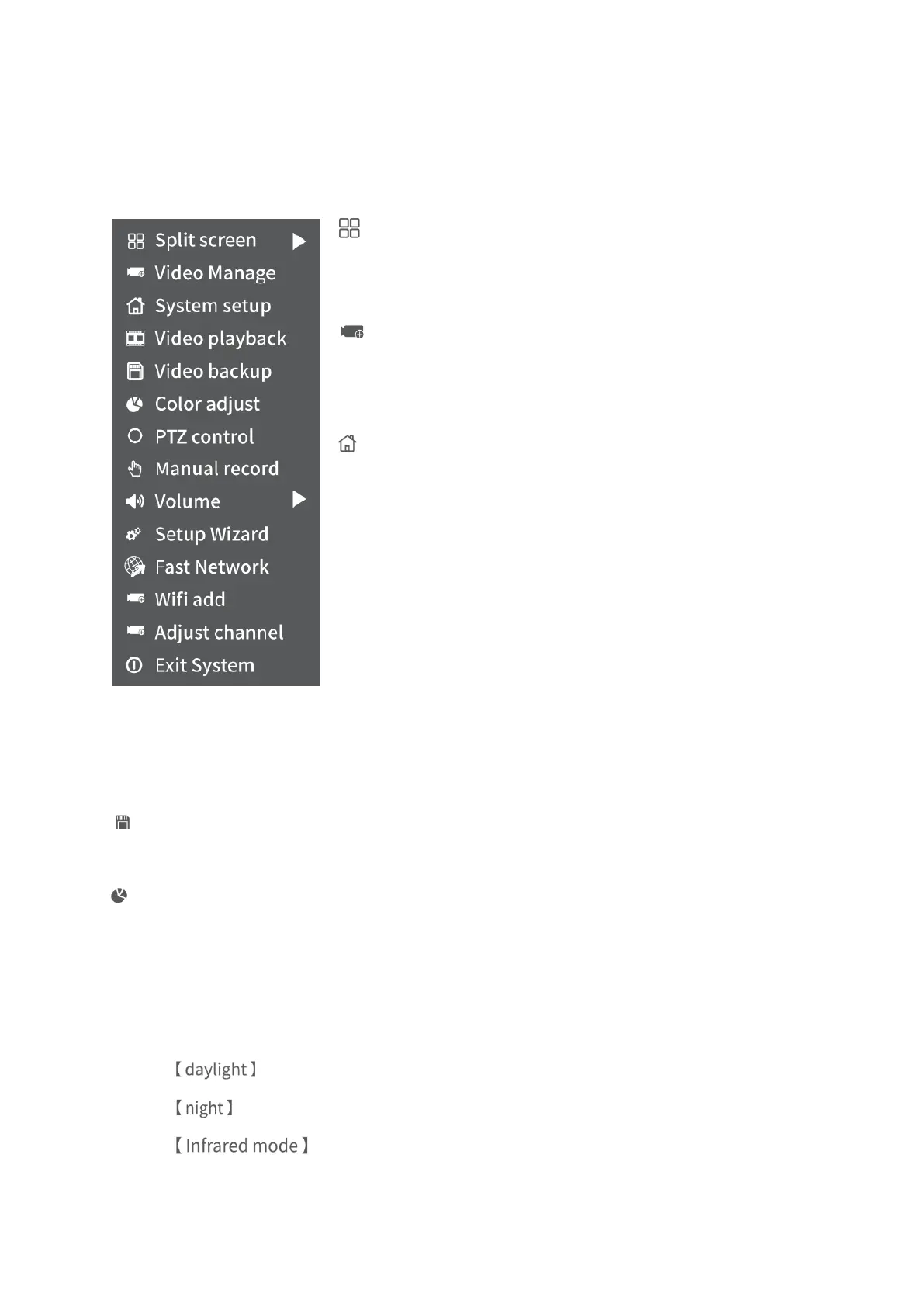
Right click to show the main Menu bar as shown below, right click again to hide it.
Split screen:
Change the numbers of the channels showing in the same
screen.
Video Manage:
Add IP camera by Match Code, manage IP Cameras and
Channels, etc.
System setup:
Includes General setup, Record setup, Network setup,
Channel Setup and System Admin.
• General setup: change Language, set up the Time,
Change Display Resolution and check Hard Disk Drive
information, etc.
• Record setup: set up the record mode for each channel.
• Network setup: check the IP address, Cloud ID, etc.
• Channel setup: change the name of the camera, check
the Bitrate, etc.
• System Admin: check the system version, update the
system, User and password setup, make a factory reset and
check the system log etc..
Video backup:
Back up the selected historical videos.
Color adjust:
adjust Brightness, Contrast, Sharpness and Ircut mode etc. of the picture in each
channel.
• Ircut mode:
Select from daylight, night and Infrared mode (default).
: The image from the camera is in color mode.
: The image from the camera is in black&white mode.
: The image from the camera automatically toggles between color
and black&white mode according to the ambient light.



 To Next Page