9
OPERATE SYSTEM WITH A MONITOR
Live Picture
After connecting the NVR and cameras to power, connect a monitor to the NVR through
the HDMI or VGA port (HDMI and VGA cable are not included) and wait for 2-3 minutes,
then the live pictures from the cameras (main interface) will be displayed on the
monitor. Connect the mouse to start operating the NVR system.
Notes:
1. The default Username for the NVR system is admin, and the default Password is
empty (no need to enter anything);
2. This NVR system can be only connected to the network by the Ethernet cable
currently;
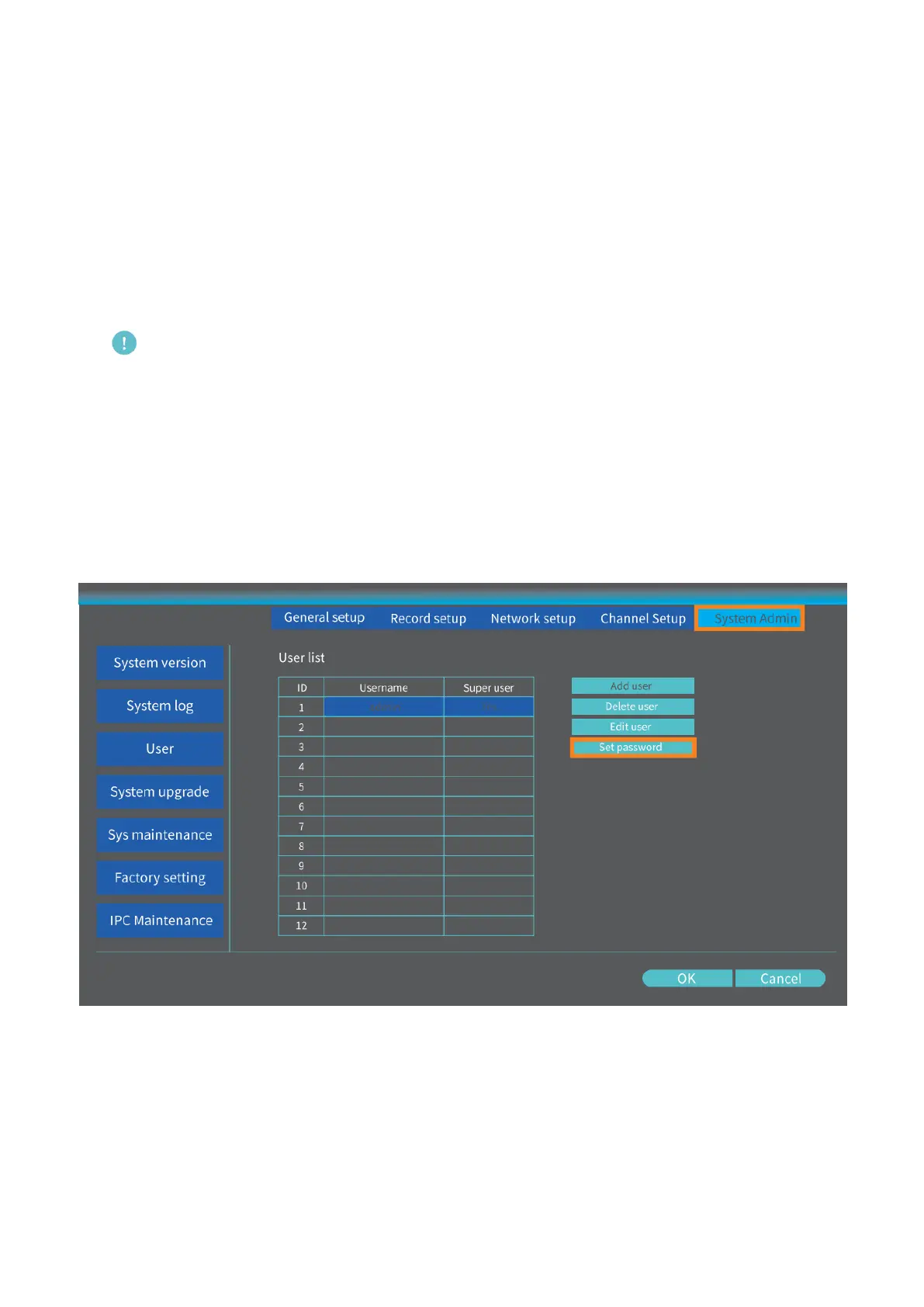
3. To protect your privacy, please set the password at your earliest convenience.
Right click on the main interface, then go to System setup > System Admin > User >
Set password to set a password;
4. If you do not have a monitor, you can operate the NVR system on PC.



 To Next Page