20
Step 3:
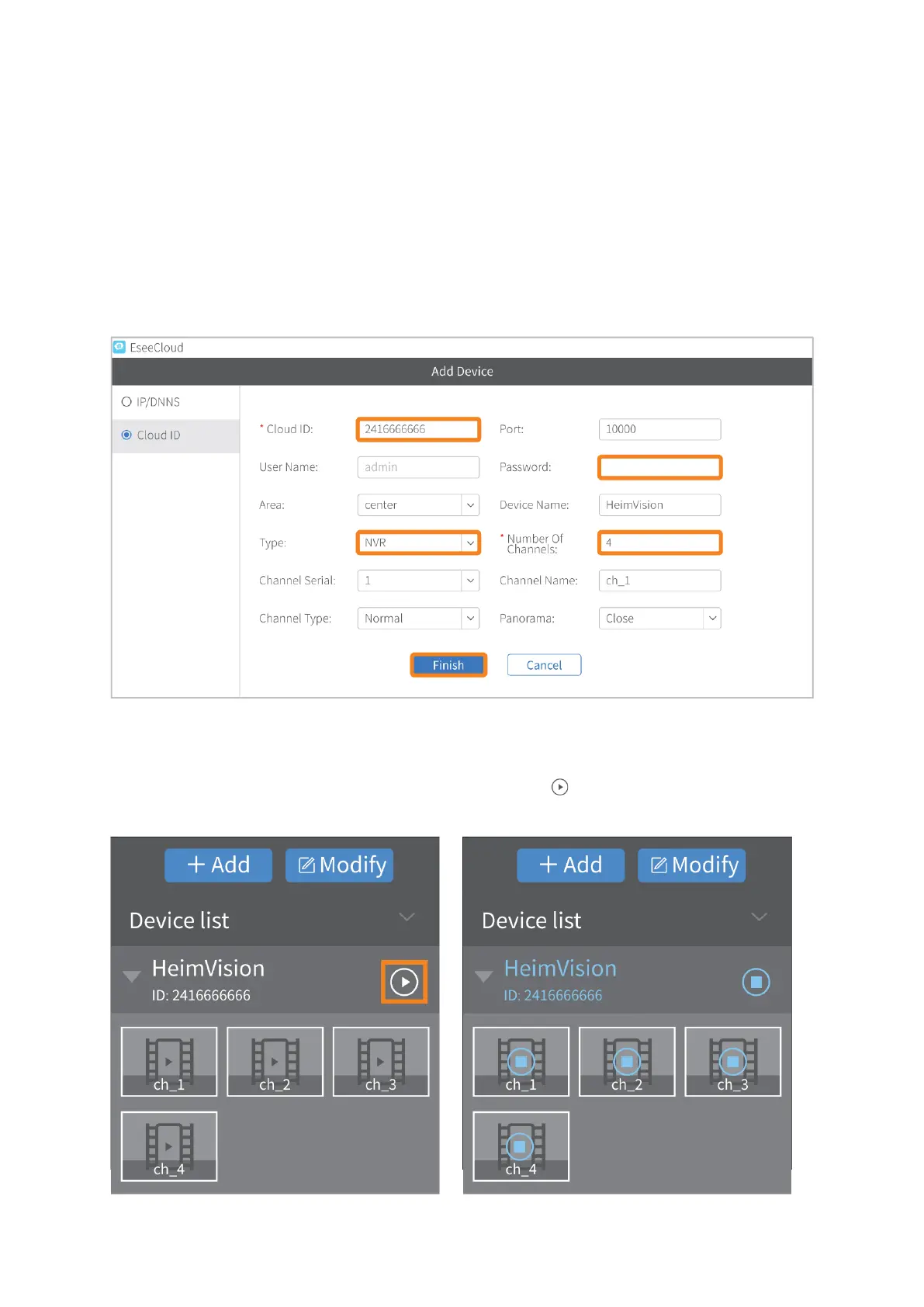
Read the tips and click Experience to start. Click +Add on the right upper corner to enter
the window of Add Device.
Step 4:
Switch to Cloud ID option first. Enter the Cloud ID of your NVR system, select Type as
NVR, enter the password if you set one (if not, the default password is empty) and enter
4 in the box of Number of Channels, then click Finish to add the NVR system.
Step 5:
After it’s added successfully, left click the mouse on the icon to connect your NVR
system and show the live picture of the channels.



 To Next Page