NETLink
®
PRO family Application Examples
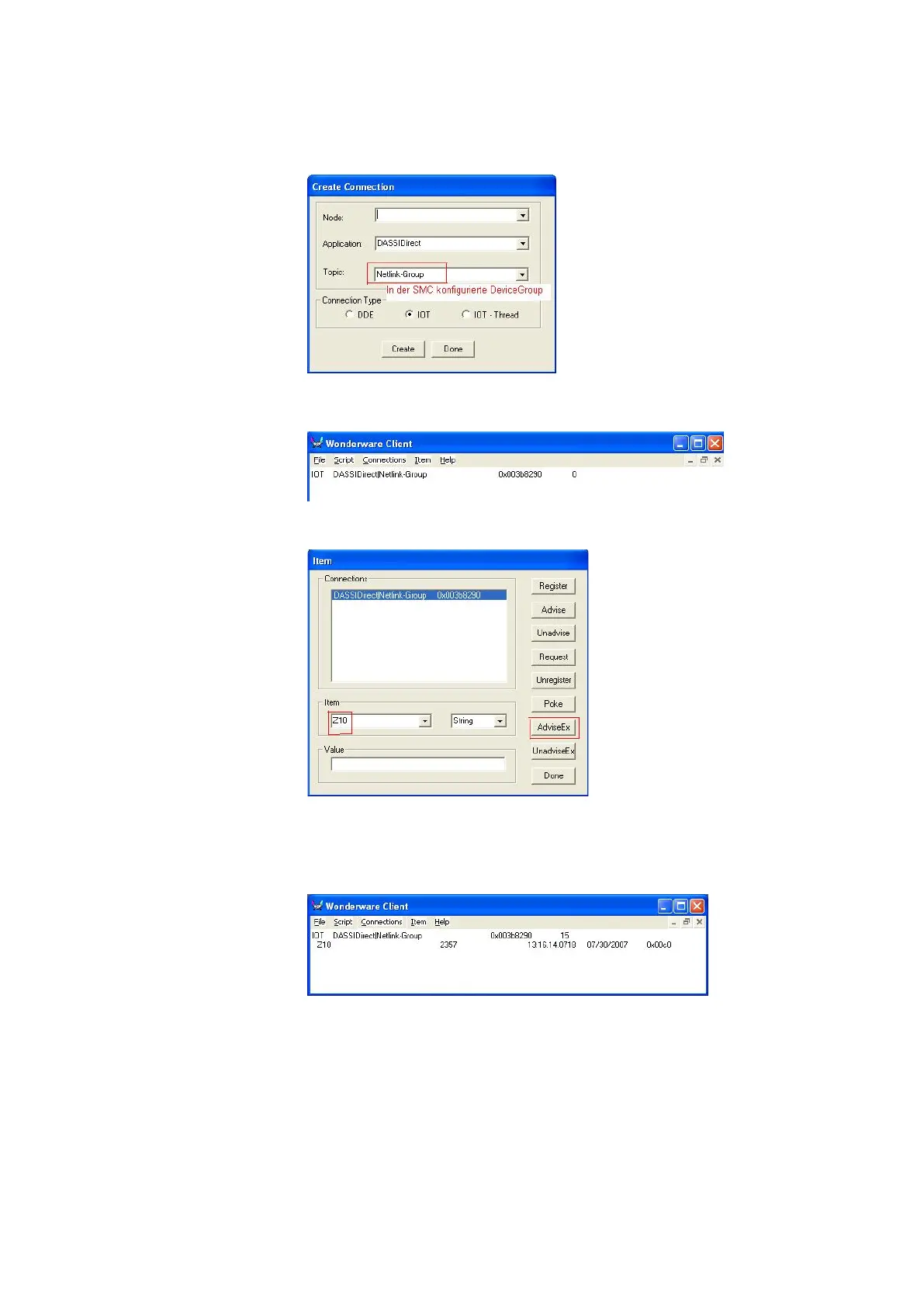
6.3 Configuring the Wonderware Client
"Start -> Programs -> Wonderware Factory Suite -> Common->
WWClient" to establish connection
If the connection has been set correctly, the following display
opens:
Configuring the item
If the Item configuration is correct and the SIDirect DAServer
has been activated, the configured “Item” is updated in the
“Wonderware Client” window.



 To Next Page