NETLink
®
PRO family Application Examples
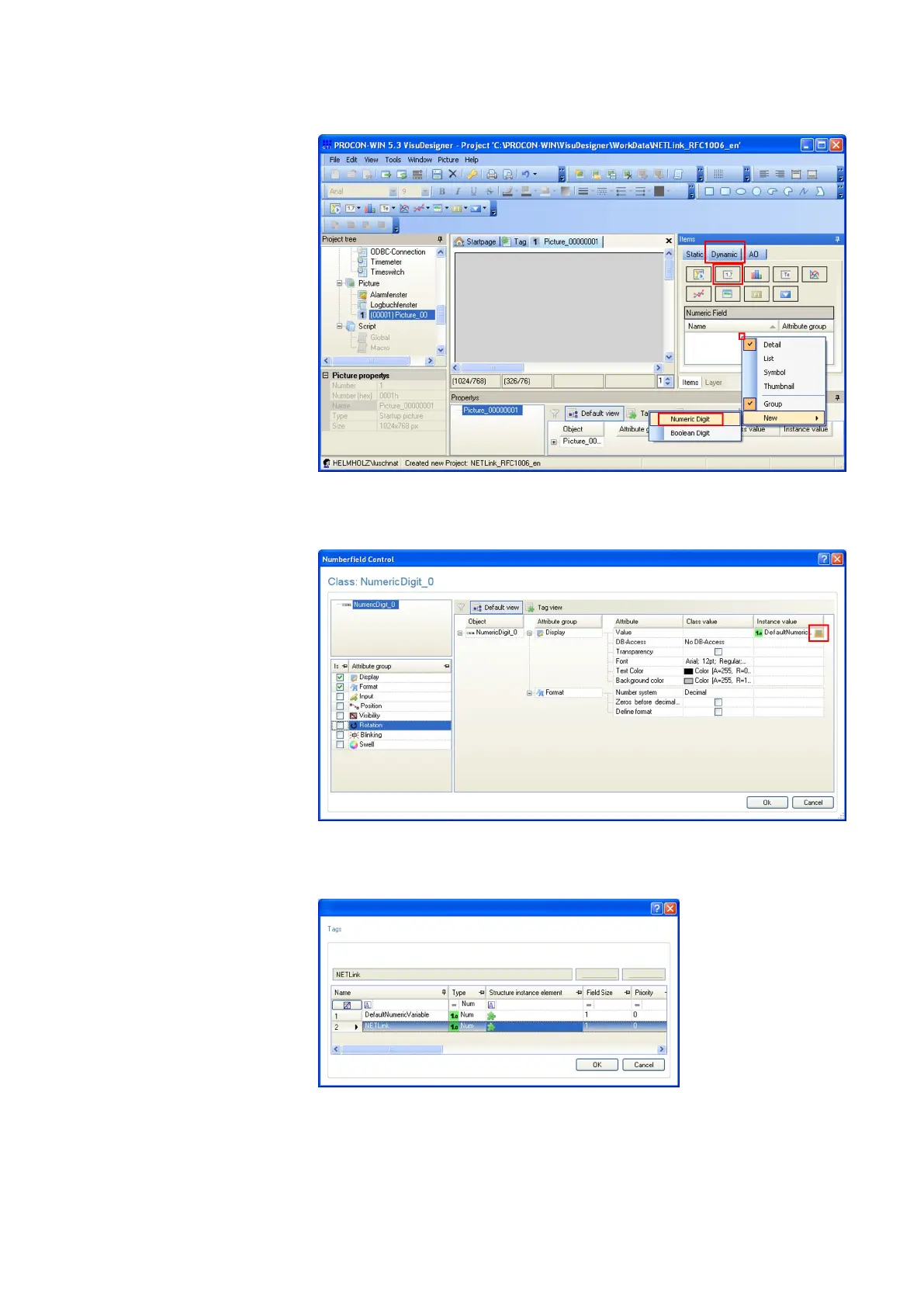
• Now right-click on the white area beneath “Dynamic Sym-
bol” and choose “New” -> “Numeric Digit”
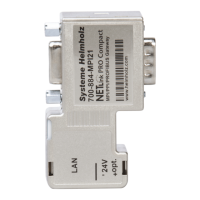
• Press the button contained in the cell under column “In-
stance Value” row “Value”.
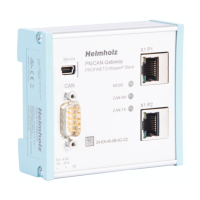
• Choose the afore created tag and close the window with
“OK”.



 To Next Page