Protocol description ASCII, SECS/HSMS
Customer manual
Version 1.2
LFM LP Reader 15.01.2019
Page 33 of 119
HERMOS AG
Gartenstrasse 19 Tel. +49(9279) 991-0
D-95490 Mistelgau Fax. +49(9279) 991-100
Firmware update
Firmware updates can also be performed using the "Device Discoverer" HERMOS.
Start the tool with administrator rights and scan the network for all HERMOS devices.
To do this, mark the desired reading device and select "TCP/IP Firmware Download" or "RS232
Firmware Download" button depending on your interface. Use "HERMOS" if you are asked to enter a
password!
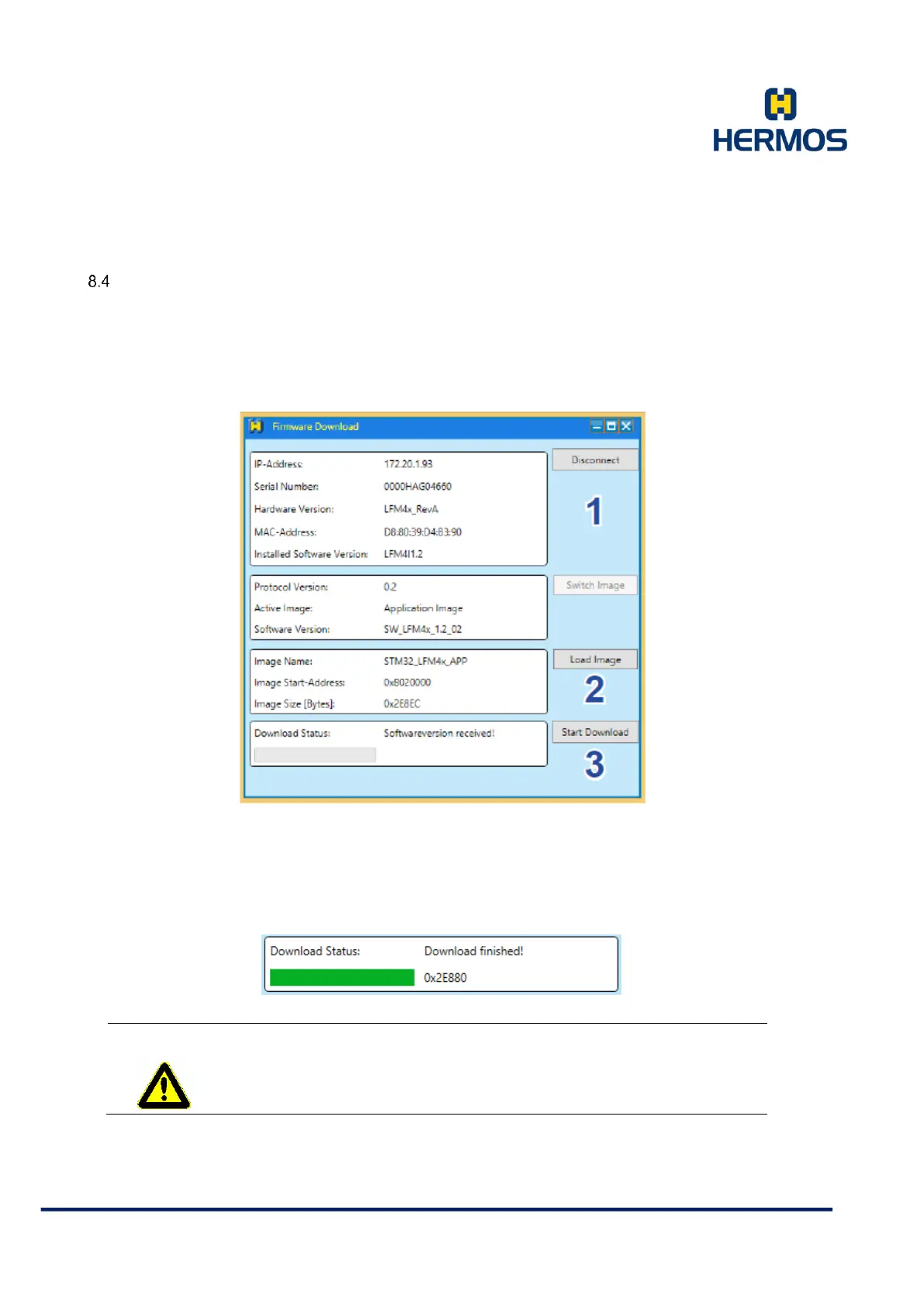
1. Open the download connection by pressing the connect button.
2. Select the new firmware file using the load image button.
3. Start the download process.
Wait until the "Download Finished" message appears.
During the download process, do not disconnect the power supply or
interrupt the network connection.



 To Next Page