•
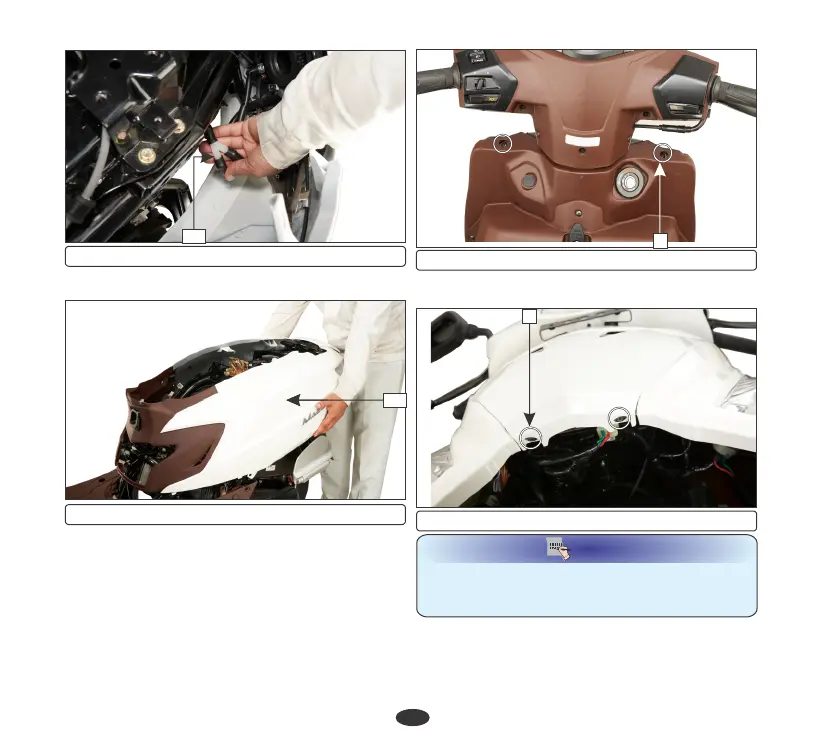
Remove the complete body cover (14).
36
(13) Drain tube
(1) Screws
Installation
Installation is in the reverse order of removal.
1
(14) Body cover
14
•
Remove the two screws (2) near the front
fender.
(2) Screws
2
(c) Front center cover
•
Remove the two screws (1) on the inner
cover side.
Removal
While removing the front centre Cover, make
sure to open the cover cautiously to avoid
position lamp wire breakage.
NOTE
•
Disconnect the position lamp connector
(3) and release the front center cover lugs
(4) from the mounting clips. Remove the
13










 To Next Page