January 2019 25
PLT-01628, Rev. D.2 PAM configuration
6. From the PAM Configuration application main menu (see Section 5.3 PAM Configuration application
overview), click Networking.
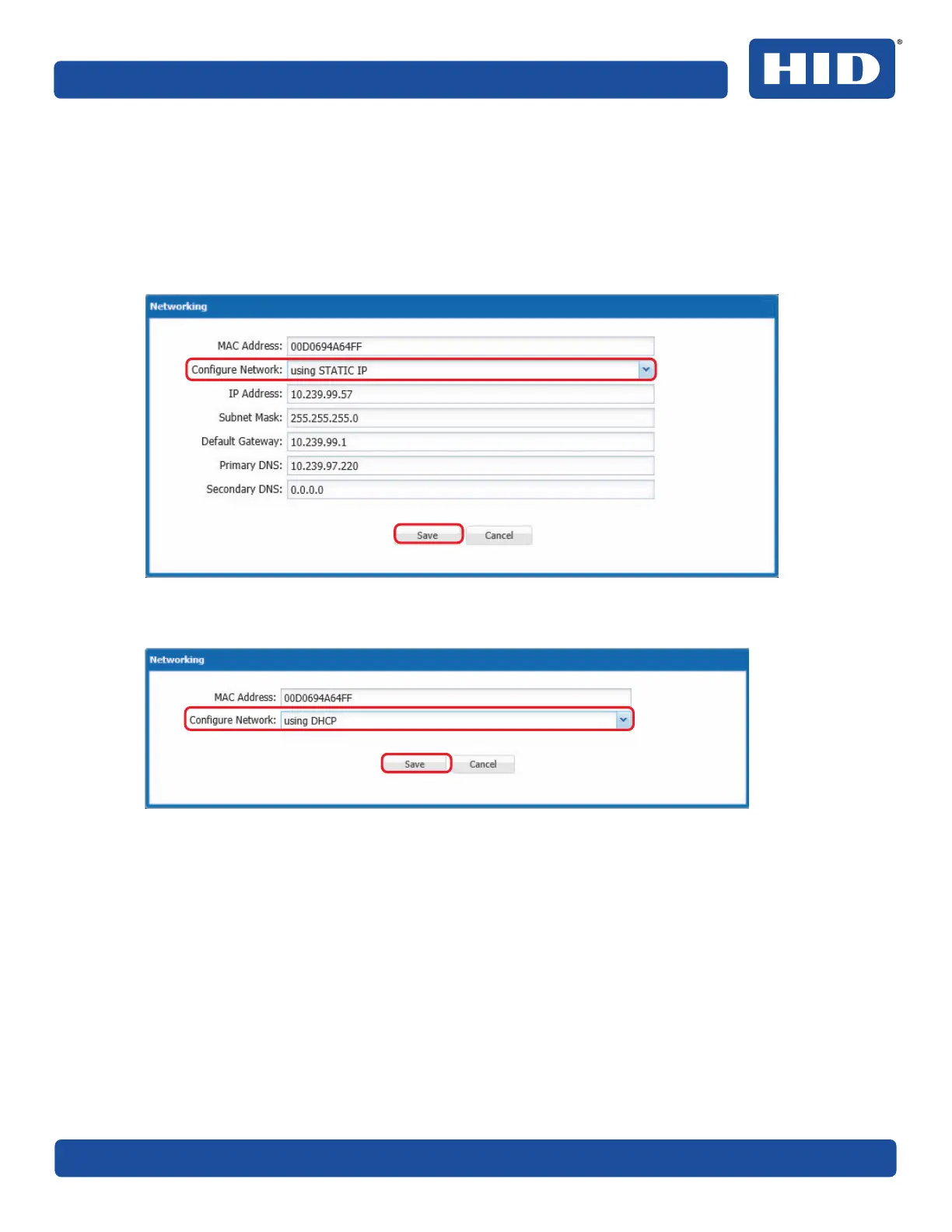
7. In the Networking window record the MAC Address for later use to create the PAM configuration in
the PACS Service.
8. From the Configure Network drop-down menu, select one of the following options:
႑ STATIC IP: Enter the PAM IP Address, Subnet Mask, Default Gateway and click Save.
႑ DHCP (to configure the PAM to obtain a network address dynamically) and click Save.



 To Next Page