SSD7000 NVMe RAID AIC BootRAID Installation Guide
HighPoint Technologies, Inc
3. Install the Windows OS in a RAID array
Please install the Windows operating system in a RAID array following the following sections.
1. Insert a bootable USB flash drive into the target system.
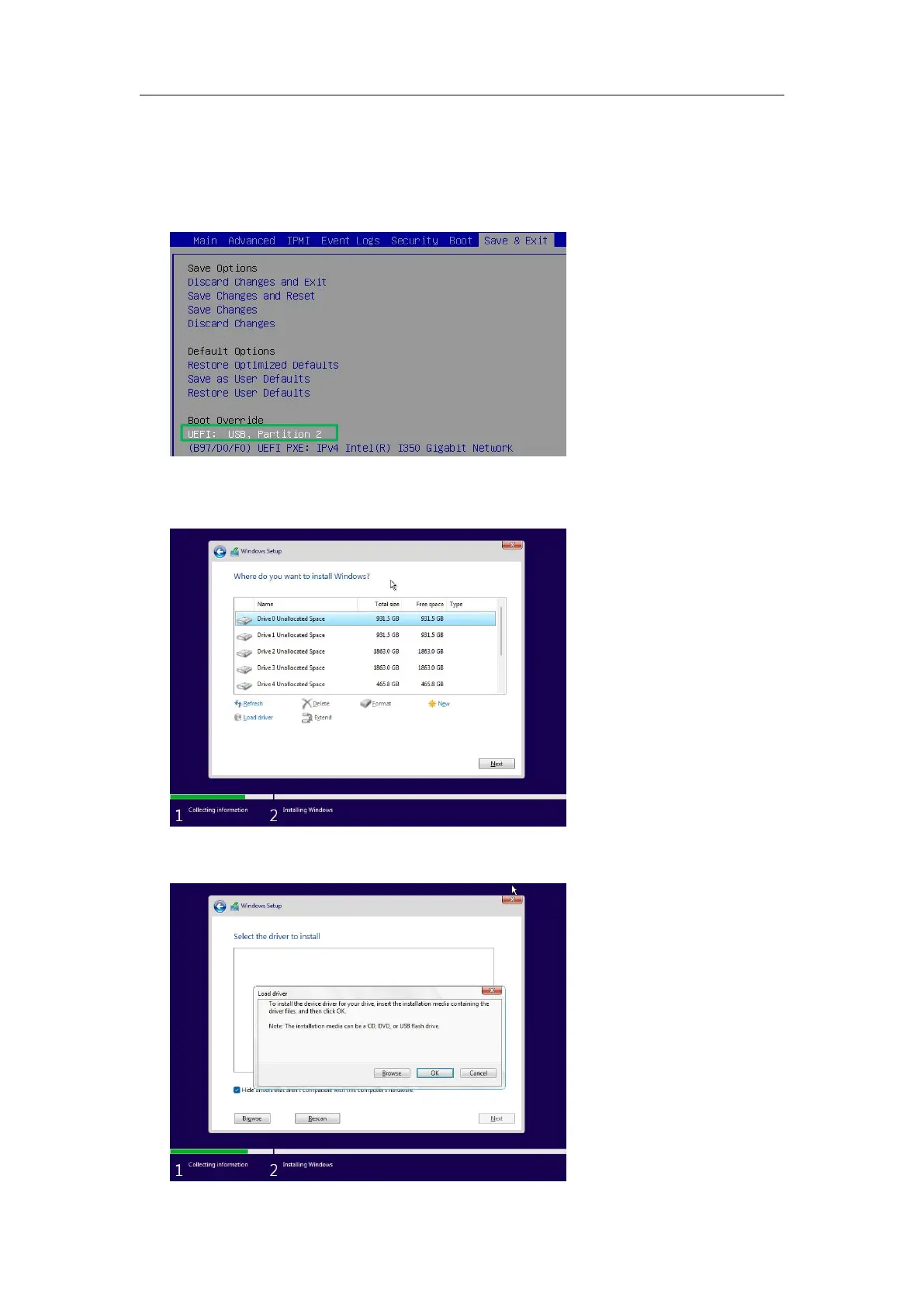
2. Boot the system using a bootable USB flash drive.
3. Windows setup begins; follow the on-screen prompts. When Windows asks, “Where do you want
to install Windows?” you should see several legacy disks (one for each SSD installed into the
NVMe RAID AIC).
4. Insert a file USB flash drive with the Windows open source driver into the target system.
5. Click “Load driver” in the pop-up window, and click “Cancel”.















 To Next Page