Control Panel User Manual
111
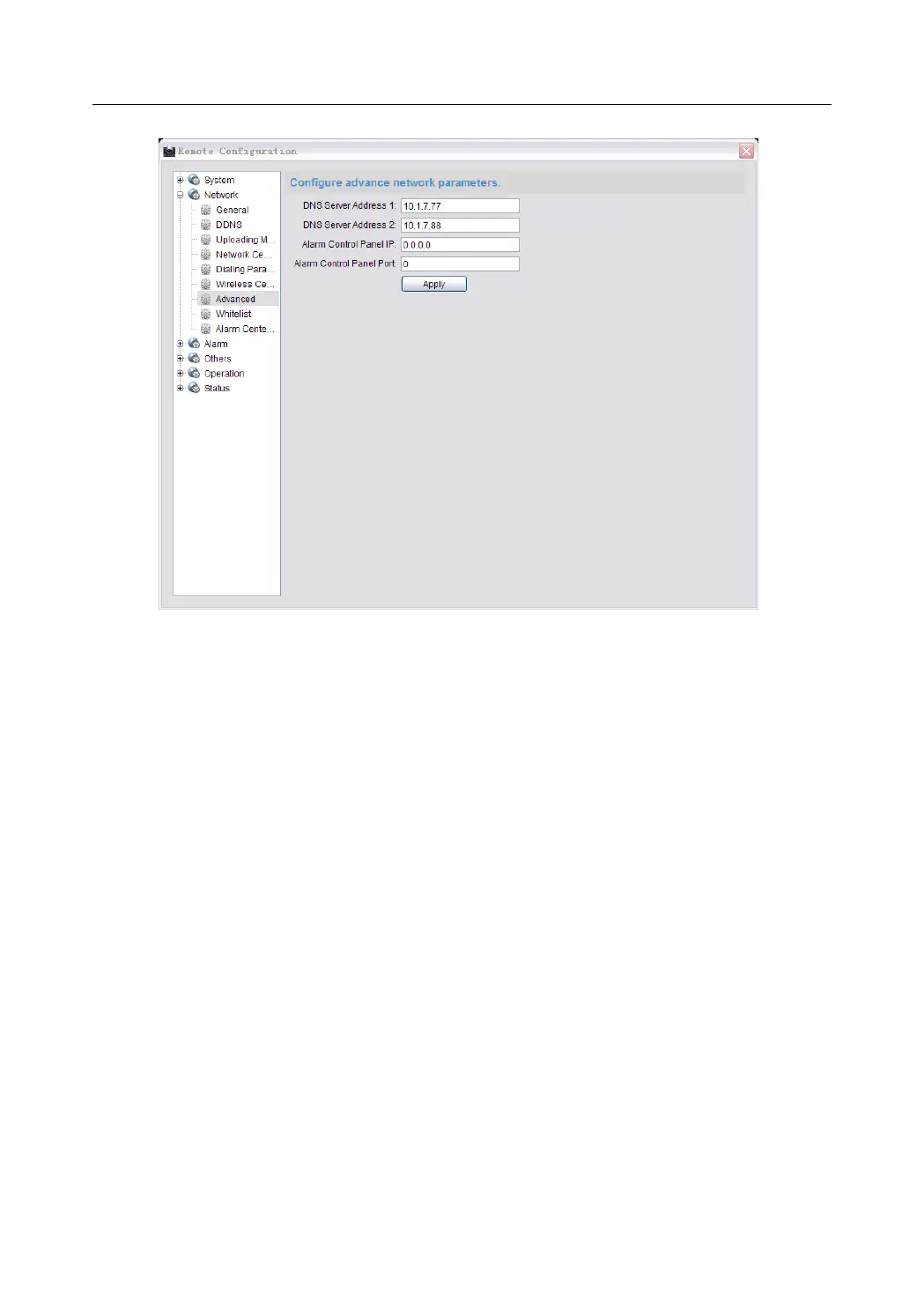
2. Enter the corresponding DNS sever address.
3. Enter the IP address and port No. of the control panel.
4. Click Apply to save the settings.
Whitelist Configuration
Purpose:
The whitelist is the list of phone numbers which are authorized to interact with
the control panel.
Steps:
1. Enter the whitelist configuration interface.
Remote Configuration->Network->Configure Whitelist


 To Next Page
 Loading...