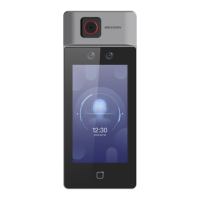
Figure 8-5 Authencaon Sengs
2.
Tap Save.
Device Type
Main Card Reader
You can
congure the device card reader's parameters. If you select main card reader, you
need to congure the following parameters: Card Reader Type, Card Reader Descripon,
Enable Card Reader,
Authencaon, Recognion Interval (s), Minimum Card Swiping
Interval (s), Max. Authencaon Failed Aempts Alarm/Alarm of Max. Failed Aempts,
Enable Tampering
Detecon and Enable Card No. Reversing.
Sub Card Reader
You can congure the connected peripheral card reader's parameters. If you select sub
card reader, you need to congure the following parameters: Card Reader Type, Card
Reader
Descripon, Enable Card Reader, Authencaon, Recognion Interval (s), Max.
Authencaon Failed Aempts Alarm/Alarm of Max. Failed Aempts, Enable Tampering
Detecon, Communicaon with Controller Every (s) and Max. Interval When Entering
Password (s).
Card Reader Type
Get card reader type.
Card Reader
Descripon
Get card reader descripon. It is read-only.
DS-K1T6QT-F43 Series Face Recognion Terminal User Manual
79



 To Next Page
 Loading...