User Manual of Network Video Recorder - User Manual
112
7. You can click Test button to test whether your Email settings work.
8.2.10 Configuring NAT
Purpose:
Two ways are provided for port mapping to realize the remote access via the cross-segment network, UPnP™ and
manual mapping.
UPnP
TM
Universal Plug and Play (UPnP™) can permit the device seamlessly discover the presence of other network
devices on the network and establish functional network services for data sharing, communications, etc. You can
use the UPnP™ function to enable the fast connection of the device to the WAN via a router without port mapping.
Before you start:
If you want to enable the UPnP™ function of the device, you must enable the UPnP™ function of the router to
which your device is connected. When the network working mode of the device is set as multi-address, the Default
Route of the device should be in the same network segment as that of the LAN IP address of the router.
Steps:
1. Enter the Network Settings interface.
Menu > Configuration > Network
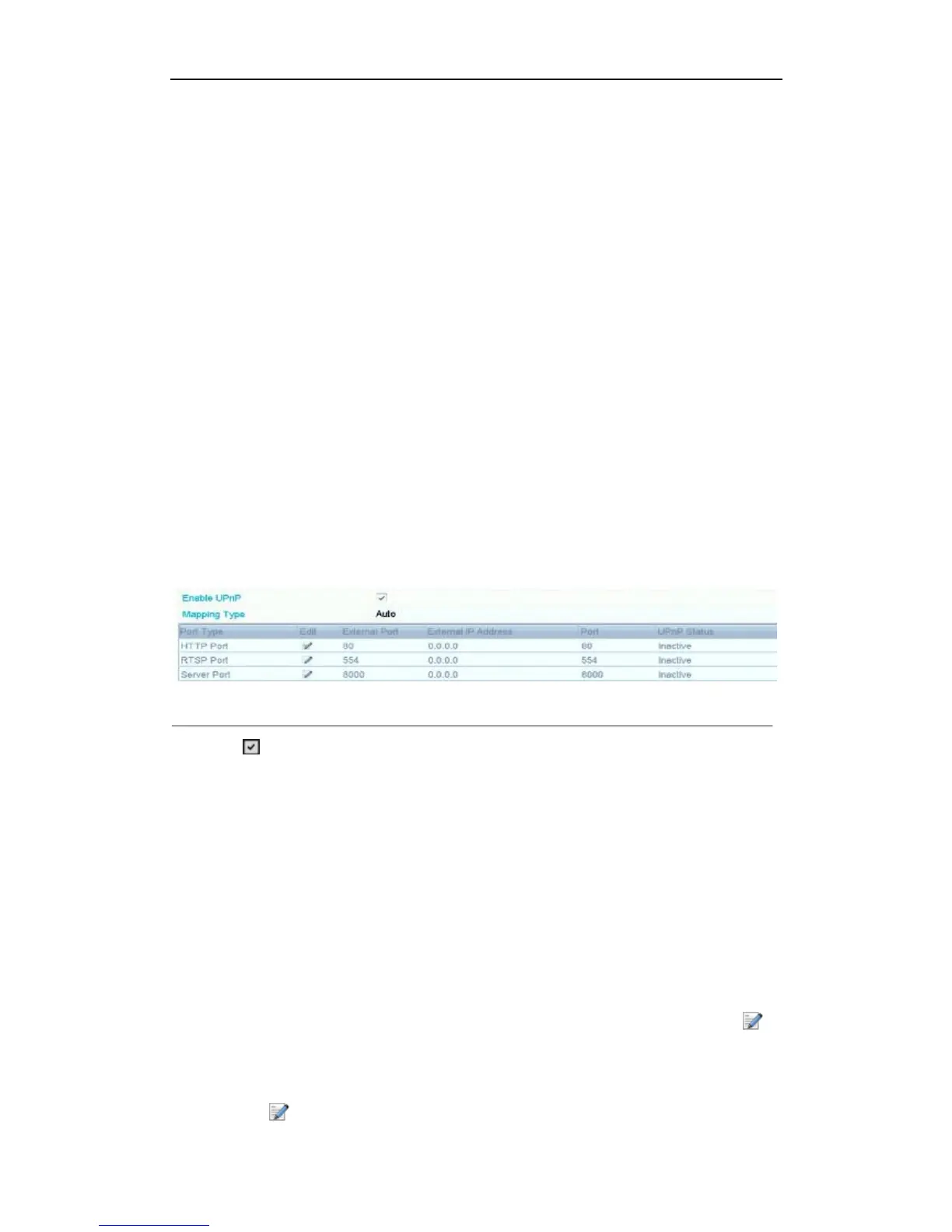
2. Select the NAT tab to enter the port mapping interface.
Figure 8. 16 UPnP™ Settings Interface
3. Check checkbox to enable UPnP™.
4. Select the Mapping Type as Manual or Auto in the drop-down list.
OPTION 1: Auto
If you select Auto, the Port Mapping items are read-only, and the external ports are set by the router
automatically.
Steps:
1) Select Auto in the drop-down list of Mapping Type.
2) Click Apply button to save the settings.
3) You can click Refresh button to get the latest status of the port mapping.
OPTION 2: Manual
If you select Manual as the mapping type, you can edit the external port on your demand by clicking to
activate the External Port Settings dialog box.
Steps:
1) Select Manual in the drop-down list of Mapping Type.
2) Click to activate the External Port Settings dialog box. Configure the external port No. for server



 To Next Page