EasyManua.ls Logo

Hillstone SG-6000-E2800 - Figure 1-10: Front Panel of SG-6000-E1100 (WLAN Version); Figure 1-9: SG-6000-E1600 Front Panel; List of Tables; Table 1-8: SG-6000-E1700 Front Panel Description

Default Icon
68 pages
Print Icon
To Next Page IconTo Next Page
To Previous Page IconTo Previous Page
Loading...
7
Chapter 1 Introduction | Hillstone
Hillstone SG-6000 E-Series Hardware Reference Guide
Table 1-8: SG-6000-E1700 Front Panel Description
No.
Label
No.
Label
No.
Label
1
PWR:
Power LED
5
PS0: Power supply PS0
LED
9
CON: Console port
2
STA: Status
LED
6
PS1: Power supply PS1
LED
10
USB: USB port
3
ALM: Alarm
LED
7
e0/0 - e0/8: Gigabit
Ethernet port status LED
11
e0/0 - e0/8: Gigabit
Ethernet ports
4
HA: HA
status LED
8
CLR: CLR button
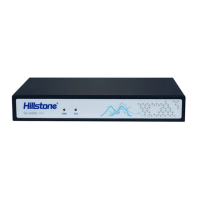
The front panel of SG-6000-E1600 consists of some LED indicators.
Figure 1-9: SG-6000-E1600 Front Panel
Table 1-9: SG-6000-E1600 Front Panel Description
No.
Label
No.
Label
No.
Label
1
PWR: Power LED
3
STA: Status LED
-
-
2
ALM: Alarm LED
4
e0/0 - e0/8: Gigabit Ethernet
port status LED
-
-
The front panel of SG-6000-E1100 (WLAN version) consists of some LED indicators.
Figure 1-10: Front Panel of SG-6000-E1100 (WLAN version)

Table of Contents

Related product manuals