Chapter 1 Introduction | Hillstone
Hillstone SG-6000 E-Series Hardware Reference Guide
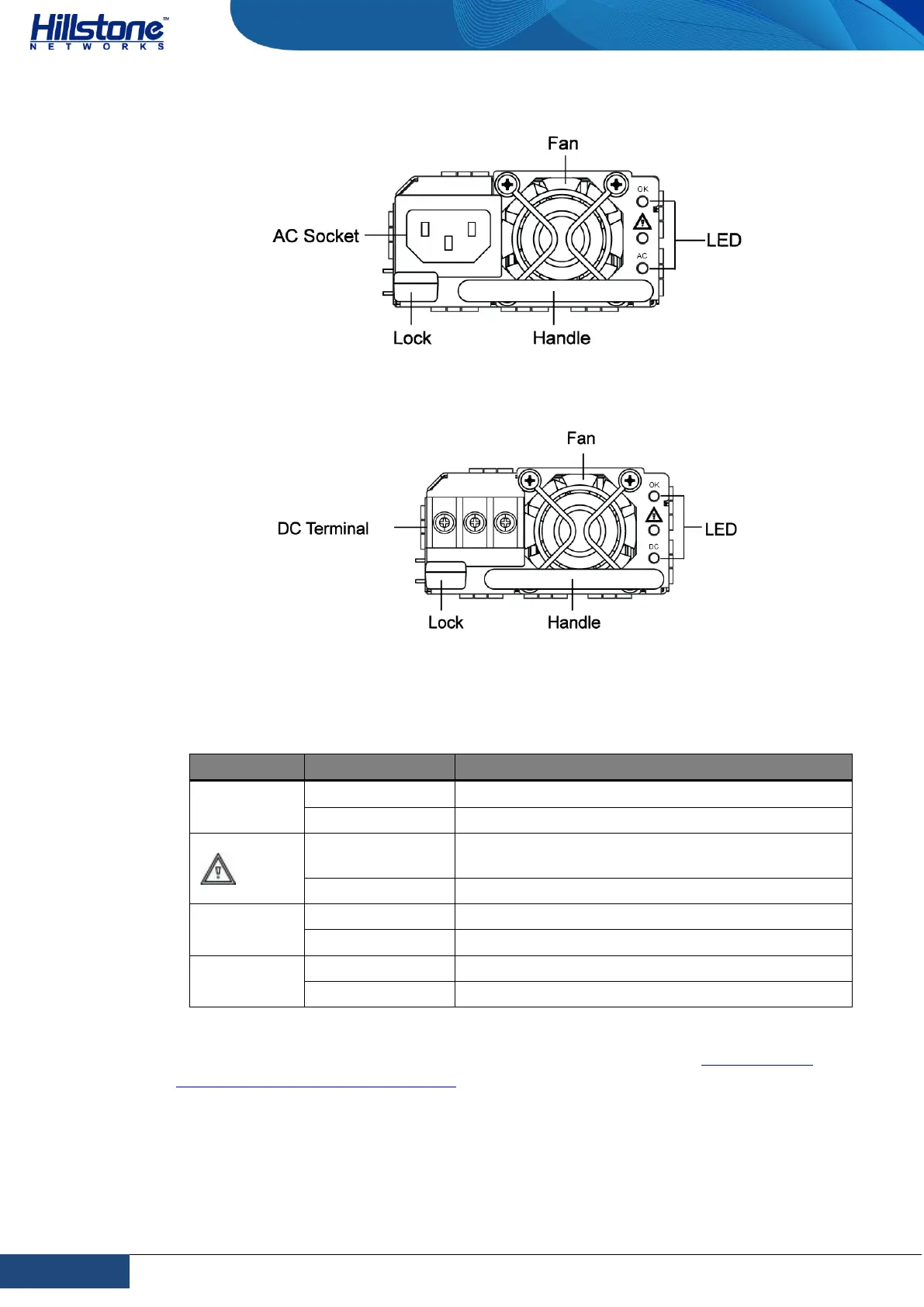
Figure 1-23: AC Power Module
Figure 1-24: DC Power Module
The power LED description for is listed in the following table.
Table 1-35: Power Supply Module LED Descriptions
Power module is functioning normally.
Power module is functioning normally.
AC power module is functioning normally.
AC power module is powered off or has failed.
DC power module is functioning normally.
DC power module is powered off or has failed.
For information on power module installation and replacement, see Installing and
Removing the Power Supply Module.
Hard Disk Modules
There is a hard disk module at the bottom of SG-6000-E6368, SG-6000-E6168, SG-
6000-E5568, SG-6000-E5268, SG-6000-E5168, SG-6000-E3968, SG-6000-E3668



 To Next Page