Chapter 1 Introduction | Hillstone
Hillstone SG-6000 E-Series Hardware Reference Guide
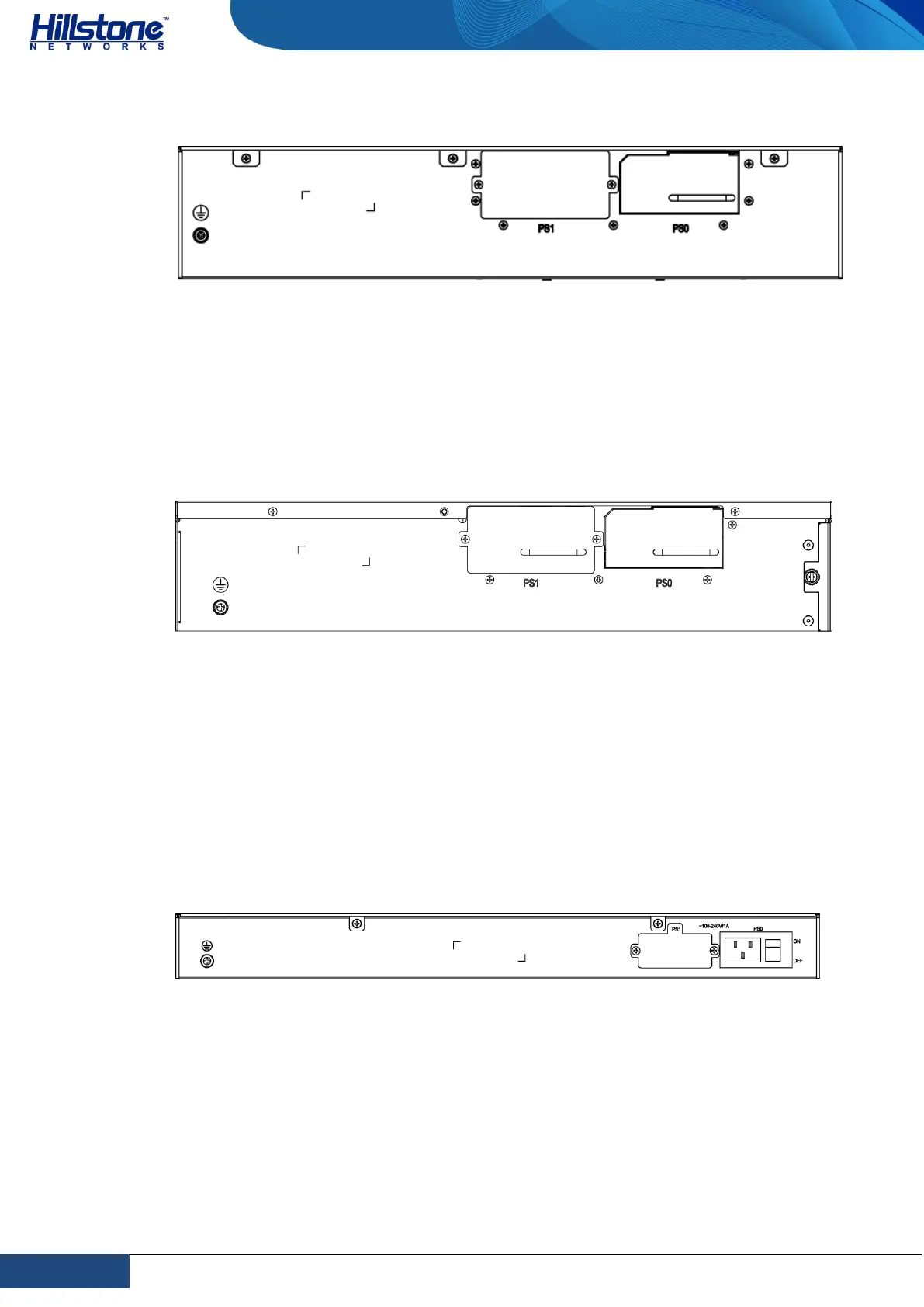
Figure 1-15: SG-6000-E5960 Back Panel
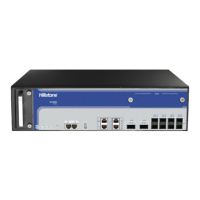
SG-6000-E5568, SG-6000-E5560, SG-6000-E5268, SG-6000-E5260, SG-6000-
E5168 and SG-6000-E3965 have the same back panel. The back panel consists of 2
power supply sockets, 1 grounding screw and 1 anti-dust mesh. The standard
product of SG-6000- E5568/E5560/E5268/E5260/E5158/E3965 adopts dual power
supplies and it is also available in single power supply.
Figure 1-16: SG-6000-E5560 Back Panel
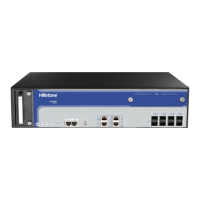
SG-6000-E3968, SG-6000-E3960, SG-6000-E3668, SG-6000-E3662, SG-6000-
E3660, SG-6000-E2868, SG-6000-E2860, SG-6000-E2800, SG-6000-E2300, SG-
6000-E1700 and SG-6000-E1606 have the same back panel layout. The standard
products SG-6000-E2800, SG-6000-E2300, SG-6000-E1700 and SG-6000-E1606
adopt single power supply and they are also available in dual power supplies. The
back panel of single power supply product has 1 power supply socket, 1 power
supply switch and 1 grounding screw. Figure 1-15 illustrates the back panel of
these models.
Figure 1-17: Back Panel of SG-6000-E3960
SG-6000-E1600 uses the power adapter. The back panel of SG-6000-E1600 has 1
power supply socket, 1 Console port, 1 CLR button, 9 Gigabyte Ethernet ports, 1
USB port, 1 grounding screw, and 1 security keyhole.
Figure 1-18: SG-6000-E1600 Back Panel



 To Next Page