109
If Open or Short Correction Fails to Complete Normally
5.4
If Open or Short Correction Fails to Complete
Normally
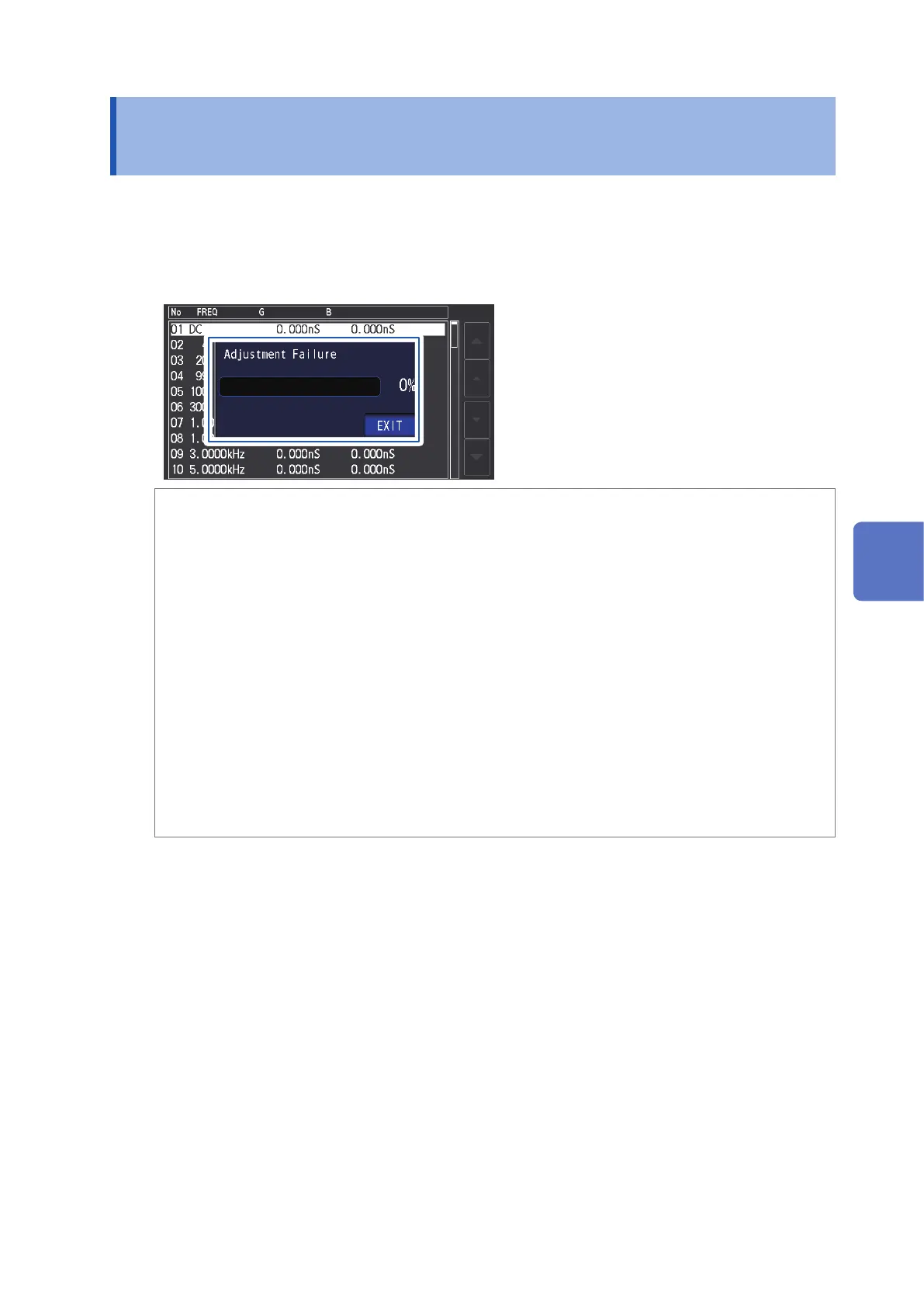
A window such as the following will be displayed.
(1) When correction failed
A window such as the following will be displayed. If this window is displayed and correction can-
celed (if you touch EXIT key), the instrument will revert to its state prior to correction.
Solution
Both open correction and short correction
• Check the correction status of the measurement cables (probe and xture) (p.
2).
• Check the cable length correction setting. (If the setting is incorrect, it may not be possible to
perform correction at high frequencies.)
• V
erify that the sample is not connected. (Correction cannot be performed while the sample is
being measured.)
• Check the correction range limitation function (p.
101) and the DC bias unit. (When DC cor-
rection is on, DC correction cannot be performed while the DC bias unit is connected.)
• V
erify contact between L
POT
and L
CUR
and between H
POT
and H
CUR
.
Open correction
• Check that nothing is connected to the measurement cables. (Correction cannot be performed
if the open correction value impedance is 1 k
Ω
or less.)
Short correction
• Check that the measurement cables are properly shorted together with the shorting bar
. (Cor-
rection cannot be performed if the short correction value impedance is 1 k
Ω
or greater.)
5
Error Correction



 To Next Page