28
Screen Layout and Operation
Conguring the instrument’s interfaces, setting the time and date, and
checking the system (SYS screen)
This screen is used to congure the instrument’s interfaces, to set the time and date, and to check
the system. (LCR mode only)
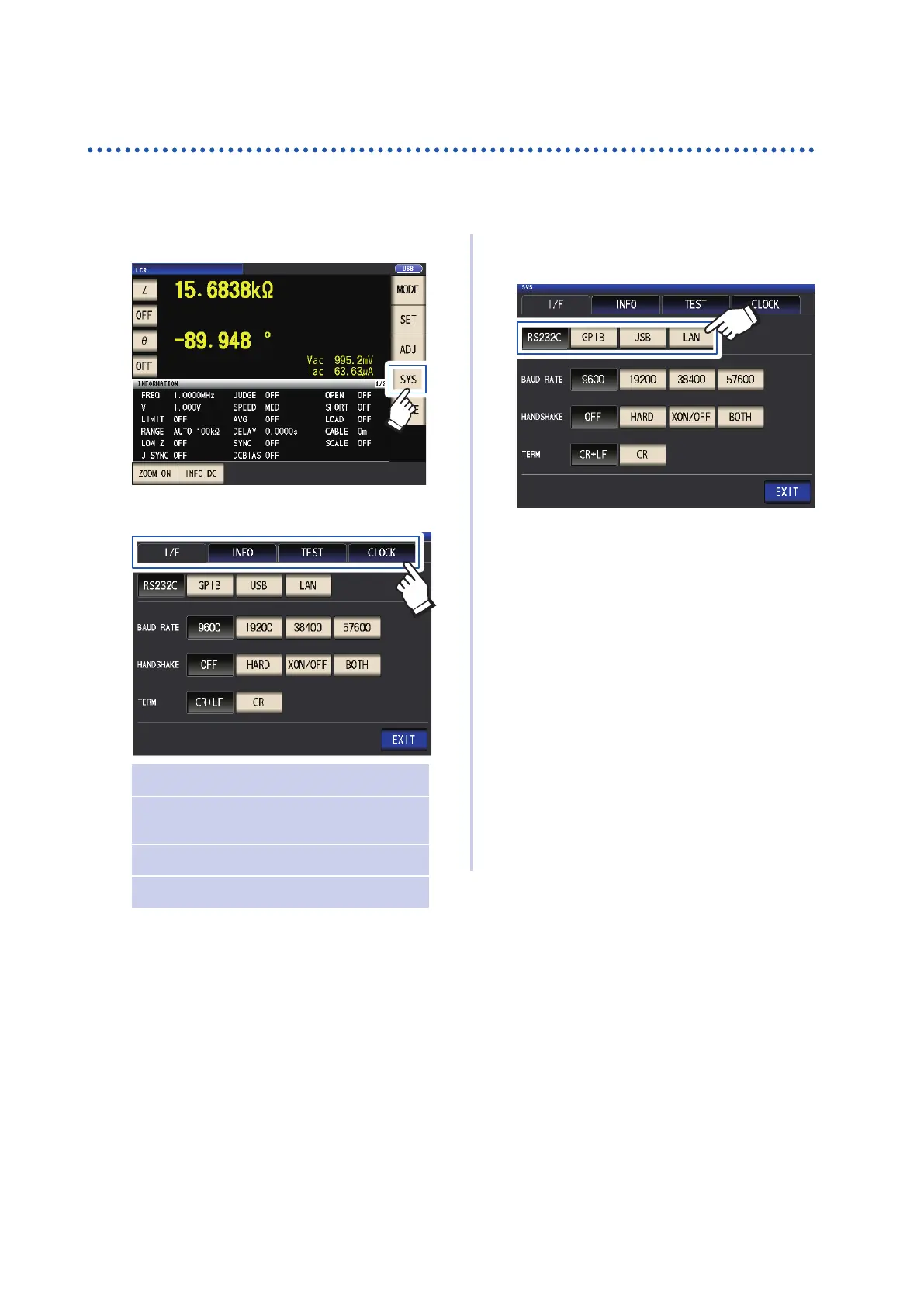
1
Touch the SYS key.
2
Touch a tab.
I/F Congure interface settings
INFO Check the version and other system
information
TEST Check the system
CLOCK Set the time
3
Touch the key for the parameter you
wish to set.
The settings screen for the parameter will
be displayed.
4
Check the settings and version number
or perform a test measurement.
See “7 Setting the System” (p.
131).



 To Next Page