8
Measurement process
• To save measurement conditions internally or load previously saved measurement conditions:
“6 Saving and Loading Measurement Condition and Correction Value Data” (p. 123)
• To perform DC (DC resistance) measurement: “3.4 Setting Measurement Conditions (basic set-
tings)” (p. 43)
9
Wait at least 60 minutes after turning on the instrument and then perform correction.
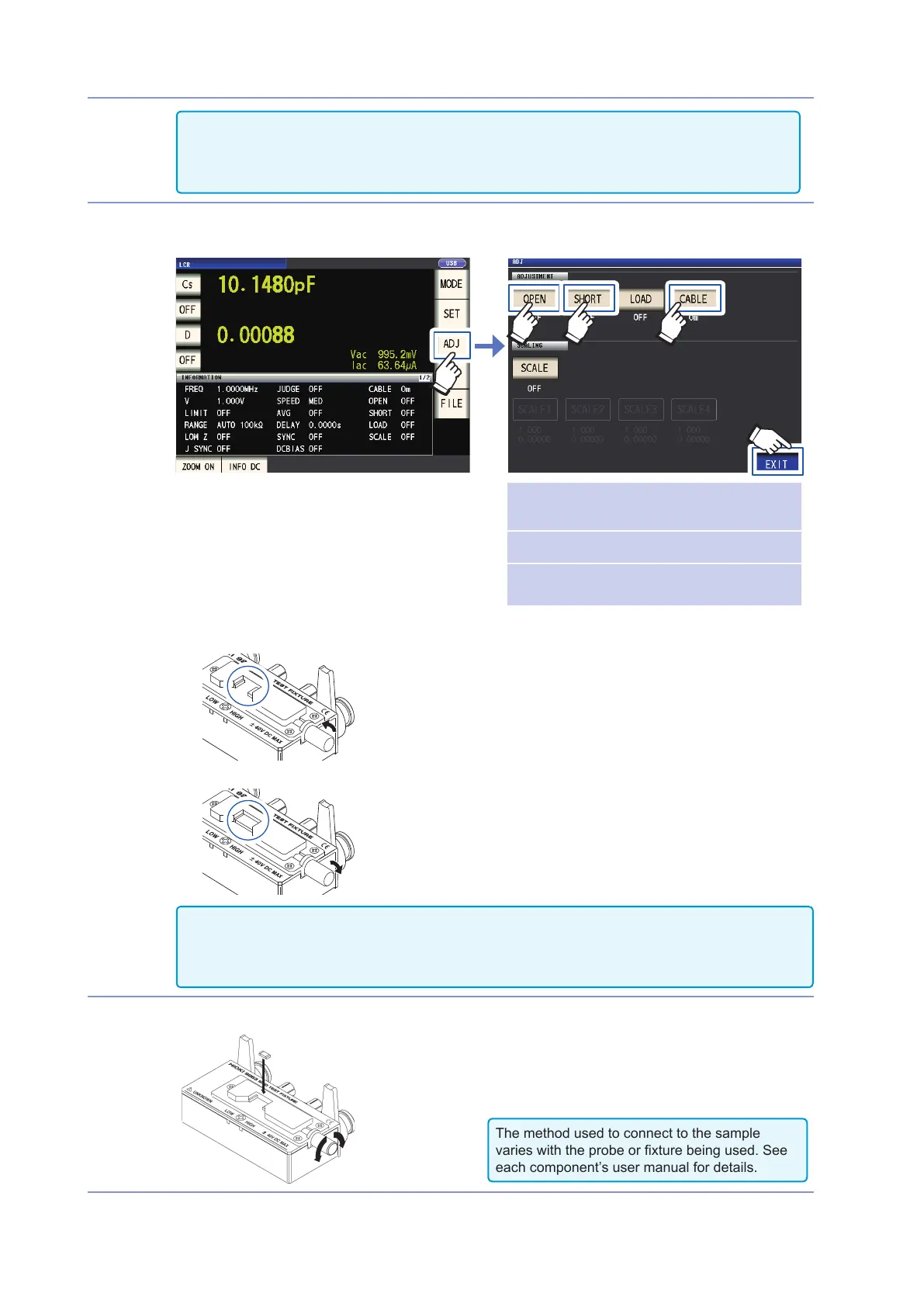
1. Press the ADJ key.
CABLE
“5.1 Setting the Cable Length (Ca-
ble Length Correction)” (p. 98)
OPEN
“5.2 Open Correction” (p. 99)
SHORT
“5.3 Short Correction” (p. 105)
1
5
23 4
2. Set the cable length (for the 9263, use a setting of 0 m).
3. Place the 9263 SMD Test Fixture in the open state and perform open correction.
4. Place the 9263 SMD Test Fixture in the shorted state and perform short correction.
• To save measurement conditions internally or load previously saved measurement conditions: “6
Saving and Loading Measurement Condition and Correction Value Data” (p. 123)
• The open state and shorted state vary with the probe or xture being used. (p. 2)
For more information, see each component’s user manual.
10
Connect the test sample to the 9263 SMD test xture.
The method used to connect to the sample
varies with the probe or xture being used. See
each component’s user manual for details.


 To Next Page