System Description
© Hirschmann Rev. E 11/12/08 190147_E
9
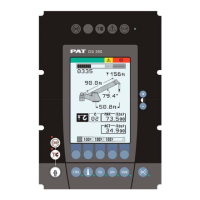
Button and Control Light “TARE”
The button “TARE” (7) is used to indicate the “Net load” on the LC
Display (1). Net load is the present load, less lifting tackle and hook
block. The Tare Button (7) has to be activated before lifting.
After pushing the “Tare Button” (7) the load display is set to zero
(taring) and the control light lights up. After lifting a load the display
shows the net load (pay load).
The net load display will change to the actual load display when the
boom radius is changed (either by angle or length).
Button "LIMITS"
Button to start the function "program limit values".
For the proceeding please refer to ⇒ chapter 5.1.
Button "SELECT"
Button to start the function "set operating mode".
For the proceeding please refer to ⇒ chapter 4.1.
The correct setting is of utmost importance for the proper function of the system and
the crane. Therefore only operators who are thoroughly familiar with use and
operation of the system shall set this button.
Button "INFO"
Button to start the function "information crane configuration"
Please refer to ⇒ chapter 5.2.
Button "CONTROL"
Button to start additional functions.
Please refer to ⇒ chapter 5.3.


 To Next Page