ENGLISH
17
DVD Setup
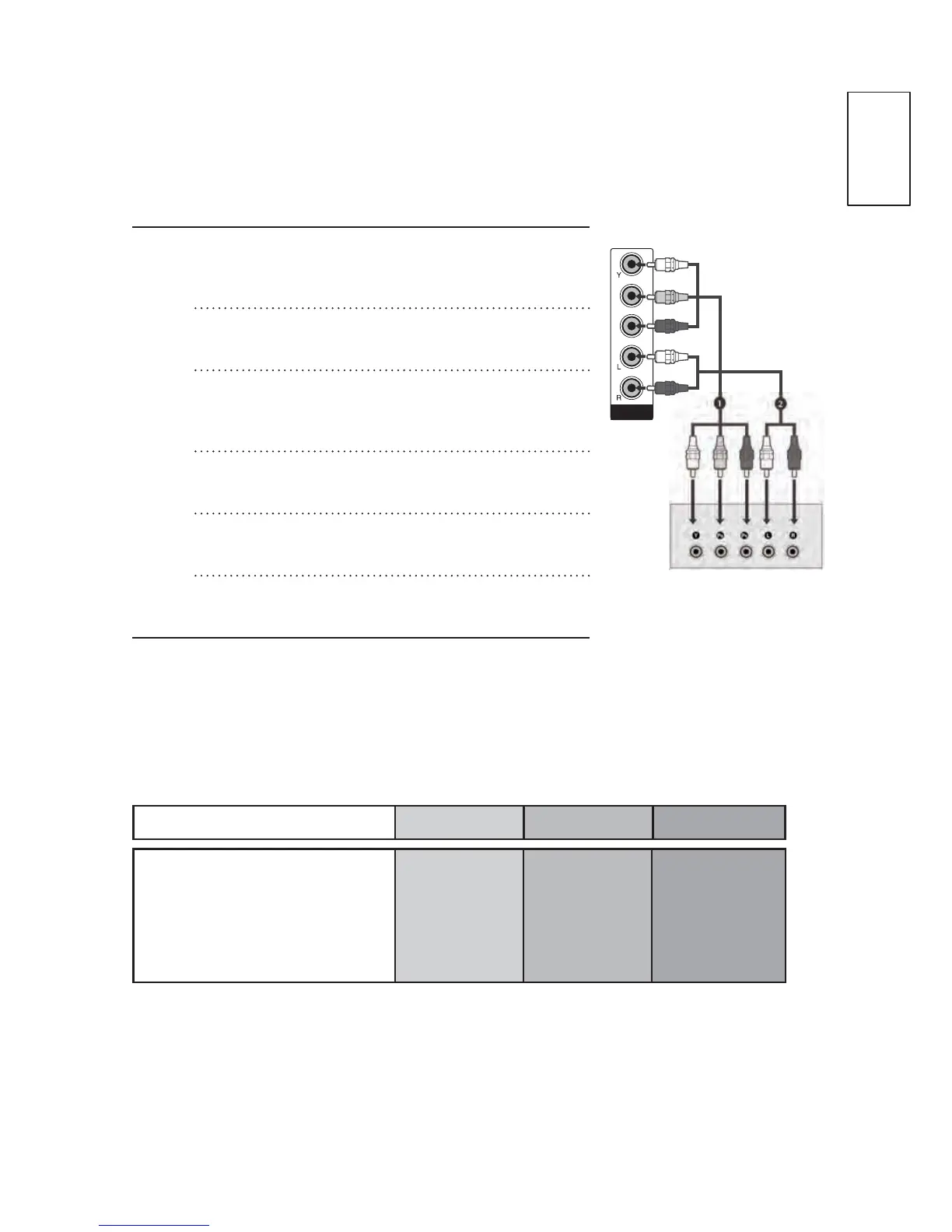
When connecting with a component cable
n
Connect the video outputs (Y, Pb, Pr) of
the DVD to the COMPONENT IN VIDEO
jacks on the TV.
o
Connecting with a component cable.
p
Connect the audio outputs of the DVD to
the COMPONENT IN AUDIO jacks on the
TV.
q
Turn on the DVD player, insert a DVD.
r
Select Component input source using the
INPUT button on the remote control.
s
Refer to the DVD player's manual for
operating instructions.
Component Input ports
7RDFKLHYHEHWWHUSLFWXUHTXDOLW\FRQQHFWD'9'SOD\HUWRWKH
component input ports as shown below.
Component ports on the TV Y Pb Pr
Video output ports on DVD
player
YPbPr
Y B-Y R-Y
YCbCr
YPbPr
COMPONENT IN
Pb
Pr



 To Next Page