42
ENGLISH
PICTURE CONTROL
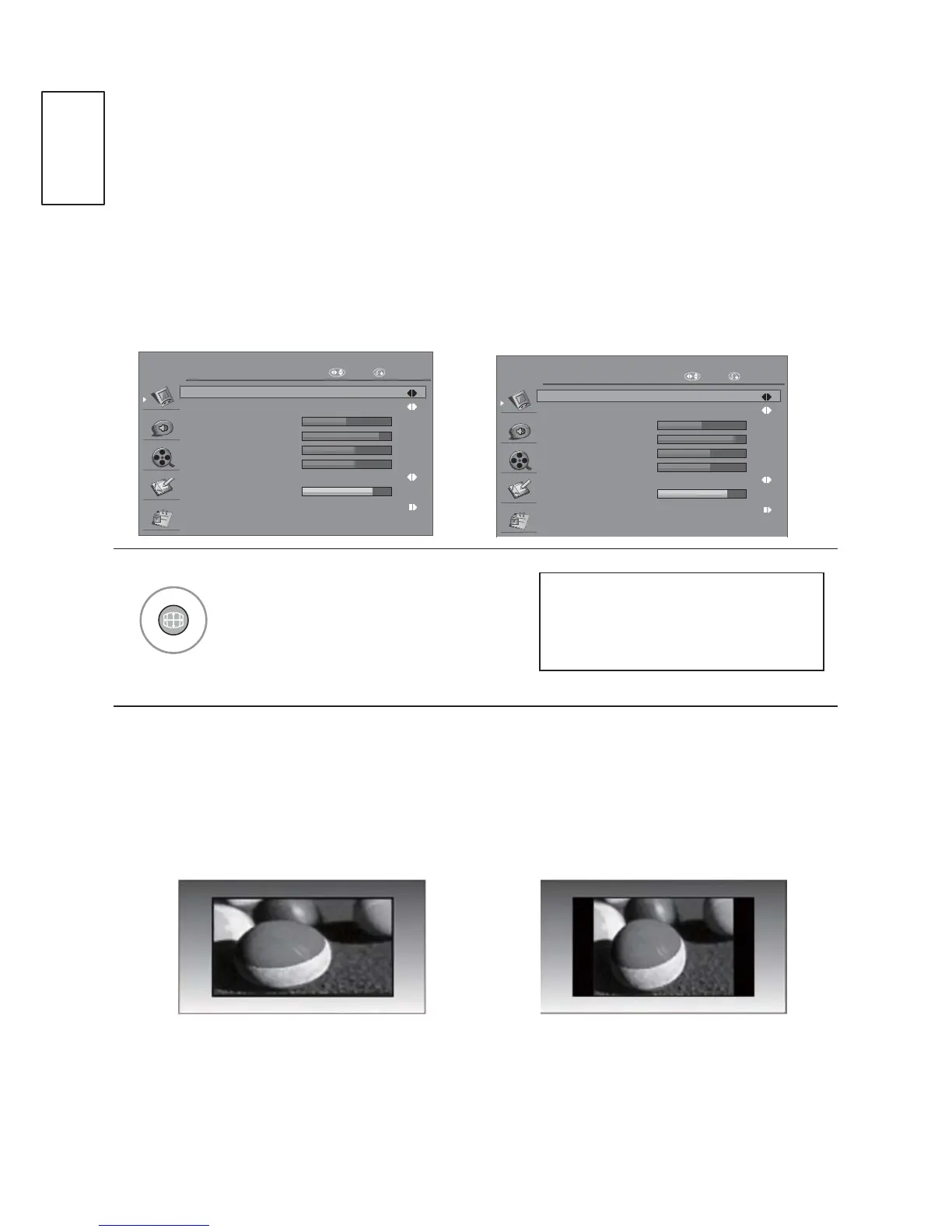
Picture Size (Aspect Ratio) Control
<RXFDQZDWFKWKHVFUHHQLQYDULRXVSLFWXUHIRUPDWV2ULJLQDO
ZOOM 1, ZOOM 2 and Just Scan (only 720p, 1080i, 1080p).
,ID¿[HGLPDJHLVGLVSOD\HGRQWKHVFUHHQIRUDORQJWLPHWKDW¿[HGLPDJHPD\
become imprinted on the screen and remain visible.
PICTURE
Aspect Ratio 16:9
Picture Mode
Brightness
Contrast
Colour
Sharpness
50
90
60
60
80
Backlight
User
Advanced Control
Colour Temperature Normal
Move RETURN
PICTURE
Aspect Ratio Zoom 1
Picture Mode
Brightness
Contrast
Colour
Sharpness
50
90
60
60
80
Backlight
User
Advanced Control
Colour Temperature Normal
Move RETURN
Select the desired picture format.
16:9
The following selection will allow
you to adjust the picture horizontally,
LQOLQHDUSURSRUWLRQWR¿OOWKHHQWLUH
screen (useful for viewing 4:3
formatted DVDs).
4:3
The following selection will allow
you to view a picture with an
original 4:3 aspect ration, grey
bars will appear on both the left
and right of the screen.
16:9, Original, 4:3, 14:9,
Zoom1 or Zoom2



 To Next Page