ENGLISH
23
PC Setup
This TV provides Plug and Play capability, meaning that the PC adjusts
automatically to the TV's settings.
Connecting with a D-sub 15 pin cable
n
o
p
q
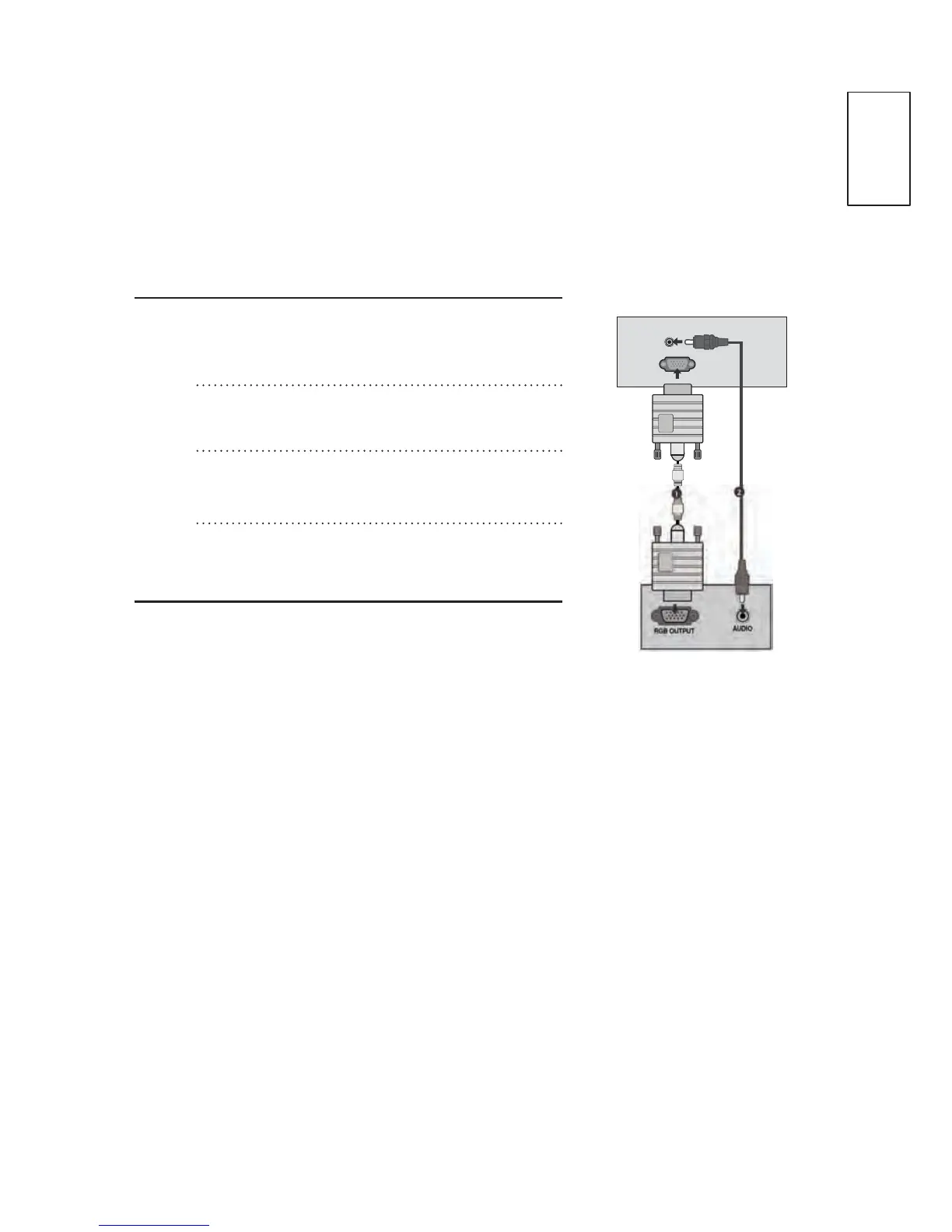
&RQQHFWWKH5*%RXWSXWRIWKH3&WR
the RGB IN (PC) jack on the TV.
Connect the PC audio output to the
AUDIO IN (RGB/DVI) jack on the TV.
Turn on the PC and the TV
Select RGB input source using the
INPUT button on the remote control.
RGB IN
(PC)
AUDIO IN
(RGB/DVI)



 To Next Page