SETUP
PROG
DVD
ENTER
SKIP
INDEX SEARCH TIME SEARCH
• The first scenes of each chapter
of the title being played will be
displayed.
• To select the VCR output mode.
• To use the remote contorol
in VCR mode.
• To view the tape
in slow motion.
• To select the recoeding speed.
• To start a recording.
VCR Button
SLOW Button
SPEED Button
REC Button
DISC NAVIGATION Button
VCR
SLOW
SPEED
REC
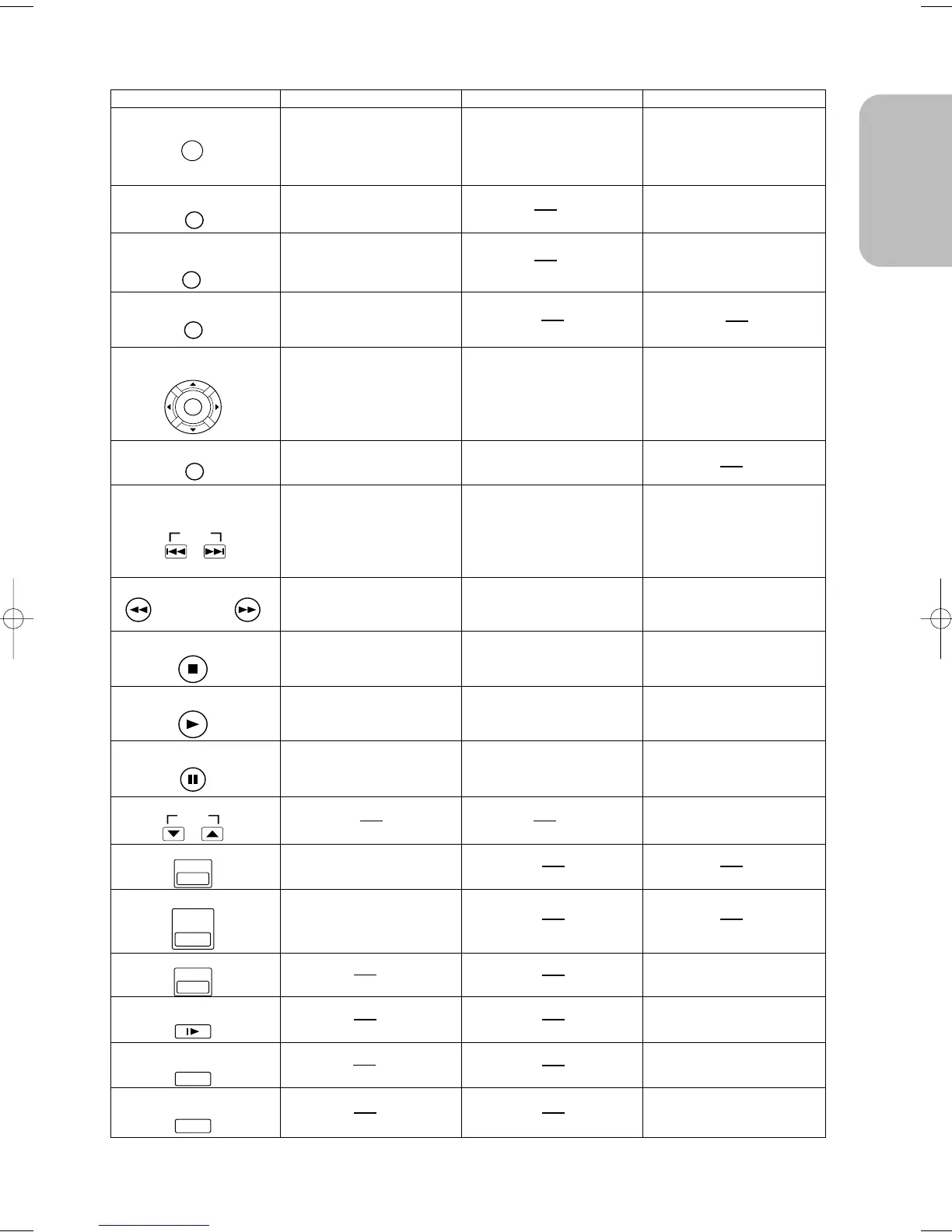
ENTER/Arrow Button
(UP/DOWN or LEFT/RIGHT
Button)
SEARCH Buttons
DVD VCRCD
• Moves the cursor and
determines its position.
SETUP Button
• Brings up the DVD player's
Setup menu.
SKIP Buttons (DVD)
INDEX SEARCH /
TIME SEARCH Buttons (VCR)
PROGRAM Buttons
• To skip Chapters.
• Allows you to search
forward/backward
through a disc
(×2. ×8. ×50. ×100) .
STOP Button
PLAY Button
• To stop playback.
• Begin disc play.
PAUSE/STEP Button
• Advances playback
one frame at a time.
• Advances playback
one frame at a time.
• Moves the cursor and
determines its position.
• Moves the cursor and
determines its position.
• Brings up the DVD player's
Setup menu.
• To skip Tracks. • To perform INDEX or TIME
SEARCH.
• Allows you to search
forward/backward
through a disc (×16) .
• To stop playback.
• Pause disc play.
• Pause disc play.
• Pause tape play or record.
• Press to exclusively control
the TV programmes.
• Begin disc play.
• To stop playback or record.
• Begin tape play.
DVD Button
• To use the remote contorol
in DVD mode.
• To select the DVD output mode.
• Allows you to forward/backward
through a tape.
DISC
NAVIGATION
Tour of the Remote Control
CLEAR/C.RESET Button
• Clear the makers.
• Clear the makers.
• Removes status No.
in program input.
• Clear the number that is
entered incorrectly.
• Clear the number that is
entered incorrectly.
MENU Button
• Brings up the Menu
on a disc.
TOP MENU
/ SHOWVIEW Button
• Brings up the Top Menu
on a disc.
RETURN Button
• Returns to a previous menu.
• To reset the tape counter.
• Brings up the VCR Menu.
• Cannot use the ENTER button.
• To programme timer recording
with the S
HOWVIEW system.
TOP MENU/SHOWVIEW
RETURN
MENU
CLEAR/C. RESET



 To Next Page