–
25
–
EN
2C15
English
–
25
–
EN
2C15
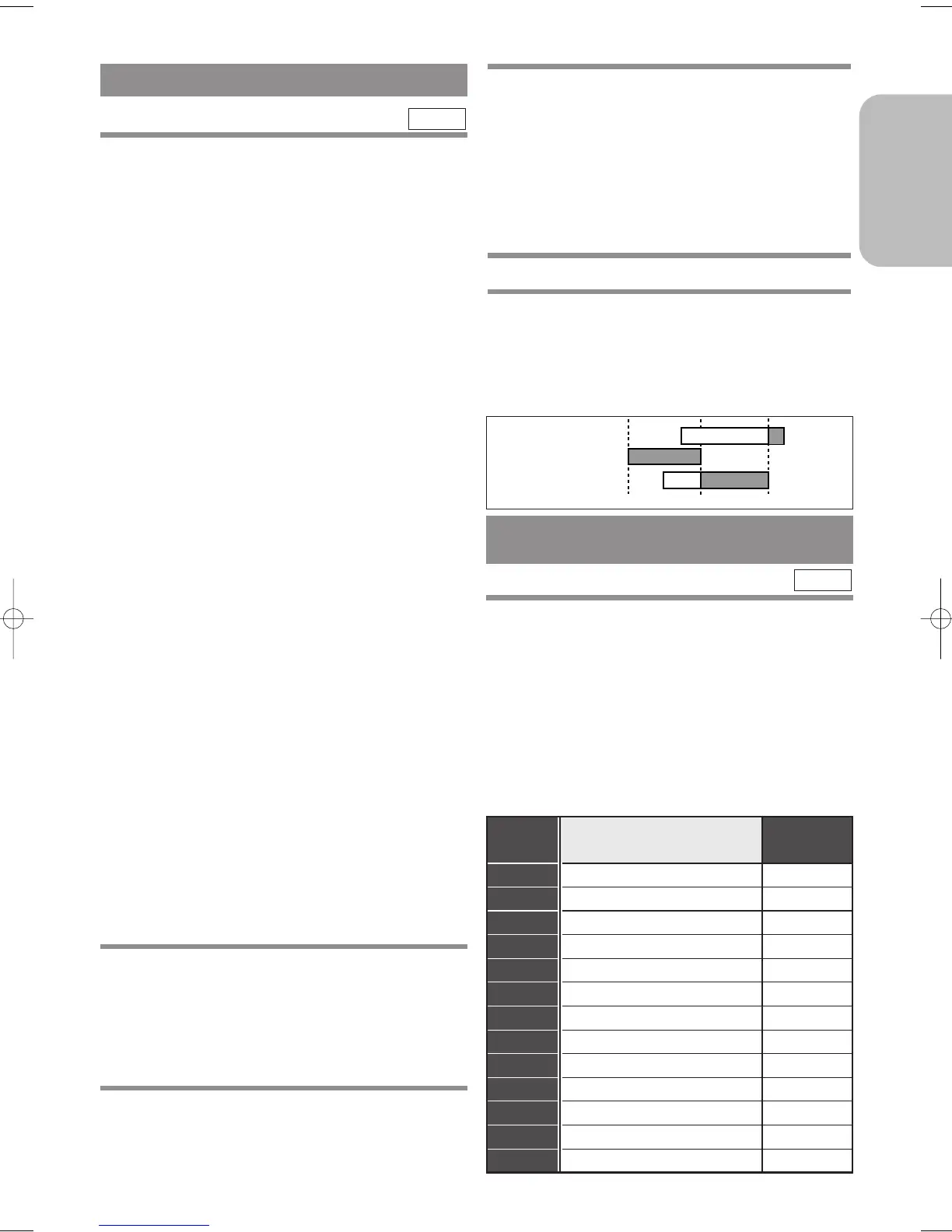
9:00 10:00 11:00
Programme 1
Programme 2
Programme 3
HINTS FOR TIMER RECORDING
¡If there is a power failure or the DVD/VCR is
unplugged for more than 30 seconds, the clock set-
ting and all timer settings will be lost.
¡If a tape ends during TIMER RECORDING, the
DVD/VCR will stop, eject the tape, and switch to the
DVD mode automatically as the TIMER light
blinks. (If the DVD power is off, the VCR will
become STANDBY status).
¡
If a tape is not in the
DVD/VCR
or does not have a
safety tab, the TIMER light flashes and timer recording
will not operate. Please insert a recordable
tape.
¡
When all timer recordings are finished, the TIMER
light will flash. To use the
DVD/VCR
again as usual,
press TIMER to disable the flashing TIMER light,
then press VCR to select the VCR mode. Select either
VCR or DVD mode, then continue with the other fea-
tures as described in this manual.
¡
When timer recordings are set, the TIMER light will
come on. To use the
DVD/VCR
as usual until the time
for the recording, press TIMER so that TIMER light
disappears. Press VCR to choose the VCR mode.
Select either VCR or DVD mode, then continue with
the other features as described in this manual.
¡
In timer standby mode, VCR feature does not func-
tion.
¡
To exit timer standby mode, press TIMER.
The TIMER light disappears and you can operate the
VCR.
If you want to use the DVD player during
a VCR timer recording or while the
TIMER light is on or flashes.
¡
You can use the DVD player while the TIMER light is
on or flashes, or during a timer recording. Press y/I to
turn on the DVD player. ;Press DVD on the remote
control to choose DVD mode, then continue with the
other DVD features as described in this manual. You
don’t have to set the TIMER off to use the DVD only.
TO STOP AN AUTOMATIC TIMER
PROGRAMME ALREADY STARTED
Press C/A on the DVD /VCR.
TO CHECK, CORRECT, OR CANCEL AN
AUTOMATIC TIMER PROGRAMME
1 Press TIMER.
¡
If the VCR’s power is off, press y/I instead of
TIMER, then go on to the next step.
¡If the DVD output mode is selected, you have to
switch it to the VCR mode by pressing the VCR on
the remote control or the OUTPUT on the
DVD/VCR.
2 Repeat steps 2 to 3 in the “ TIMER
RECORDING” section.
VCR
SHOWVIEW
®
GUIDE CHANNEL SET
SETTING THE GUIDE CHANNELS
FOR THE S
HOWVIEW SYSTEM
First, make a table like below.
Then, referring to your local TV guide magazine or
the TV listings of your local newspaper, fill in the
each boxes with proper information.
¡
Write your local channel numbers in the “VCR
Channel” column, corresponding TV-stations in the
“TV-Station”column, and Guide channels in the
“GUIDE Channel” column. Then continue with the
other features as described in this manual.
VCR
GUIDE
Channel
TV-Station
(Germany)
VCR
Channel
3 Select the programme number you want to
check by pressing Arrow ( o/p ) .
¡
The details of the selected programme appears on
the TV screen.
¡
Go to the digit you want to change by pressing
Arrow (
B
/
s
)
. Then, enter correct numbers by
pressing
Arrow (
o / p ).
¡You may cancel the entire programme by pressing
Arrow (
B
/
s
) while the programme number flash-
es.
4 Press MENU to exit.
5 Press TIMER to return to timer stand-by
mode.
TO AVOID OVERLAP OF TIMER PRO-
GRAMMES
A timer programme will not work whilst another pro-
gramme is under execution.
H9550ED.qxd 03.5.20 3:07 PM Page 25



 To Next Page