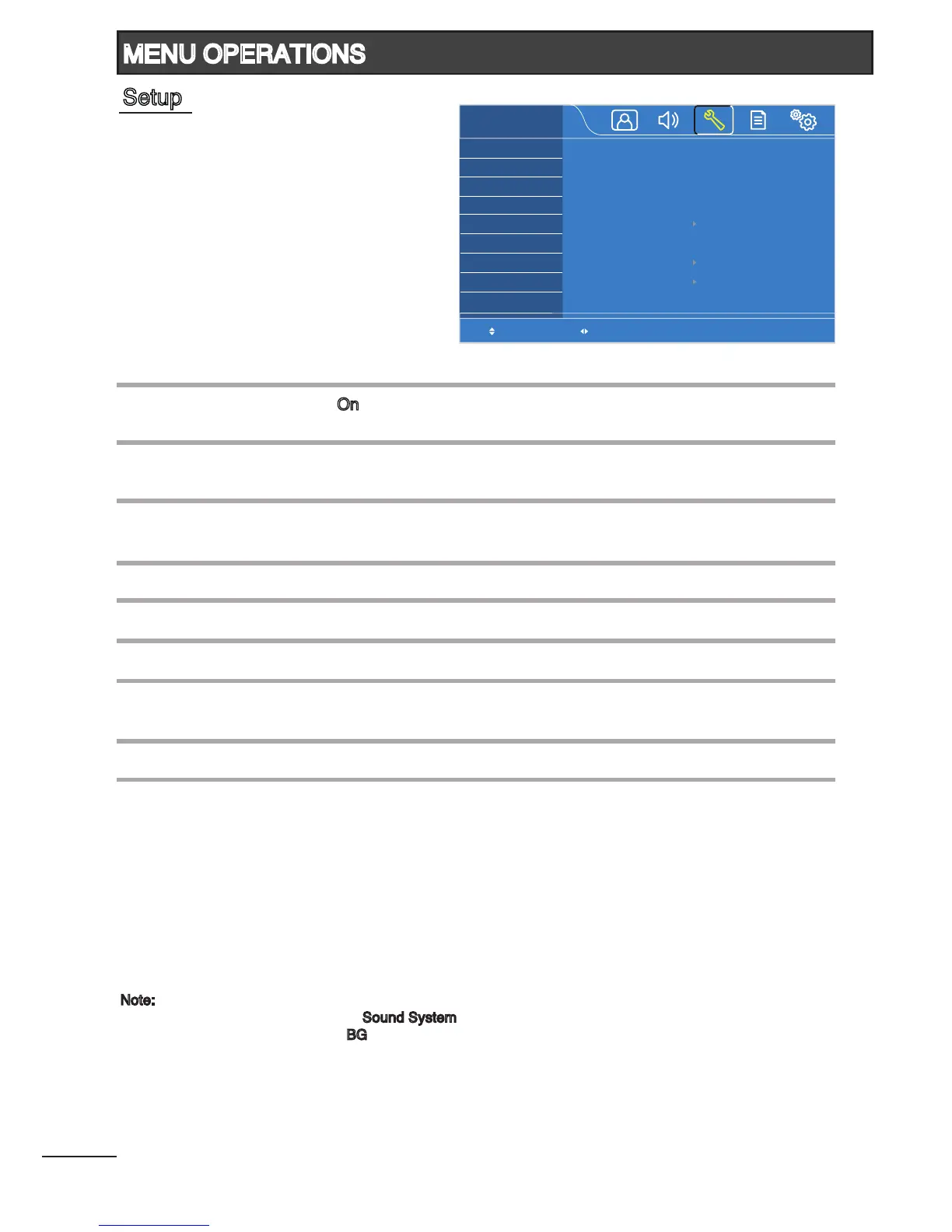
Set the channel number.
Select “On” to skip the current channel.
(On / Off)
Select the appropriate color system.
(Auto / PAL / NTSC / SECAM)
Select the appropriate sound system.
(BG / I / DK / M)
Tune each channel manually.
Fine tune the current channel.
Tune all the available channels automatically.
Change the order of the channels stored on the TV.
(Channel No. / Target Channel / Swap)
Adjust to its average volume level of each individual channel.
Channel No.
Skip
Color System
Sound System
1
Manual Tuning
Fine Tuning
Auto Tuning
Channel Sorting
Volume Leveller
2
Select Adjust
Channel No.
Skip
Color System
Sound System
Manual Tuning
Fine Tuning
Auto Tuning
Channel Sorting
Volume Leveller
SETUP
1
Off
PAL
BG
175.25MHz
0
Note:
1
You need to set to the correct “Sound System” according to local TV station before Auto Tuning.
The default setting is set at “BG”.
2
This function is only available in TV mode. The volume level of different channels may vary signicantly
due to different broadcast stations. You can adjust the volume of a channel to the same level as the
other channels to avoid having to adjust the volume each time you change channels.
MENU OPERATIONS
Setup










 To Next Page