27
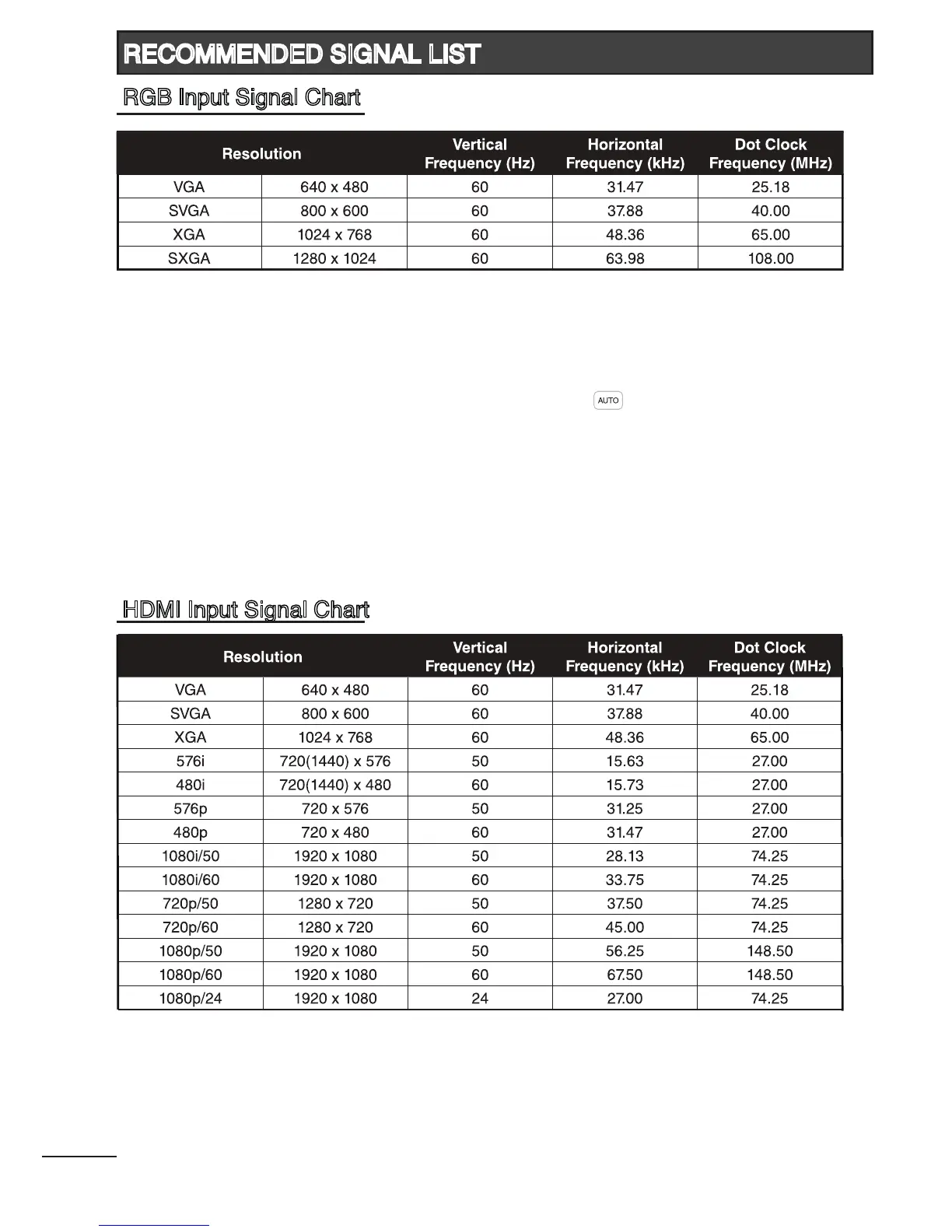
- If the message “Unsupported Signal” appears on the screen, adjust the PC display setting as
in the above chart.
- Mode that are not listed in the above chart, may not be supported. For an optimal picture, it is
recommended to choose a mode listed in the chart.
- Sometimes, the image may be disrupted due to the frequency standard from the VGA card. This
is not an error. You may improve this situation by pressing the [ ] button or adjusting the
position, clock and phase settings in the RGB Setup menu manually.
- If you switch off the TV, interference lines may occur on the TV screen. This is normal.
RECOMMENDED SIGNAL LIST
HDMI Input Signal Chart
RGB Input Signal Chart



 To Next Page