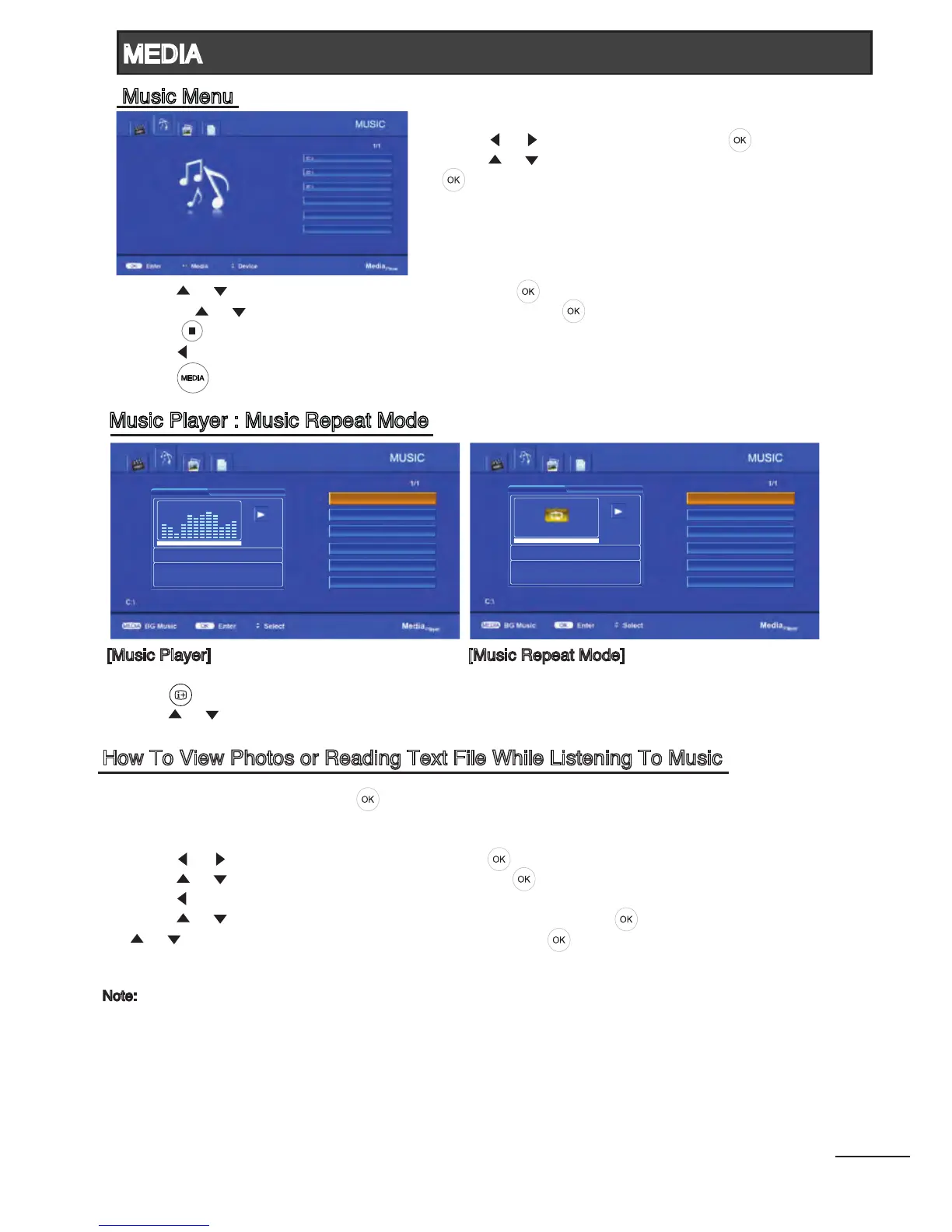
3. Press [ ] / [ ] to select the desired folder and press [ ] to open the folder;
or press [ ] / [ ] to select the desired music le and press [ ] to start playing.
4. Press [ ] to stop music playing and return to video list.
5. Press [ ] to return to the previous menu.
6. Press [ ] to return to Media Player main menu.
[Music Player] [Music Repeat Mode]
- Press [ ] to display Music Repeat Mode while playing the music.
- Press [ ] / [ ] to select the repeat mode from “All Tracks”, “Repeat None” and “Current Track”.
How To View Photos or Reading Text File While Listening To Music
1. Select music le to play, press [ ]. .
2. While music is playing, press [MEDIA] to continue playing all music les in the folder (or selected
le if the repeat mode is set to “Current”) and return to Media Player main menu.
3. Press [ ] / [ ] to select PHOTO or TEXT. Press [ ] to enter.
4. Press [ ] / [ ] to select the desired drive and press [ ] to enter.
5. Press [ ] to return to the previous menu (if necessary).
6. Press [ ] / [ ] to select the desired photo or text folder and press [ ] to open the folder; or press
[ ] / [ ] to select the desired photo or text le and press [ ] to start the slideshow or to read the
text le.
Note:
- This menu only show les with the mp3 le extension.
- Files with other le extensions are not displayed, even if they are saved on the same USB storage device.
- An over-modulated mp3 le may cause some sound distortion during playback.
- After 10mins of music playback without pressing any remote control buttons, the TV will enter screen saver
mode automatically. Press any buttons to exit screen saver mode.
- This TV supports lyrics display (English, Simplied Chinese and Traditional Chinese) with maximum number
of characters per line is 28.
- The lename of music and lyrics must be the same in order to display lyrics while the music is playing.
24
00:00:01
No Lyrics Available
Music 02
Music 03
Music 01
Music 01
MEDIA
Music Menu
Music Player : Music Repeat Mode



 To Next Page